


.webp)


Basic Understanding of SFP Ports
Integrated into mainstream network devices such as switches, routers, and media converters, SFP ports are characterized by core advantages of hot-swappability and cross-media compatibility. Conventional models support transmission rates from 100 Mbps to 10 Gbps, among which SFP+ models are designed specifically for 10 Gigabit links, and QSFP series can achieve high-bandwidth transmission of 40G, 100G, etc., adapting to high-density interconnection needs in data centers. It should be noted that their stable operation relies not only on transceiver quality but also on the mechanical precision and electrical performance of slots and connectors, which directly affect link stability.
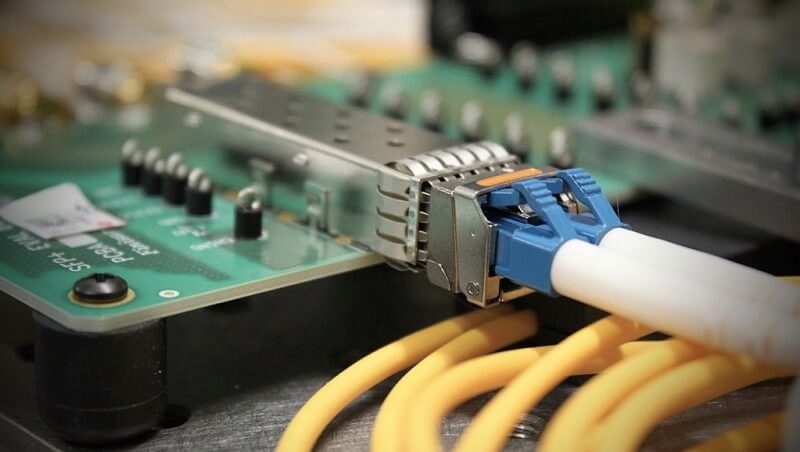
Fibermart's SFP slots and connectors strictly comply with industry standards, offering flexible designs including single-port, multi-port, and stackable configurations. Optional components such as EMI shielding gaskets, spring strips, heat sinks, and light pipes are available. Among them, EMI components effectively suppress electromagnetic interference between ports; heat sinks adapt to heat dissipation of high-power modules; light pipes facilitate maintenance personnel to intuitively check link status. The overall solution can accurately adapt to scenarios such as high-density deployment and harsh industrial environments, significantly improving network deployment stability and post-maintenance convenience.
Core Value and Fault Impact of SFP Ports
As a core modular interface for network devices, SFP (Small Form-Factor Pluggable) ports support flexible switching between fiber optic and copper cables. Widely used in scenarios such as data center server cluster interconnection, enterprise campus network backbone links, and industrial Ethernet control links, they are key nodes ensuring smooth hierarchical network transmission. SFP port faults may cause single-link interruptions leading to local service lag; in severe cases, multi-port failures can result in overall network paralysis, directly affecting enterprise production operations and customer services, and further bringing considerable economic losses and brand reputation impacts. Therefore, accurately grasping fault causes, adopting scientific troubleshooting methods, and matching scenario-appropriate reliable hardware solutions are crucial for improving network operation efficiency and reducing fault rates.
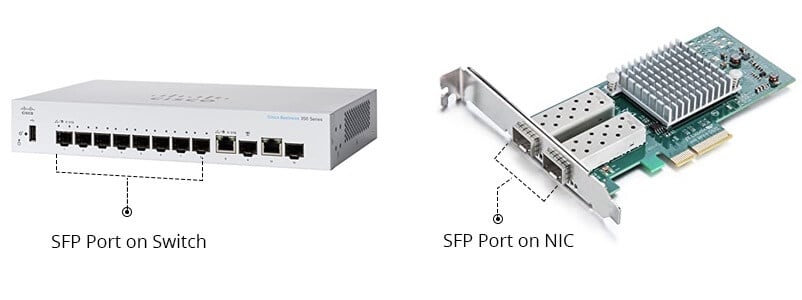
Common Causes of SFP Faults and Solutions - SFP Troubleshooting
1. Incompatible or Unsupported SFP Modules to Ethernet Switches
Mainstream manufacturers such as Cisco and HP restrict the access of uncertified third-party modules through strict module certification protocols. The core reason is that third-party modules have insufficient compatibility with devices in terms of EEPROM chip information, DDM (Digital Diagnostic Monitoring) functions, and electrical performance parameters, which easily cause abnormalities such as link jitter, port false alarms, and failure to establish links. When expanding the capacity of core switches, an IT manager of a California enterprise used a third-party 1G SFP module to connect to a Cisco Catalyst 9200 switch, resulting in frequent instability of the uplink. The switch log continuously displayed "invalid transceiver" warnings. After replacing it with a Cisco original certified module, the link immediately returned to stability without any abnormal alarms.
When troubleshooting such faults, priority should be given to using modules certified by the device manufacturer, and key parameters such as module transmission rate, wavelength, and EEPROM information should be checked one by one for matching with device specifications. Fibermart's slots and connectors fully comply with industry standards, with optimized mechanical structure and electrical contact design. Equipped with EMI protection, heat dissipation, and light pipe components, they not only improve module recognition stability but also effectively reduce compatibility risks and the probability of intermittent faults.
Quick Responses: Replace with certified modules if blocked by suppliers; replace with compatible alternatives if general-purpose modules fail to establish links; check manufacturer specifications if modules are unrecognized.
2. Improper Insertion of SFP Modules
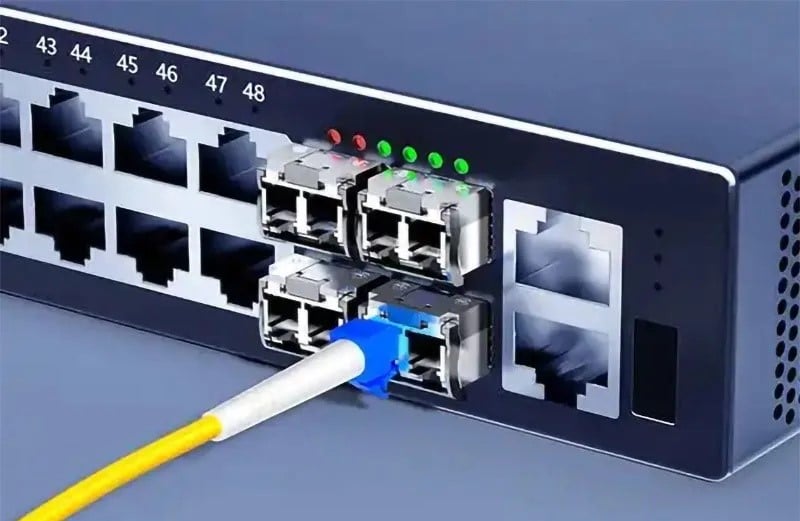
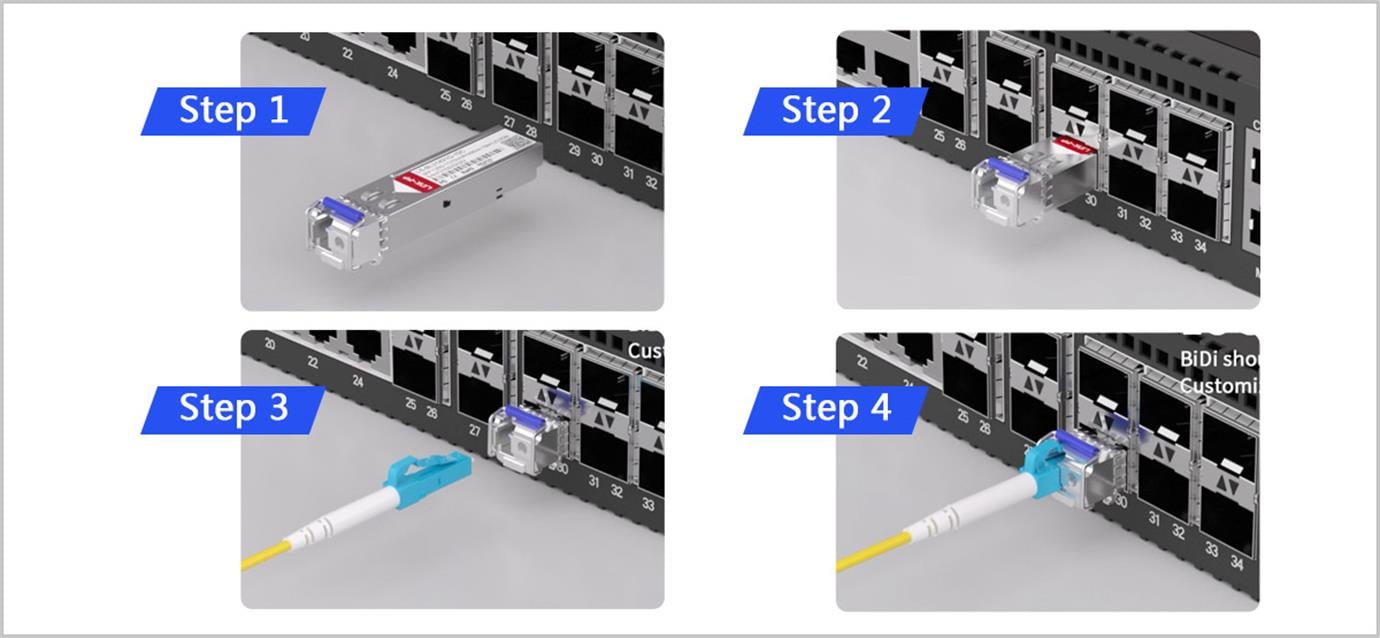
Incomplete module insertion and poor contact are high-frequency faults in daily maintenance, especially prominent in scenarios such as high-density rack-mounted switches and narrow installation spaces. When troubleshooting a MikroTik CRS328 switch, a UK maintenance team found that a certain SFP port had no response after inserting a module, and the switch failed to recognize the transceiver, while other ports using the same model module operated normally. Disassembly inspection confirmed that the module seemed inserted in place externally but was not fully clamped into the slot, resulting in poor electrical contact—a typical "visual misjudgment" fault.
When installing an SFP module, it is necessary to ensure that the module is fully clamped until a clear click is heard, avoiding judging the installation status by appearance alone. Fibermart has optimized the mechanical structure of slots, adding clear alignment marks and obvious clamping tactile feedback, and providing press-fit installation options for large-scale deployment. Equipped with light pipe components, it can synchronously project link status to the device panel, greatly improving fault troubleshooting efficiency and reducing maintenance time.
Operation Specifications: Use controlled force during insertion/extraction to prevent pin bending; do not touch connector contacts; check the firmness of the buckle after installation.
3. Faulty or Physically Damaged SFP Modules
As precision electronic components, SFP modules are prone to physical damage or functional failures due to various factors. Common causes include factory quality defects, electrostatic discharge (without anti-static operations), aging in long-term high-temperature environments, and improper insertion/extraction operations. Their typical fault feature is that they cannot be recognized across multiple devices and normal ports, excluding other factors such as cables and links. An Australian user reported that a newly purchased SFP module could not be detected on multiple devices, and the problem persisted after replacing with a confirmed normal cable. However, another module from the same batch worked stably under the same configuration, ultimately diagnosed as an individual factory defect of the module.
When suspecting module damage, cross-testing should be performed to isolate the fault: connect the suspected faulty module to idle ports of multiple normal devices, and test with a normal module from the same batch in the same link at the same time, then compare results to confirm whether the module is damaged. After confirming the fault, record the module batch number and serial number and contact the supplier for after-sales replacement. Enterprises should establish a sound incoming quality inspection process. With its strict internal R&D testing system and customized slot solutions, Fibermart reduces link risks caused by module faults from the hardware supporting level and improves overall network reliability.
Fault Responses: Replace the module if there is no link or LED indicator; replace with another brand/batch if the signal is unstable; initiate warranty procedures if the fault occurs across devices.
4. Fiber Optic Connection Issues
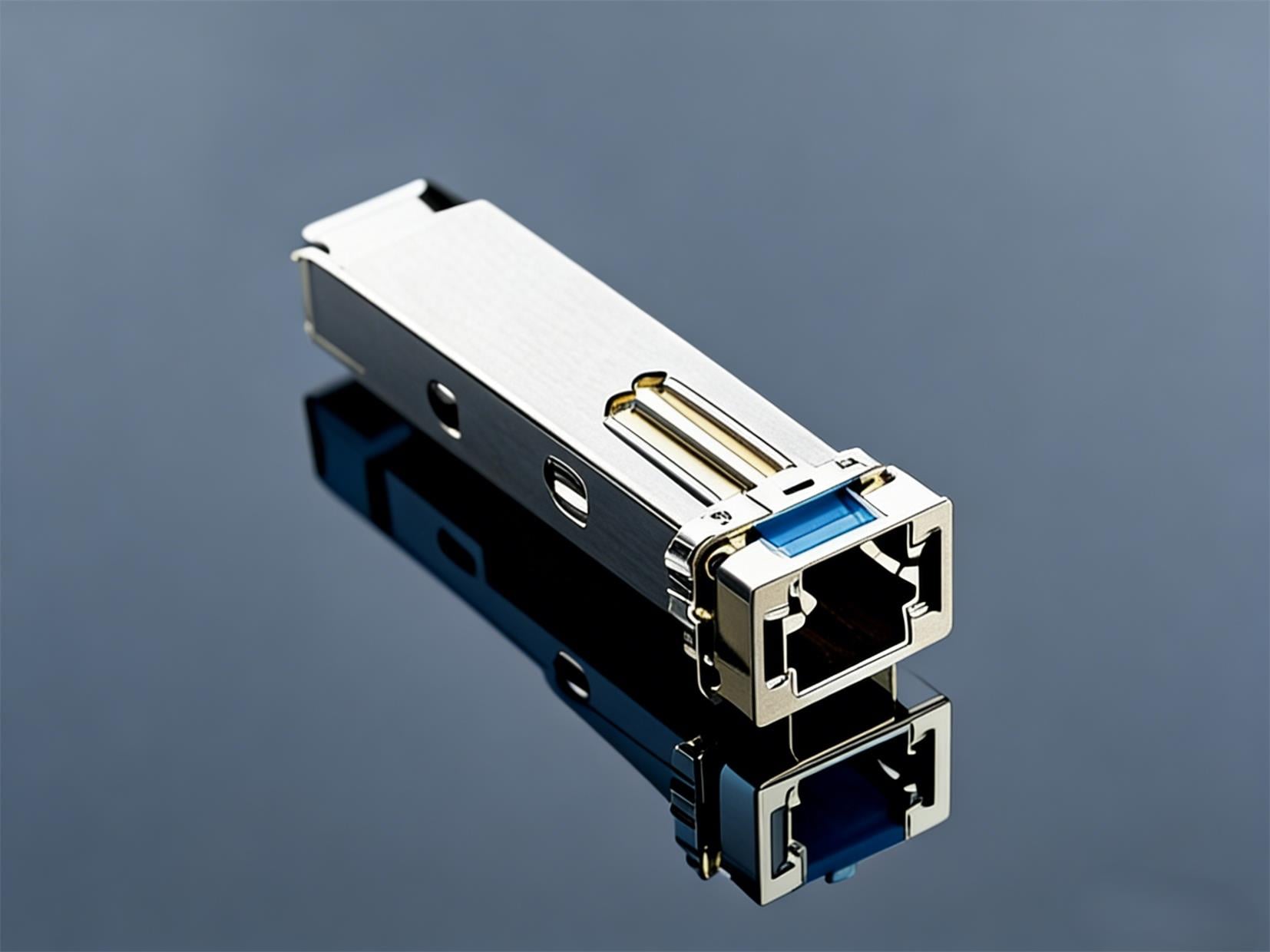
For SFP ports using fiber optic modules, faults are mostly related to fiber optic link cleanliness, physical integrity, and external environments, often manifested as intermittent link interruptions, excessive signal attenuation, and excessive insertion loss. An outdoor fiber optic link of a German Internet service provider frequently disconnected during the day and recovered at night. Investigation found that the SFP LC connectors deployed outdoors had slight cracks and wear on the housing due to long-term exposure to wind, sun, and temperature changes. When the temperature rose during the day, the housing deformed, causing ferrule offset, and the insertion loss exceeded the threshold, leading to disconnection. When the temperature dropped at night, the deformation recovered, and the link stabilized temporarily.
To troubleshoot such faults, check the fiber optic link section by section, replace aged and damaged connectors and jumpers, clean the connector end face with special tools to remove dust and oil stains, and ensure the fiber optic bending radius complies with specifications (usually not less than 15mm for single-mode fiber). Strengthen protection for outdoor links, check the sealing performance of splice closures and distribution boxes, and install strain relief devices to prevent fiber displacement caused by thermal expansion, wind, and vibration. At the same time, ensure strict matching between fiber optic and module types/wavelengths, and the transmission distance does not exceed the module's rated range to avoid signal attenuation due to mismatched parameters.
Fibermart's SFP connectors adopt a firm bonding and buckle design to improve interface mechanical stability. Equipped with EMI shielding components and heat dissipation accessories, they can effectively resist electromagnetic interference and temperature fluctuations in complex environments, significantly enhancing the operational reliability of fiber optic links in outdoor and harsh industrial scenarios.

5. Mismatched SFP Ports at Both Ends
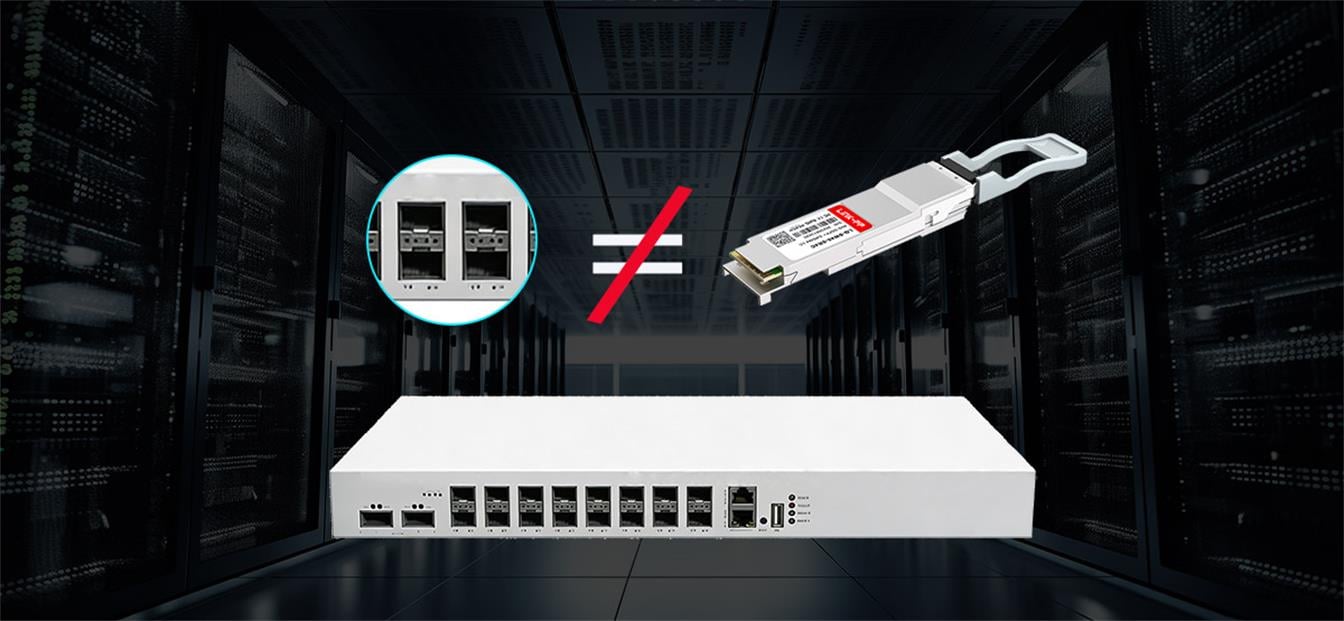
SFP modules at both ends of a fiber optic link must be fully consistent in key parameters such as transmission type, rate, wavelength, and fiber adaptability. Any parameter mismatch will prevent normal interaction of optical signals and cause communication interruptions. When troubleshooting an inter-building fiber optic link fault, an IT engineer of a US enterprise found that one end of the link used a 1000BASE-SX multi-mode module, and the other end incorrectly used a 1000BASE-LX single-mode module, resulting in the failure to stably establish the link. After replacing with the same type of multi-mode module, the link immediately resumed normal transmission.
The core solution to such problems is to follow the principle of "paired selection and unified standards". Determine the module model according to the deployed fiber type (single-mode/multi-mode) and transmission distance: for short-distance (within 100 meters) multi-mode fiber transmission, prioritize 1000BASE-SX modules; for single-mode fiber or long-distance transmission, select 1000BASE-LX and above models. When replacing modules, replace devices at both ends of the link simultaneously to ensure full parameter consistency. Meanwhile, improve maintenance records by detailing link parameters and performing end-to-end "pairing checks" before commissioning. Fibermart provides multi-specification slots and connectors, helping enterprises maintain interface consistency across different devices and links, and reducing the risk of selection and deployment errors.
6. SFP Port Configuration Errors
Software configuration errors are easily overlooked common faults. Their core feature is that hardware such as SFP modules and fiber optic links are normal, the module can be recognized by the device, but the port is always in a disabled state or fails to establish communication, essentially due to disabled interfaces or parameter configuration conflicts. When troubleshooting a Cisco Catalyst 2960X switch, a New York network engineer found that a certain SFP port had a normally installed module and intact link but failed to work. Finally, it was confirmed that the interface was mistakenly disabled by an administrator. After enabling it with the "no shutdown" command, the port immediately resumed normal transmission.
Troubleshooting such faults should follow the principle of "software first, then hardware": first check the port enablement status, then verify parameters such as port mode, transmission rate, and duplex mode (prioritize enabling auto-negotiation; ensure consistency at both ends for manual configuration), and finally check VLAN division, Trunk settings, and security policies to lift port blocking restrictions. Fibermart's slot solutions support multi-scenario layouts including single-port, multi-port, and stackable configurations. The optimized electrical contact design reduces signal interference at the hardware level and helps improve link stability after configuration takes effect.
Configuration Responses: Execute "no shutdown" for disabled ports; reconfigure or enable auto-negotiation for VLAN/rate mismatches.
|
Setting |
Possible Problem |
Fix |
|---|---|---|
|
Port shutdown |
Port not active |
Run “no shutdown” |
|
VLAN mismatch |
No connectivity |
Reassign correct VLAN |
|
Speed/duplex mismatch |
Link flaps or no link |
Enable auto-negotiation or set correct speed manually |
Quick SFP Port Troubleshooting Checklist and Preventive Measures
Quick Troubleshooting Checklist
1. Compatibility Verification: Confirm the module is compatible with the device model, certified by the official manufacturer, and check the matching of key parameters such as transmission rate, wavelength, and EEPROM information one by one;
2. Installation Check: Ensure the module is fully inserted, the buckle is firmly locked, clean the connector contacts with special tools to ensure no dust, oxidation, or damage;
3. Link Check: Cables are undamaged, bent in compliance with specifications, and connected firmly;
4. Parameter Matching: Parameters of modules and fibers at both ends of the link are fully consistent;
5. Configuration Check: The port is enabled, and mode, rate, and VLAN configurations are correct;
6. Replacement Testing: Use normal modules and cables for cross-testing to rule out individual faults;
7. Logs and Indicators: Use device logs and LED lights for auxiliary positioning.
Key Measures to Prevent Future SFP Port Issues
1. Standardized Labeling: Attach clear labels to modules, fiber optic/copper cables, indicating link purpose, device names at both ends, module model, parameters, and deployment date to avoid confusion during maintenance;
2. Spare Parts Reserve: Prepare fully tested modules and cables for quick replacement;
3. Dust Protection: Install dust caps on idle ports and modules;
4. Regular Updates: Download and update network device firmware in a timely manner to fix known interface compatibility and stability vulnerabilities; back up configurations before updates to avoid unexpected risks;
5. Strict Procurement Control: Purchase from formal merchants to ensure product quality and after-sales service;
6. Regular Inspections: Check link connectivity, module operating temperature, and connector firmness periodically, focusing on link protection in special scenarios such as outdoor and high-temperature environments to eliminate potential hazards in advance.
Conclusion
SFP ports are vital for modern networks, and their stability ensures business continuity. Faults mainly stem from module incompatibility, improper insertion, physical damage, fiber issues, mismatched ports, or configuration errors. Prevention and efficient troubleshooting are key. Use reliable hardware like Fibermart's SFP solutions, and follow strict installation, inspection, and labeling procedures. Mastering fault causes and using quality hardware/standardized processes is crucial for a stable network. This improves SFP port reliability and supports business growth.
Frequently Asked Questions (FAQ)
1. Why do uncertified third-party SFP modules often cause port malfunctions?
Uncertified third-party modules usually have inconsistencies in EEPROM chip information, DDM functions, and electrical parameters with devices from mainstream manufacturers (such as Cisco and HP). These mismatches easily trigger link jitter, false alarms, or failure to establish links. Manufacturers restrict uncertified modules through strict certification protocols to ensure network stability.
2. What should I do if the SFP module seems inserted but is not detected by the device?
First, reinsert the module to ensure it is fully clamped until a clear click is heard. Then clean the connector contacts to eliminate poor contact caused by dust or oxidation. If the problem persists, check whether the slot design is compatible with the device panel, and use slots with clear alignment marks to avoid insertion deviations.
3. Why does the fiber optic link connected to the SFP port disconnect intermittently with temperature changes?
This is mostly caused by physical damage to outdoor connectors (such as cracks or wear). High temperatures cause housing deformation and ferrule offset, increasing insertion loss beyond the threshold. To resolve it, replace damaged connectors, strengthen the sealing of outdoor distribution boxes, and add strain relief devices to resist thermal expansion and vibration.
4. What key parameters must match between SFP modules at both ends of a fiber optic link?
Modules at both ends must be consistent in transmission type (single-mode/multi-mode), rate, wavelength, and fiber adaptability. For example, 1000BASE-SX multi-mode modules cannot be mixed with 1000BASE-LX single-mode modules. Ensure the transmission distance does not exceed the module's rated range.
5. What is the priority troubleshooting logic for SFP port failures?
Follow the principle of "software first, then hardware": first check if the port is enabled and if configurations (such as VLAN, rate) are correct; then verify module compatibility, insertion status, and fiber link integrity; finally use cross-testing with normal modules/cables to isolate faults.
6. How can Fibermart's SFP slot and connector solutions improve port stability?
Fibermart's products comply with industry standards, offering configurable EMI shielding components to reduce interference, heat sinks for high-power modules, and light pipes for intuitive link status monitoring. Optimized mechanical design ensures stable contact, and flexible layouts (single-port, multi-port, stackable) adapt to diverse scenarios while facilitating maintenance.





No comments have been posted yet.