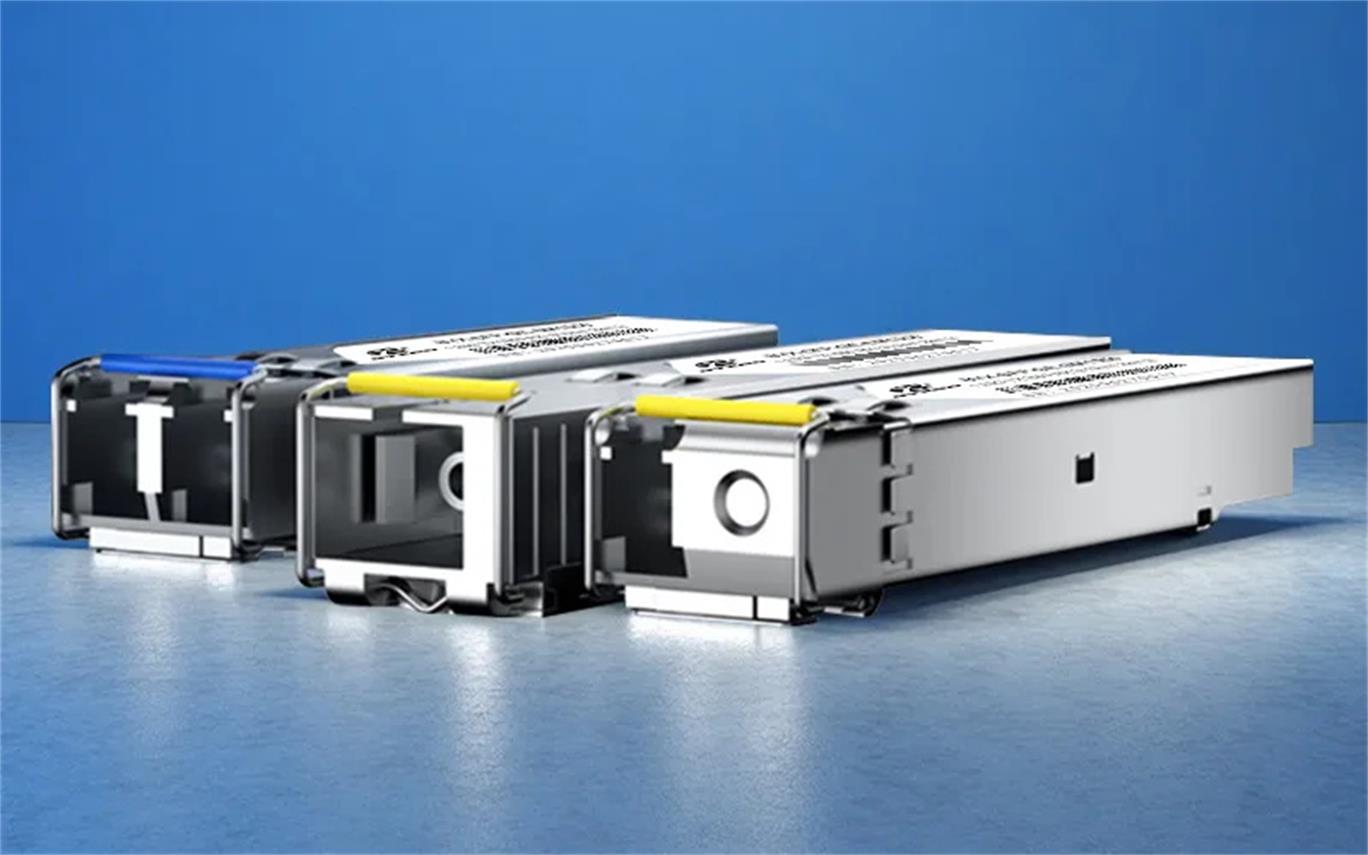
In the fast-paced world of high-speed optical networks, the Small Form-Factor Pluggable Plus (SFP+) transceiver serves as a linchpin, facilitating seamless data transmission across data centers, enterprise networks, and telecommunications frameworks. Yet, the performance of even the most advanced SFP+ transceivers hinges on a often-overlooked component: the SFP+ optical port. This tiny, precision-engineered interface—where the transceiver connects to fiber optic cables—can quickly become a bottleneck if contaminated. Even minuscule particles like dust, oil from fingerprints, or microscopic debris can disrupt the delicate light signal transmission, leading to elevated bit error rates (BER), reduced bandwidth capacity, and costly network downtime that grinds operations to a halt.
As a globally trusted provider of optical network solutions, Fibermart understands the critical role that proper maintenance of SFP+ optical ports plays in sustaining network reliability. This guide offers a detailed, step-by-step breakdown of best practices for cleaning SFP+ optical ports, along with insights into essential tools, critical safety precautions, and post-cleaning verification methods. By following these guidelines, you can ensure your network maintains peak efficiency, minimizes disruptions, and maximizes the lifespan of your optical infrastructure.
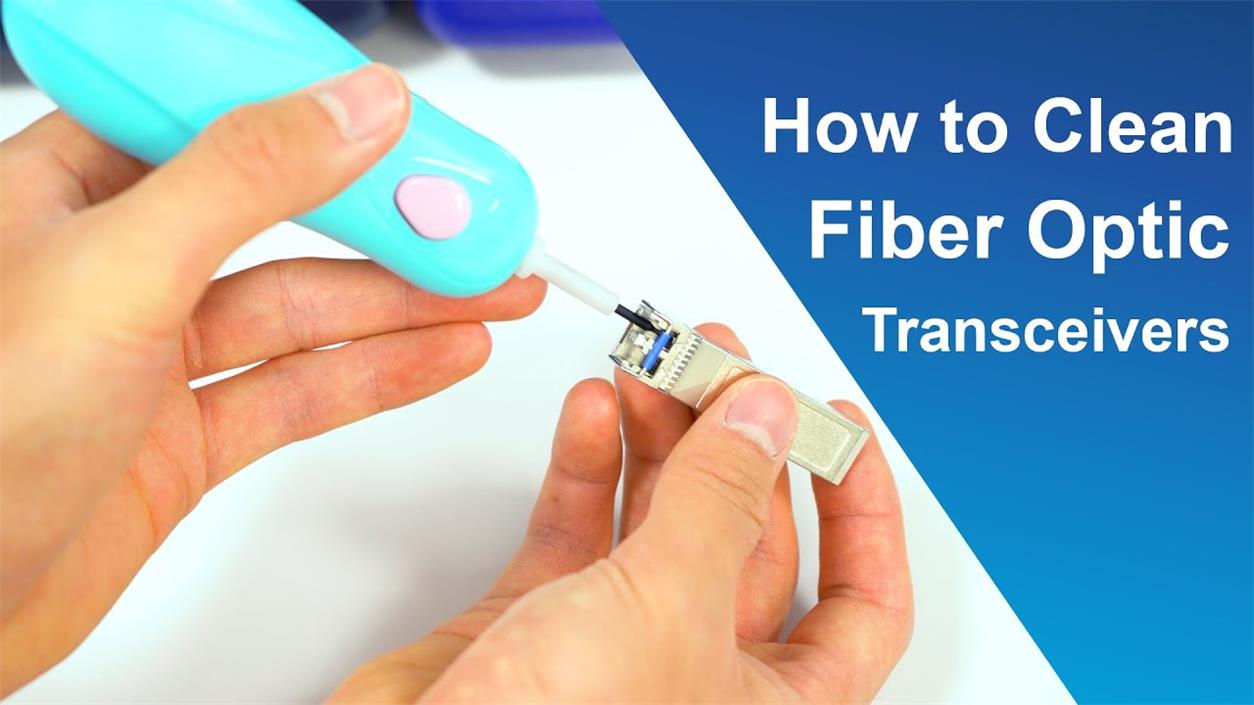
Why Cleaning SFP+ Optical Ports Is Non-Negotiable
Before diving into the cleaning process, it is vital to understand why even minor contamination poses significant risks to network performance. SFP+ transceivers rely on precise light signal exchange between the transceiver’s laser diode and the fiber optic cable. The optical port—where the fiber cable connects to the transceiver—features a tiny ferrule (typically 2.5mm or 1.25mm in diameter) with a polished end face. Any foreign material on this end face can:
Scatter or block the light signal, reducing signal strength (optical power) and increasing signal loss (attenuation).
Cause physical damage to the ferrule’s polished surface if contaminated debris is pressed against it during cable insertion.
Lead to intermittent connectivity issues, which are often difficult to diagnose and can result in prolonged network outages.
In data centers or high-traffic networks, where SFP+ transceivers handle terabits of data daily, even a 0.1dB increase in attenuation can translate to reduced transmission distances or failed connections.
Regular cleaning not only prevents these issues but also extends the lifespan of SFP+ transceivers and fiber optic cables—protecting your investment in network infrastructure.
Using the right tools is critical to avoid damaging SFP+ optical ports. Improvised methods (such as using paper towels, cotton swabs, or alcohol wipes) can leave lint, scratch the ferrule, or introduce moisture—all of which worsen contamination or cause permanent harm. Fibermart recommends the following industry-standard tools for SFP+ port cleaning:
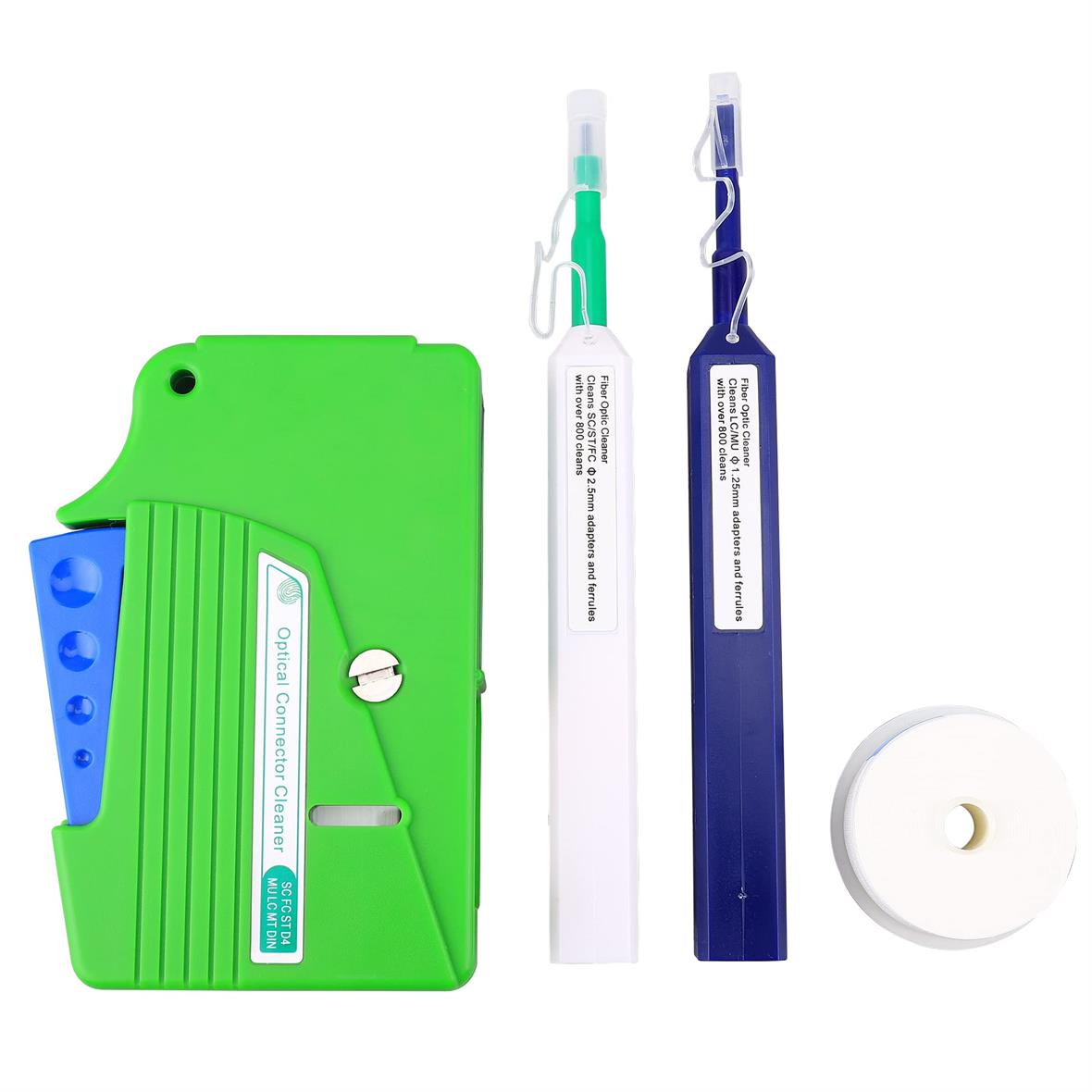
Fiber Optic Port Cleaning Pens: These disposable or reusable pens are designed specifically for small-form-factor ports like SFP+. They use a dry, lint-free cleaning tape or foam tip that conforms to the port’s shape, effectively removing dust and oil without scratching.
Fibermart’s One Click Fiber Optic Cleaner (compatible with 2.5mm SC/FC/ST/E2000 connectors, including SFP+ ports) is an ideal choice, as it delivers a consistent, pressure-controlled clean with a single press.
Isopropyl Alcohol (IPA) Wipes (99.9% Purity): For heavy oil contamination (e.g., from finger contact), use lint-free, pre-moistened IPA wipes. Ensure the alcohol is 99.9% pure—lower concentrations contain water, which can leave residue or damage the port’s coating.
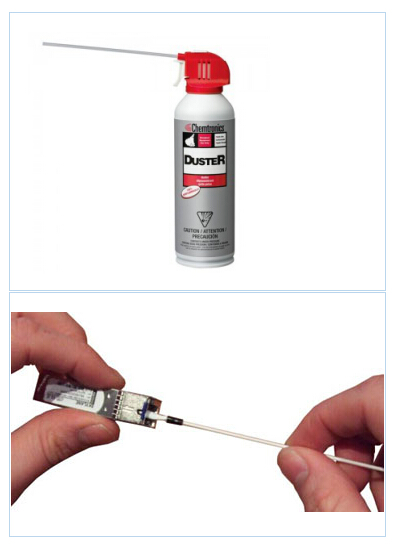
Compressed Gas Dusters (Oil-Free): These are used to blow away loose dust before dry cleaning. Choose oil-free, moisture-free compressed gas to avoid introducing new contaminants.
SFP+ Transceiver Extraction Tool: While not a cleaning tool, this tool safely removes SFP+ transceivers from switches or routers, preventing accidental damage to the transceiver or port during handling.
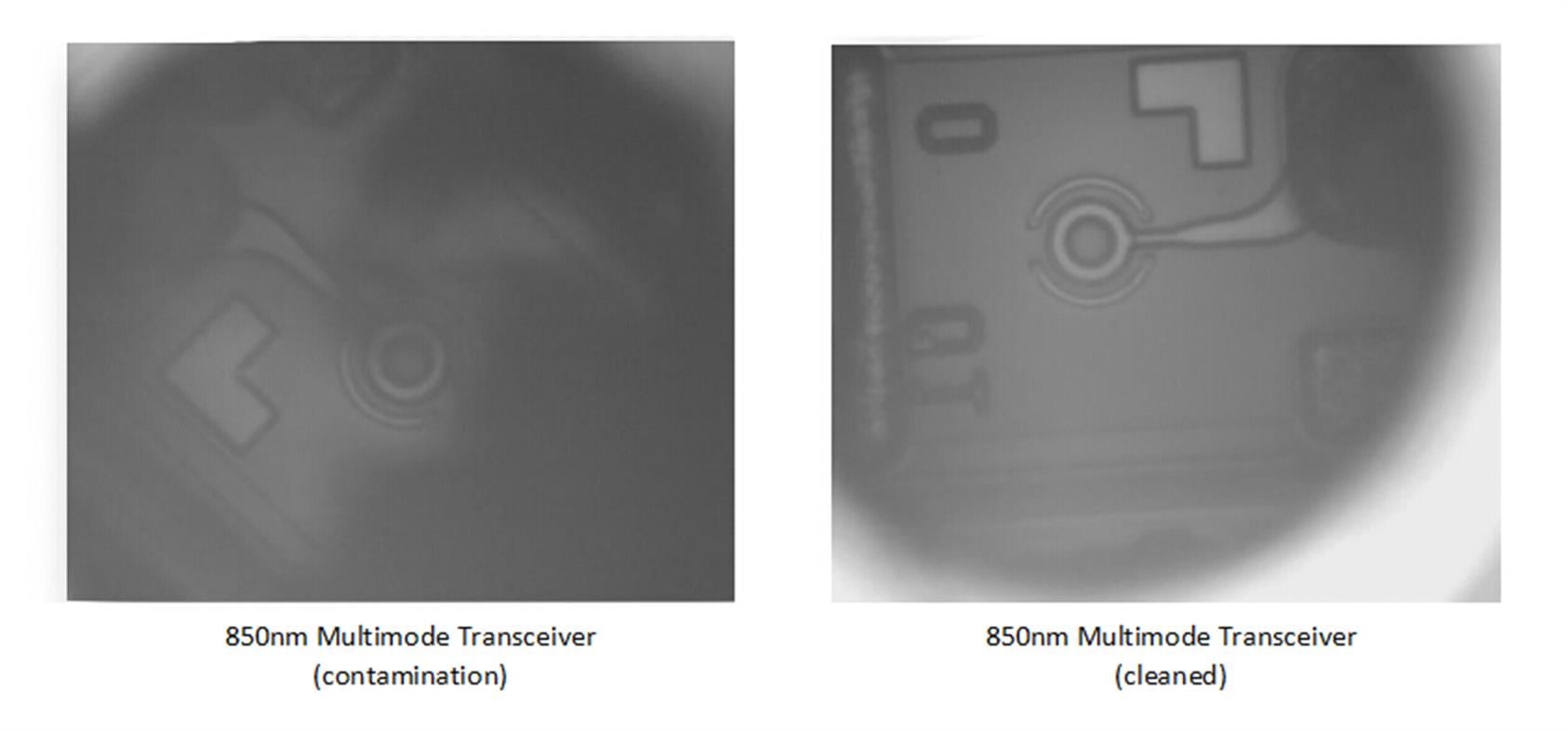
Inspection Scope: A fiber optic inspection scope (with at least 200x magnification) allows you to verify contamination before and after cleaning, ensuring no debris remains.
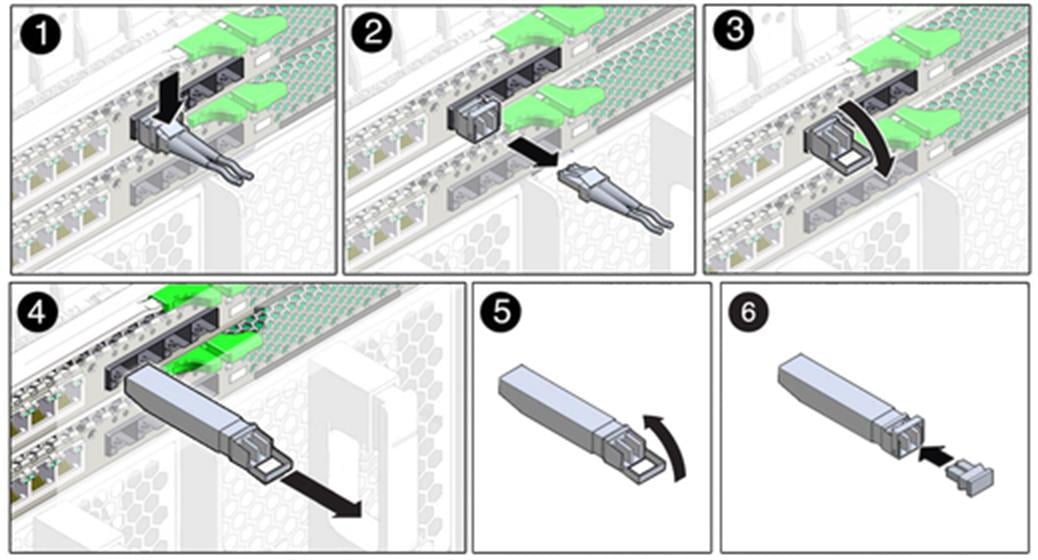
Step-by-Step Guide to Cleaning SFP+ Optical Ports
Follow these steps to clean SFP+ optical ports safely and effectively. Always power off the network device (e.g., switch, router) or disconnect the SFP+ transceiver before cleaning to avoid electrical shock or signal interference.
Step 1: Prepare the Workspace and Safety Precautions
Work in a clean, dust-free environment (e.g., a controlled lab or a portable cleanroom tent for fieldwork). Avoid areas with high humidity or airborne particles (e.g., near ventilation vents or construction zones).
Wear anti-static wristbands or gloves to prevent electrostatic discharge (ESD), which can damage sensitive SFP+ electronics.
Verify the SFP+ transceiver model and port type (e.g., LC duplex, SC simplex) to ensure compatibility with your cleaning tools.

Step 2: Inspect the Port for Contamination
Use an inspection scope to examine the SFP+ port’s ferrule end face. Look for visible dust, smudges, or scratches. If contamination is present, proceed to clean; if the ferrule is scratched, the transceiver may need replacement (contact Fibermart for compatible SFP+ transceivers).
Step 3: Remove Loose Dust with Compressed Gas
Hold the compressed gas duster upright (to avoid releasing liquid propellant) and position the nozzle 2–3 inches away from the SFP+ port.
Press the duster briefly (1–2 seconds) to blow away loose dust. Do not hold the nozzle too close or use excessive pressure, as this can push debris deeper into the port.
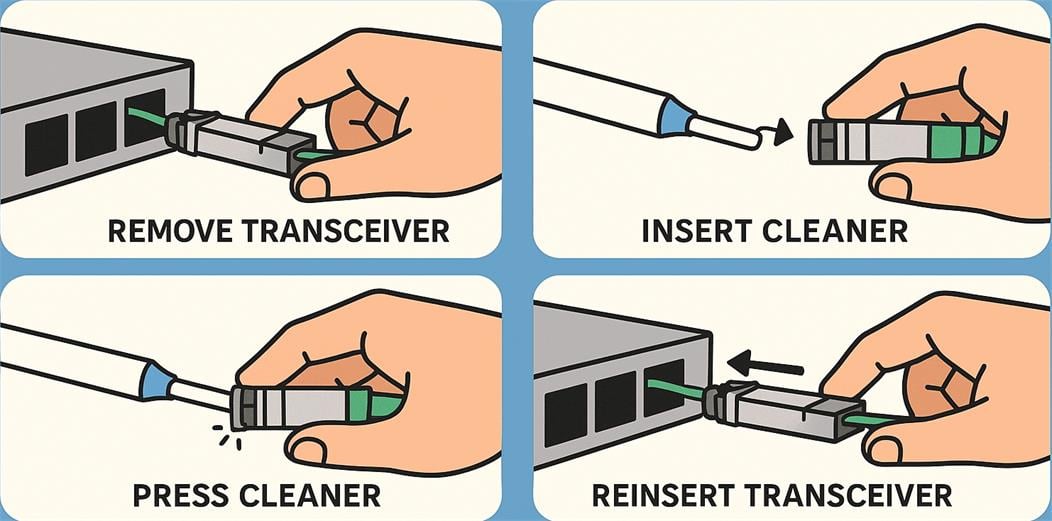
Step 4: Dry Clean with a Fiber Optic Port Cleaning Pen
Take a compatible cleaning pen (e.g., Fibermart’s One Click Cleaner for 2.5mm ports) and remove the protective cap.
Align the pen’s tip with the SFP+ port, ensuring it is straight (not angled) to avoid scratching the ferrule.
Press the pen firmly until you hear a “click” (for one-click models) or gently twist the pen (for reusable models) to advance the cleaning tape/foam.
Remove the pen slowly and discard the used tip (for disposable pens) or replace the cap (for reusable pens).
Step 5: Address Heavy Contamination with IPA Wipes (If Needed)
If oil smudges or stubborn debris remain after dry cleaning, take a lint-free IPA wipe and fold it into a small square (to avoid lint transfer).
Gently wipe the ferrule end face in a single, smooth motion (do not scrub or circularize, as this can scratch the surface).
Allow the port to dry completely (10–15 seconds) before proceeding—moisture can interfere with light signals.
Step 6: Re-Inspect and Reinstall
Use the inspection scope again to confirm the port is free of contamination. If debris remains, repeat Steps 3–5 (do not clean more than 2–3 times, as excessive cleaning can wear the ferrule).
Reinstall the SFP+ transceiver (using an extraction tool if needed) and reconnect the fiber optic cable. Ensure the cable is inserted firmly but not forced—this prevents damage to the port and cable ferrule.
Post-Cleaning Verification: Ensure Network Performance
After cleaning, it is essential to verify that the SFP+ port is functioning correctly. This step confirms that cleaning was effective and that no damage occurred during the process. Fibermart recommends the following verification methods:
Check Link Status: Use the network device’s management interface (e.g., CLI, web GUI) to confirm the SFP+ transceiver has established a stable link. Look for “Link Up” status and no error messages (e.g., “CRC Errors,” “Loss of Signal”).
Measure Optical Power: Use a fiber optic power meter (available in Fibermart’s instrument lineup) to test the transmit (Tx) and receive (Rx) power levels of the SFP+ transceiver. Compare the readings to the transceiver’s datasheet—power levels should fall within the recommended range (e.g., -5dBm to +5dBm for short-reach SFP+ modules).
Monitor Bit Error Rate (BER): For critical applications, use a BER tester to measure error rates over a 15–30 minute period. A BER of less than 10⁻¹² indicates optimal performance—any higher suggests residual contamination or other issues.
Maintenance Schedule: How Often to Clean SFP+ Ports
The frequency of cleaning depends on the operating environment and usage:
Data Centers: Clean SFP+ ports every 3–6 months, or whenever a transceiver is removed and reinstalled (e.g., during maintenance or upgrades).
Enterprise Networks: Clean ports every 6–12 months, or if connectivity issues arise.
Field Deployments (e.g., 5G towers): Clean ports every 2–3 months, as outdoor environments have higher dust and moisture levels.
Fibermart also recommends cleaning SFP+ ports before installing a new transceiver or fiber cable—even if the port appears clean. New cables or transceivers can introduce debris during handling, so pre-cleaning prevents cross-contamination.
Summary
Proper cleaning of SFP+ optical ports is a simple yet critical practice that safeguards network performance, reduces downtime, and extends the life of your optical infrastructure. By using industry-standard tools (like Fibermart’s One Click Fiber Optic Cleaner), following step-by-step cleaning procedures, and verifying performance post-cleaning, you can ensure your SFP+ transceivers operate at their full potential.


.webp)







No comments have been posted yet.