


.webp)


In the era of high-speed communication, fiber optic cables have become the backbone of data transmission, widely used in telecom networks, data centers, industrial control systems, and even home broadband. However, fiber optic cables are prone to performance degradation or faults due to factors such as construction damage, aging, bending, and contamination during long-term use. These issues can lead to signal attenuation, packet loss, or even complete communication interruption, causing huge losses to enterprises and users.
Therefore, regular testing of fiber optic cables is not only a key link in engineering acceptance and daily maintenance but also the fundamental guarantee for stable and efficient operation of the entire communication system. Today, we will focus on sharing practical dry goods about fiber optic cable testing, focusing on three core testing tools: OTDR, Power Meter, and VFL, and recommend cost-effective products from Fibermart to help you solve testing pain points efficiently.
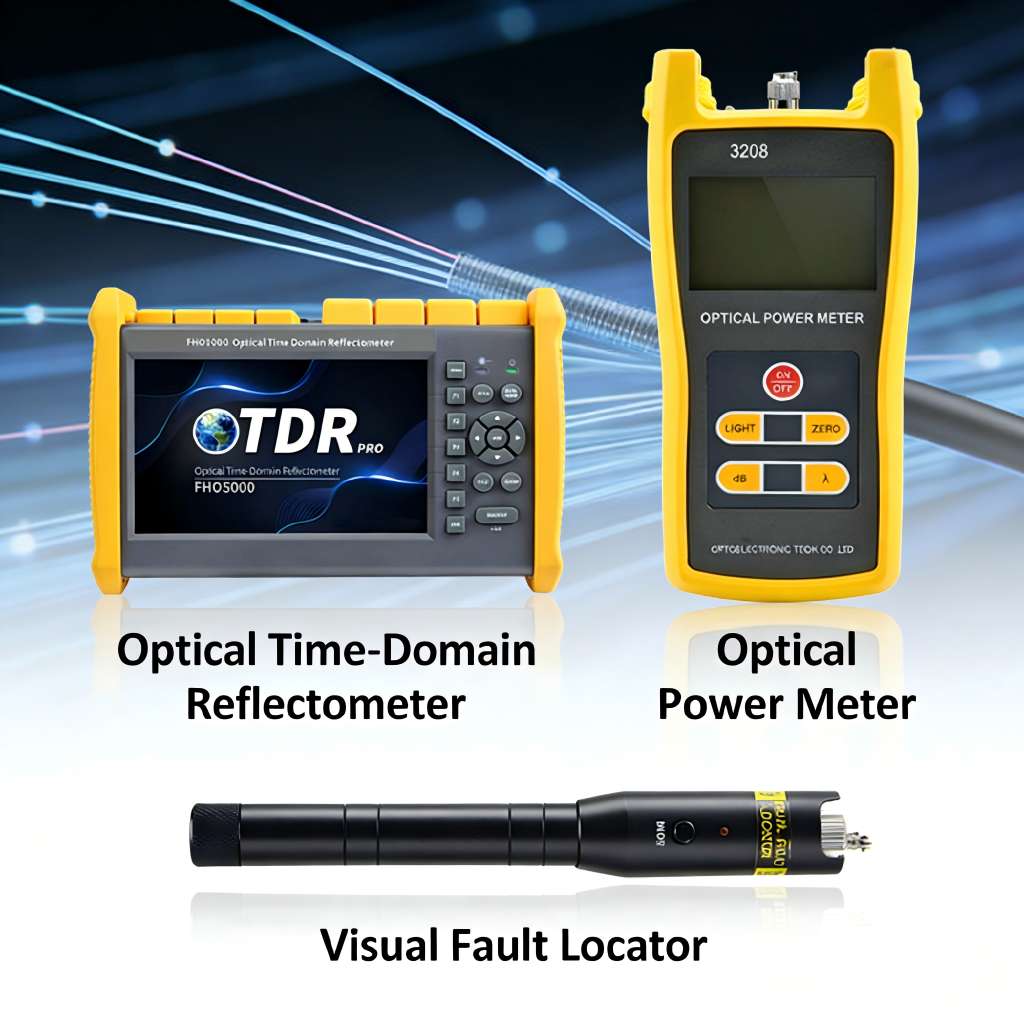
What Tools Are Needed for Testing Fiber Optic Cables?
Before diving into the specific testing methods, it is crucial to choose the right tools. The tools for fiber optic cable testing are three types: OTDR (Optical Time-Domain Reflectometer), Power Meter (Optical Power Meter), and VFL (Visual Fault Locator). Each tool has its unique functions and application scenarios, and they can complement each other to cover all aspects of Fiber testing from fault location to performance verification. Next, we will first clarify the core functions of these three tools, then detail their operation methods, and finally tell you how to choose the right tool according to different scenarios.
What is OTDR, Optical Power Meter and VFL?
What is OTDR
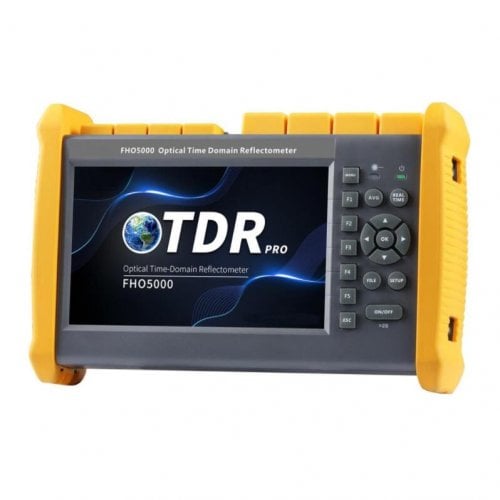
OTDR, short for Optical Time-Domain Reflectometer, is known as the "eye" of fiber optic testing. It is a important tool for long-distance fiber testing, mainly used to measure the length of fiber optic cables, transmission loss, splice loss, and accurately locate fault points (such as breaks, bends, and poor splices). Its working principle is to send a series of optical pulses into the fiber, and when the pulses encounter changes in the fiber (such as splices, breaks, or changes in refractive index), part of the light will be reflected back. The OTDR calculates the distance and loss of the fault point by analyzing the time and intensity of the reflected light, and displays the test results in the form of a curve (OTDR curve) for intuitive analysis.
Key parameters to pay attention to when choosing an OTDR: Dynamic range (the larger the dynamic range, the longer the test distance), event blind zone (the smaller the blind zone, the more accurate the positioning of short-distance faults), and wavelength compatibility (supporting 1310nm, 1550nm and other common wavelengths). For practitioners who need portable and high-precision testing, Fibermart’s Handheld OTDR (Model: FHO5000) is a cost-effective choice. This OTDR has a maximum dynamic range of 45dB, which can cover long-distance fiber testing of urban trunk lines and backbone networks; the ultra-short event blind zone of 0.8m can easily test 5m jumpers, and even accurately locate splices and fusion points of short-distance fibers in computer rooms. It integrates 7 functions including OTDR, VFL, and Power Meter, with a lightweight design of 1.5kg and 20-hour long battery life, which is very suitable for field operations such as outdoor rush repairs and engineering acceptance. It also supports SOR file output and batch report printing, which greatly improves work efficiency. You can check the detailed parameters and preferential prices on Fibermart’s official website.
What is Optical Power Meter
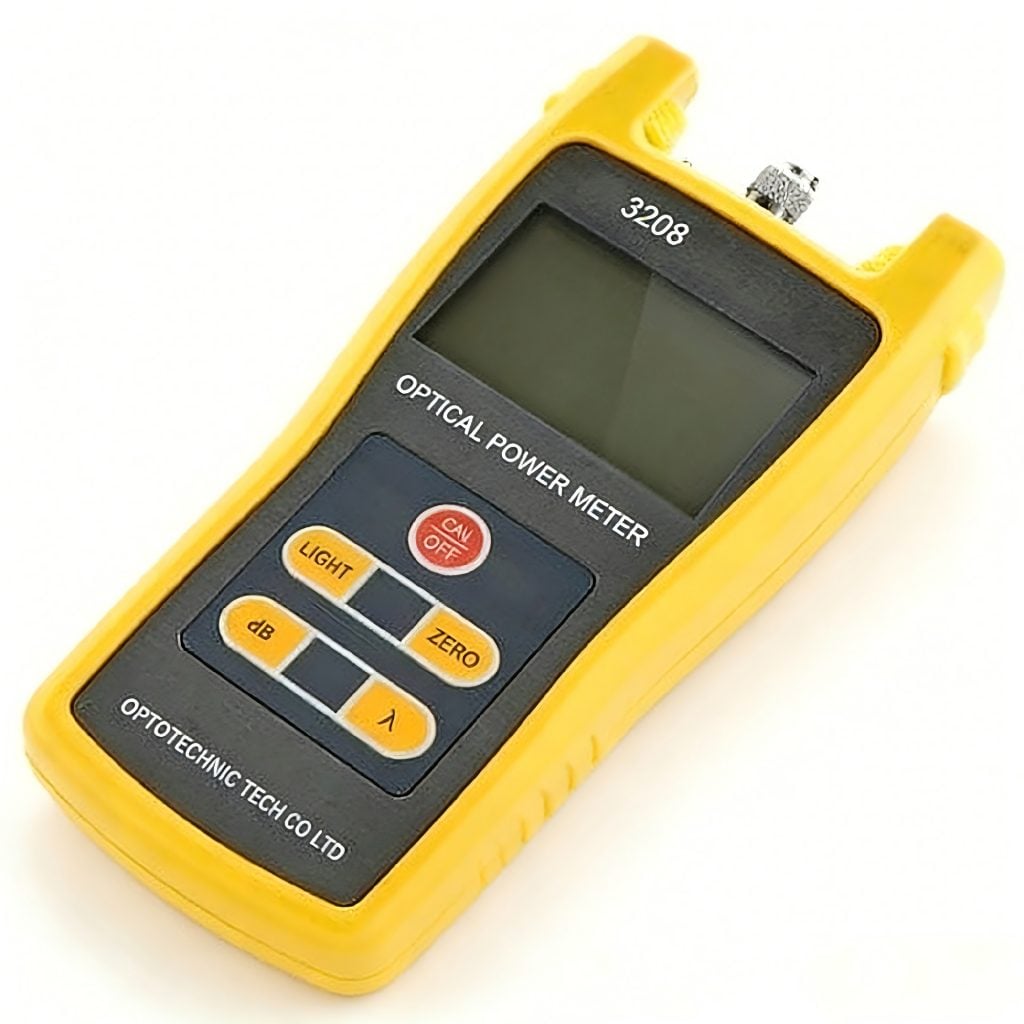
A Power Meter, also known as an Optical Power Meter, is a tool used to measure the optical power intensity of fiber optic signals. It is mainly used to verify whether the optical power of the fiber link meets the standard, detect signal attenuation, and judge whether the fiber link is unobstructed. Unlike OTDR, which focuses on fault location, the Power Meter focuses on "quantitative detection" of signal strength, which is suitable for daily maintenance, system debugging, and acceptance of short-distance and medium-distance fiber links (such as data center internal links, home broadband access lines).
The parameters of the Power Meter include measurement range (usually -70dBm to +10dBm, covering most application scenarios), measurement accuracy (the higher the accuracy, the more reliable the test results), and wavelength compatibility (supporting 850nm, 1310nm, 1550nm, etc.). Fibermart’s Digital Optical Power Meter (Model: ST-3208C) is designed for daily testing needs. It has a measurement range of -70~+10dBm and a measurement accuracy of ±0.2dB, which can accurately detect the optical power of various fiber links. It supports automatic wavelength identification, with a clear LCD display, simple operation, and no complicated training for novices. It is equipped with FC/SC/ST universal interfaces, which are compatible with most fiber connectors on the market. It is small in size and easy to carry, making it an essential tool for on-site maintenance personnel. In addition, Fibermart also provides a Power Meter and light source combination set, which can realize two-way testing of fiber loss, further improving testing efficiency.
What is VFL
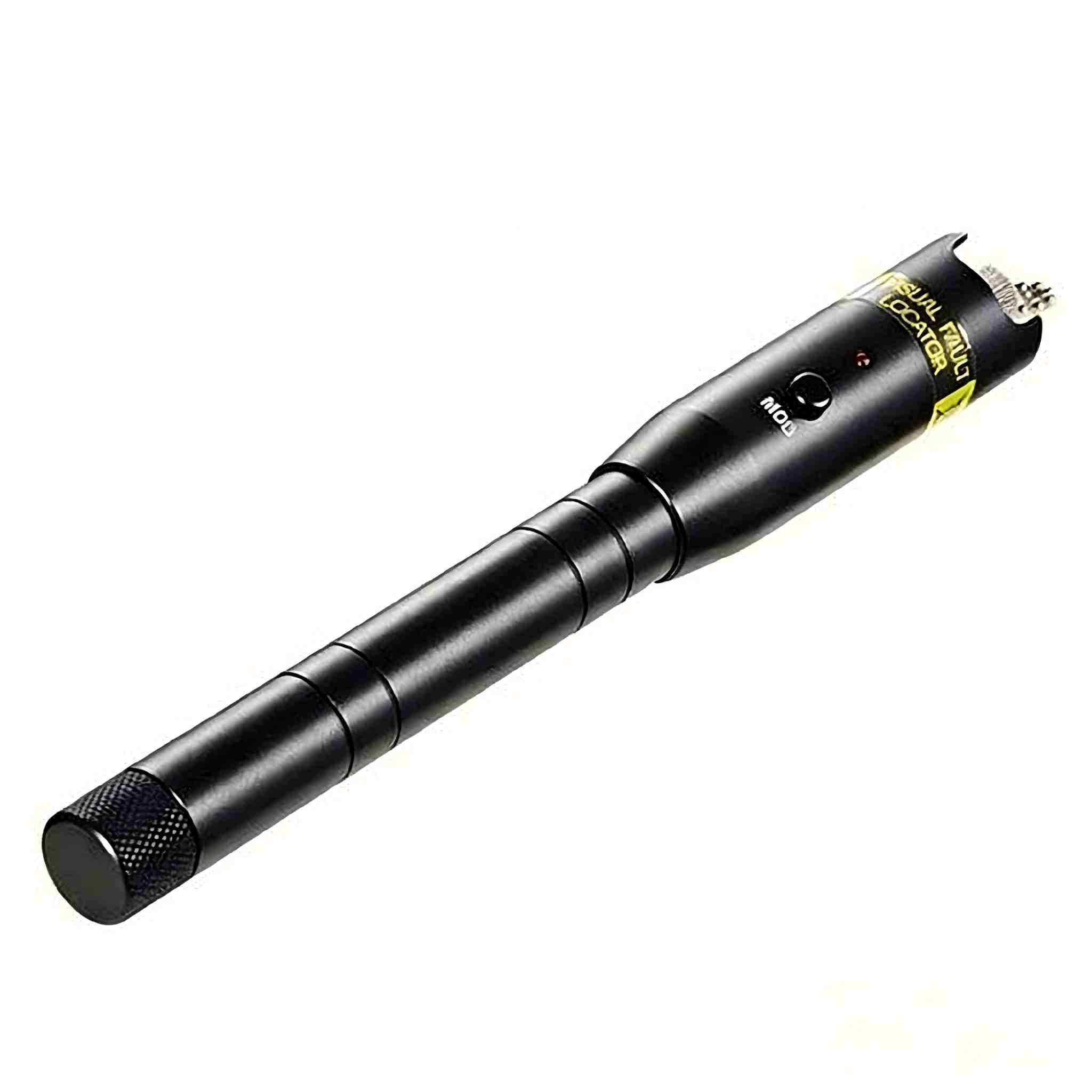
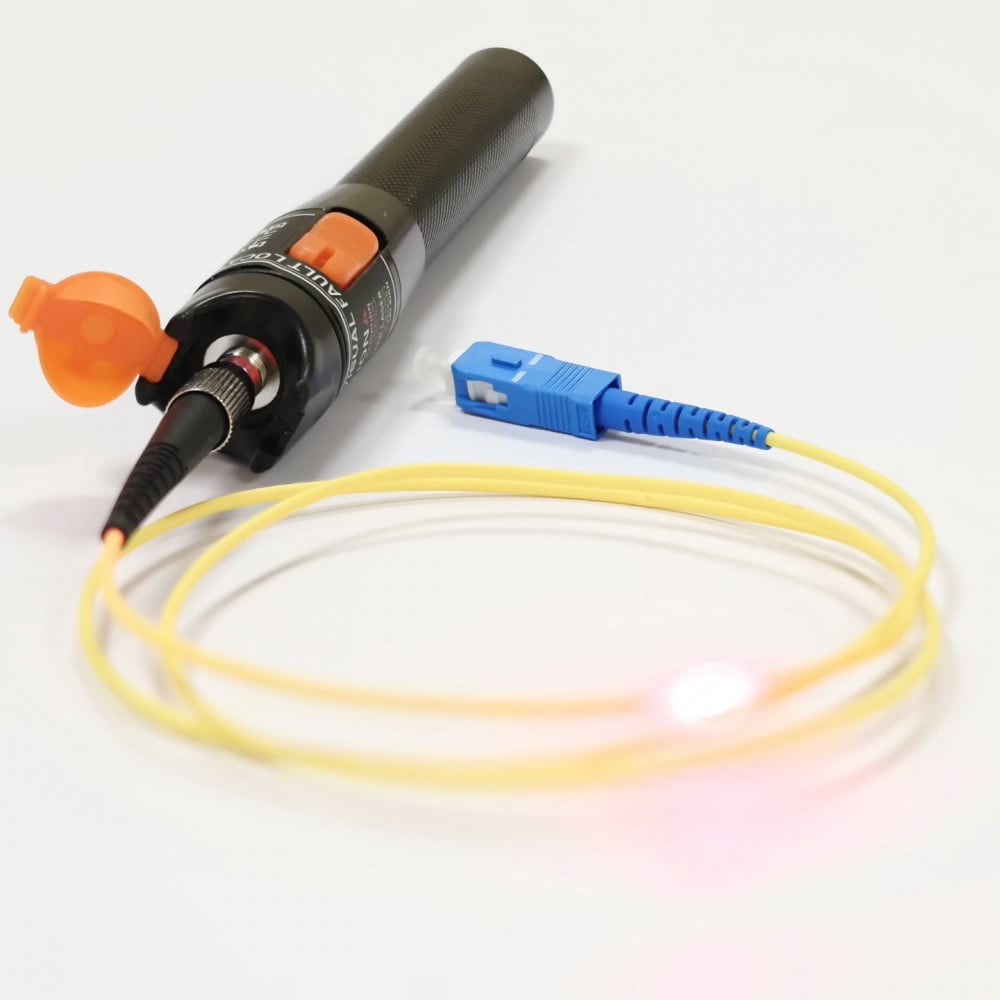
VFL, short for Visual Fault Locator, is a simple and practical fiber fault location tool, also known as a "red light pen". Its working principle is to emit visible red light (wavelength around 650nm), which is injected into the fiber. When the red light encounters a fault point (such as a break, bending, or poor connection), it will leak out, and the fault point can be directly found with the naked eye. VFL is mainly used for short-distance fault location (usually within 5km), such as finding broken fibers in the computer room, locating bent or pinched fibers, and distinguishing fiber cores (avoiding wrong connection of fiber cores during construction).
The key parameter of VFL is the output power (the higher the power, the longer the test distance). Fibermart’s Visual Fault Locator (Model: ST-3105A-10) is a high-performance cost-effective product with an output power of ≥10mW, a test distance of up to 5km, and clear red light leakage, which can quickly locate short-distance faults. It has two working modes: continuous light and flash, which can be switched according to testing needs. The body is made of durable composite material, IP54 dustproof and waterproof, suitable for various harsh on-site environments. It is equipped with a rechargeable battery, which can work continuously for more than 8 hours, and the charging time is short, which can meet the needs of all-day operation. It is small and lightweight, easy to carry in a tool bag, and is a must-have tool for fiber construction and maintenance.
How to Test Fiber Optic Cables with OTDR
OTDR testing is relatively professional, but as long as you follow the steps, you can quickly master it. The steps are divided into 4 parts: preparation before testing, parameter setting, testing operation, and curve analysis. The specific operations are as follows:
Step 1: Preparation before testing. First, cut off the power of the fiber link to be tested to avoid strong light from damaging the OTDR. Then, use a fiber cleaver to cut the end of the fiber to be tested, ensuring that the end face is flat and free of burrs; clean the end face with anhydrous alcohol cotton to avoid dust affecting the test results. Connect the processed fiber to the OTDR’s optical interface (FC/UPC interface is standard, and universal adapters can be used for other interfaces), and tighten it to avoid loose connections.
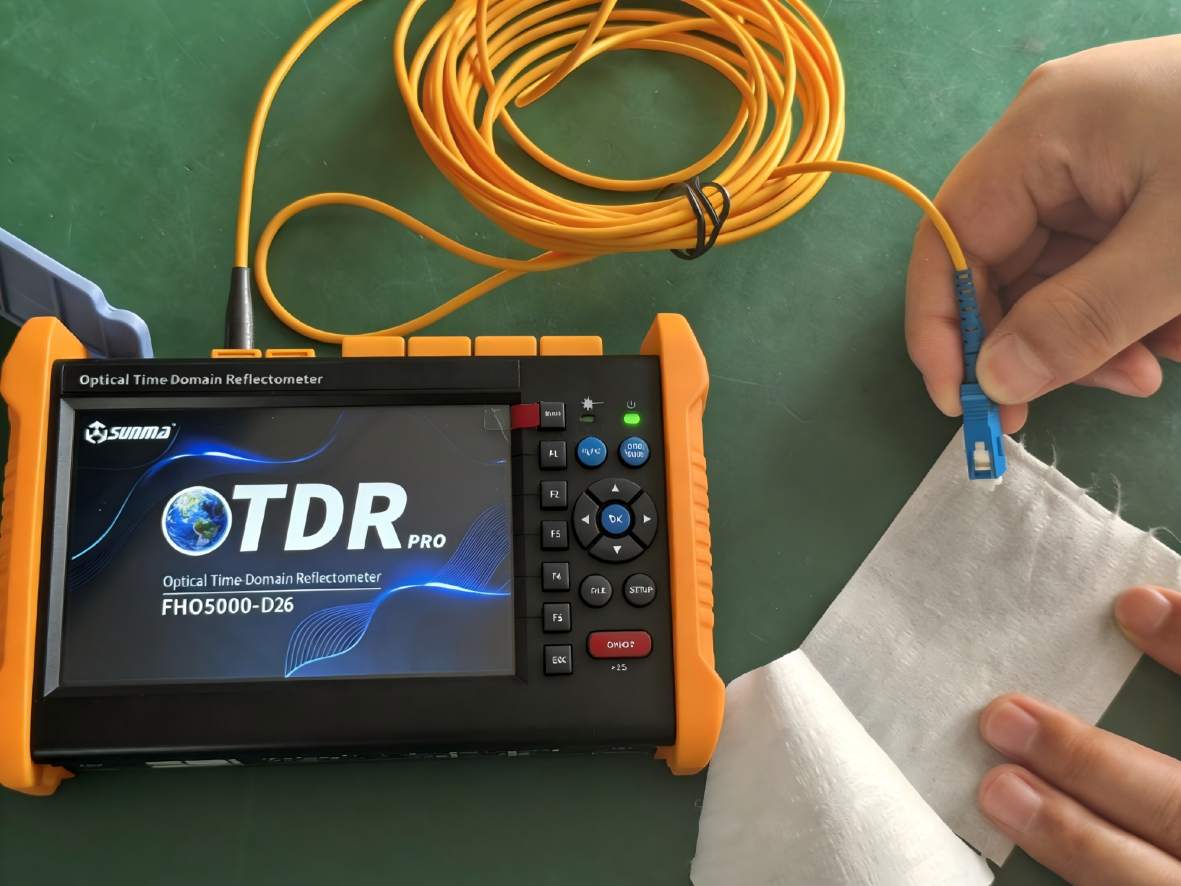
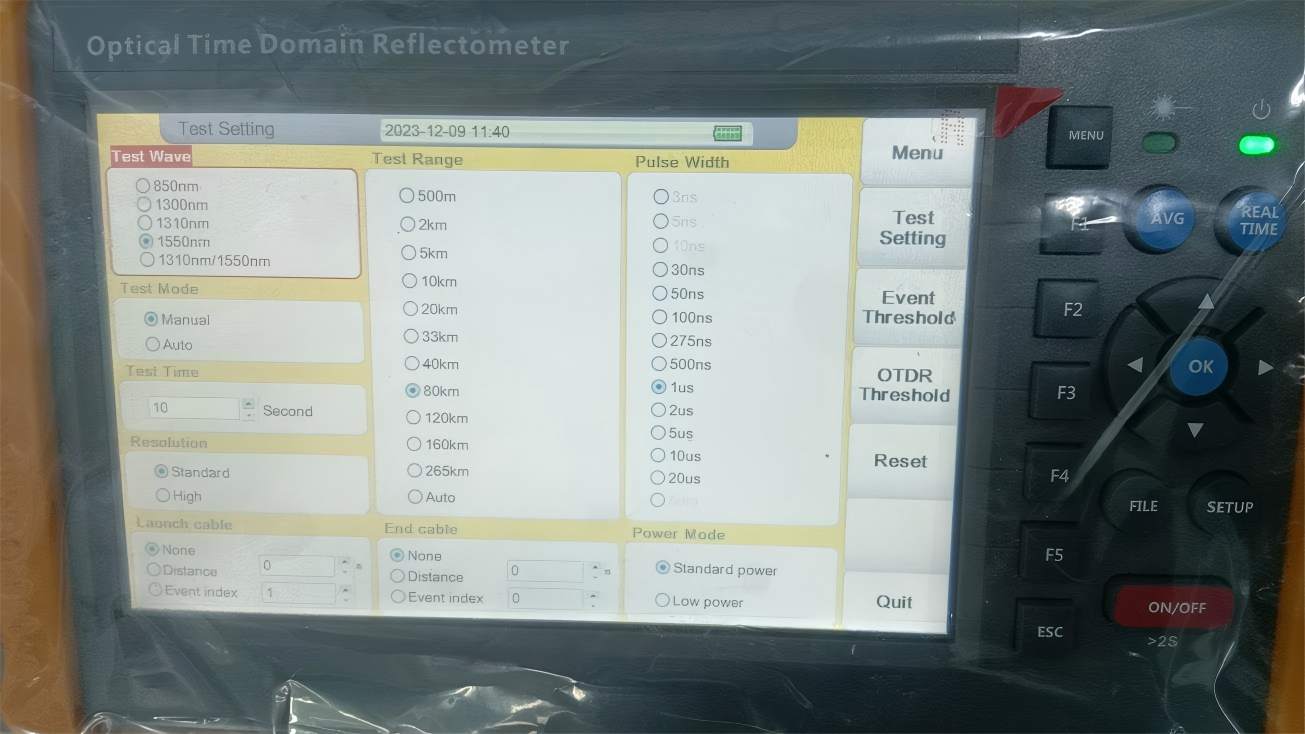
Step 2: Parameter setting. According to the actual situation of the fiber to be tested, set the key parameters:
① Wavelength: For single-mode fiber, 1310nm is suitable for short-distance (≤5km) high-resolution testing, and 1550nm is suitable for long-distance (>5km) low-attenuation testing; for multi-mode fiber, 850nm or 1300nm is selected.
② Pulse width: The longer the pulse width, the larger the dynamic range and the longer the test distance, but the larger the blind zone; the shorter the pulse width, the smaller the blind zone but the shorter the test distance (for example, 10ns for within 1km, 100ns for 5-10km, 500ns-1μs for more than 10km).
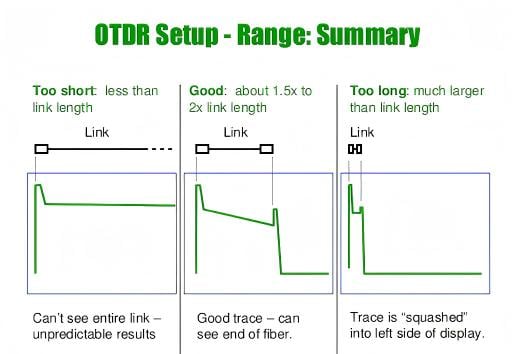
③ Measuring range: Set it to 1.5-2 times the actual length of the fiber to avoid curve overflow (for example, if the known fiber length is 5km, set the range to 8-10km).
④ Average time: Set to 10-30 seconds to reduce noise interference and make the curve smoother, especially suitable for harsh environments such as mines and outdoors.
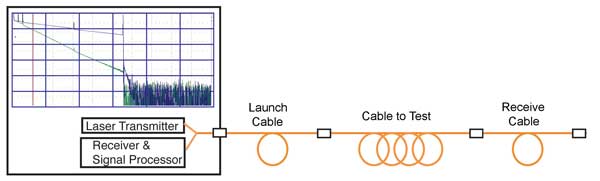
Step 3: Testing operation. After setting the parameters, start the OTDR automatic test, wait for the test to complete (the curve is stable, and the noise is minimized), and save the original curve data (it is recommended to save it in .sor format for later analysis and archiving).
Step 4: Curve analysis. The core of OTDR testing is curve analysis. The normal OTDR curve is a smooth downward curve; if there is a sudden upward peak, it is usually a reflection point (such as a break, flange connection); if there is a sudden downward step, it is usually an attenuation point (such as a splice, fiber bending). The OTDR will automatically mark the position and loss value of the fault point. It should be noted that for splice loss, the bidirectional average test method should be adopted (testing from both ends of the fiber and taking the average value) to ensure the accuracy of the data, avoiding the "gain" phenomenon caused by the difference in fiber scattering coefficient. If you are a novice and not familiar with curve analysis, Fibermart’s FHO5000 OTDR has a built-in intelligent curve analysis function and multimedia teaching software, which can automatically identify fault points and provide analysis suggestions, helping you quickly become a testing expert.
How to Test Fiber Optic Cables with Optical Power Meter
Compared with OTDR, Power Meter testing is simpler and more suitable for daily quick verification. The core purpose is to detect the optical power of the fiber link and judge whether it meets the standard. The specific steps are as follows:
Step 1: Pre-test preparation. Check the power of the Power Meter to ensure it can work normally; check the optical interface of the instrument, and clean it with anhydrous alcohol cotton if there is dust to avoid affecting the test accuracy. Prepare the fiber link to be tested, ensure that the light source at the transmitting end is normal (if it is a two-way test, a stable light source needs to be used with it).
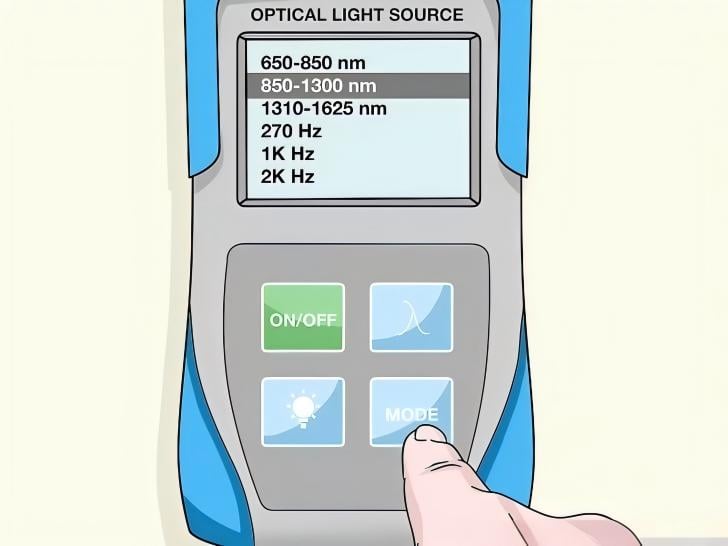
Step 2: Wavelength selection. According to the wavelength of the fiber link (usually 1310nm or 1550nm for single-mode fiber, 850nm for multi-mode fiber), select the corresponding wavelength on the Power Meter. Correct wavelength selection is the key to ensuring test accuracy.
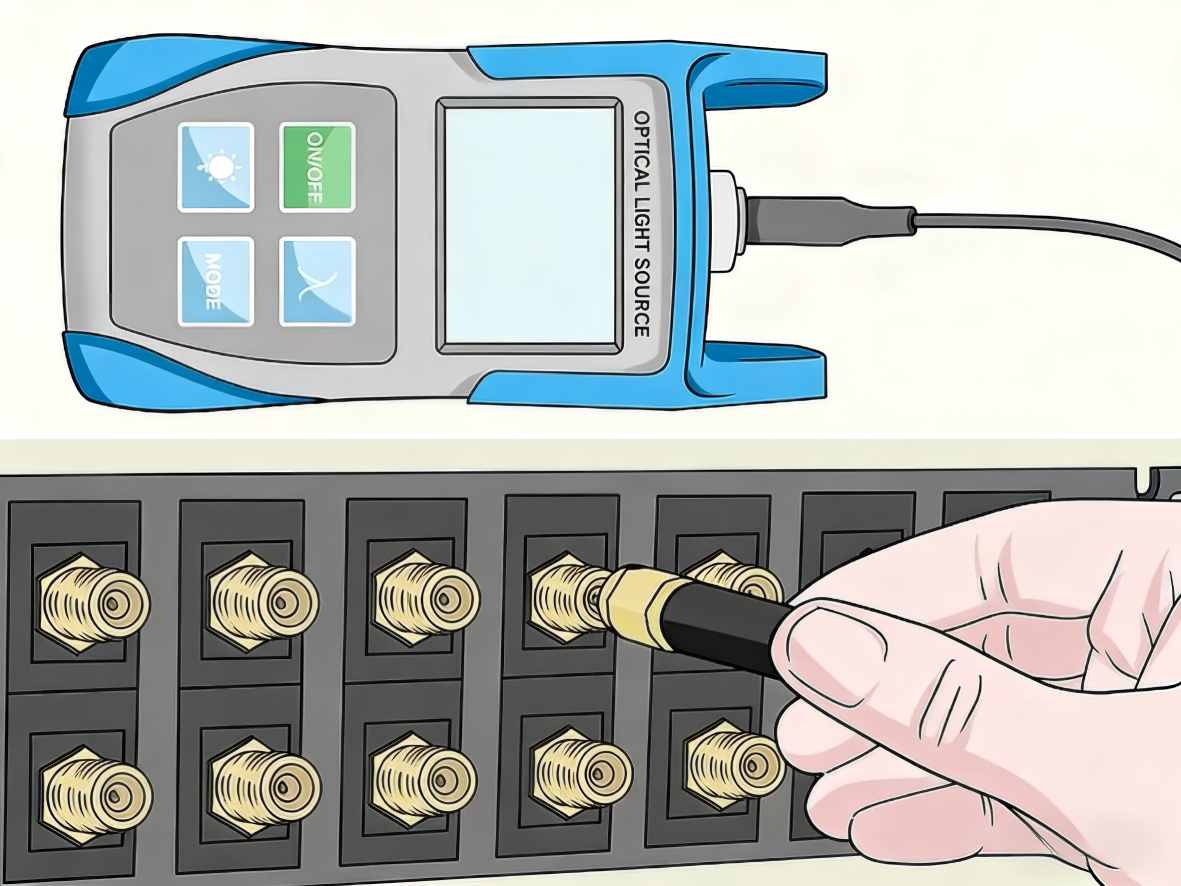
Step 3: Connection and testing. Connect one end of the fiber to be tested to the light source (or the transmitting end of the fiber link), and the other end to the optical interface of the Power Meter. After the connection is firm, wait for the display value of the Power Meter to stabilize, and record the optical power value.
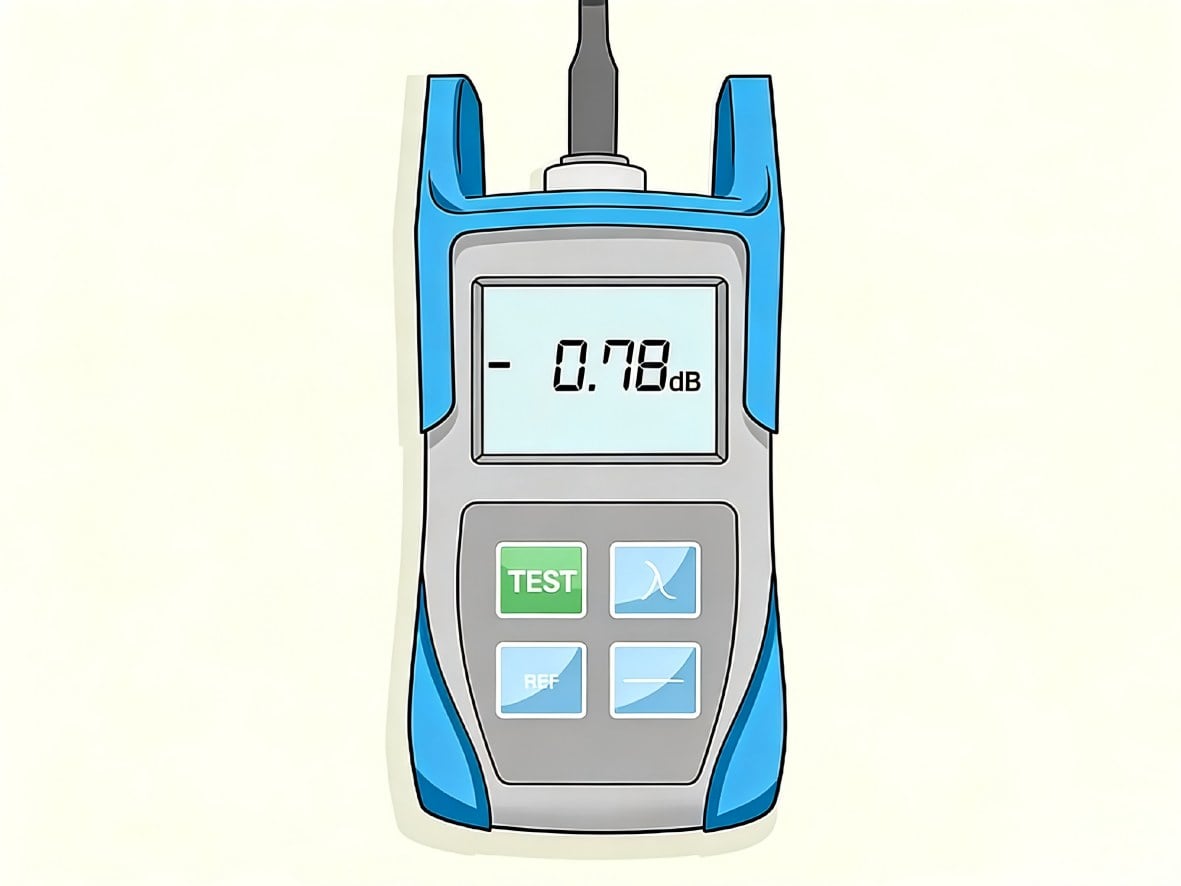
Step 4: Result judgment. Compare the recorded optical power value with the standard value of the link. If the measured value is within the standard range, it means the fiber link is normal; if the measured value is lower than the standard value, it indicates that there is attenuation in the link, and it is necessary to check whether there are faults such as fiber bending, poor connection, or contamination. For example, in the home broadband access link, the standard receiving optical power is usually -6dBm to -27dBm; if the measured value is -30dBm, it means the signal is too weak, and it is necessary to check the fiber connector or the fiber line.
Tip: Fibermart’s ST-3208C Optical Power Meter supports automatic wavelength identification and data storage functions, which can save 1000 groups of test results, and can be connected to a computer through a USB interface for data analysis and report generation, which is very suitable for batch testing in engineering acceptance. In addition, the Power Meter and light source combination set launched by Fibermart can realize one-stop testing of fiber loss, which is more efficient than using a single instrument.
How to Test Fiber Optic Cables with VFL
VFL is the simplest and most direct fault location tool, suitable for short-distance fiber testing (within 5km), and even novices can get started quickly. The specific steps are as follows:
Step 1: Pre-test preparation. Charge the VFL to ensure sufficient power; check the output port of the VFL, and clean it if there is dust. Cut off the power of the fiber link to be tested to avoid mutual interference between the red light and the signal light.
Step 2: Connection and light emission. Connect the fiber to be tested to the VFL’s optical interface, turn on the VFL, and select the working mode (continuous light or flash mode). The continuous light mode is suitable for precise positioning of fault points, and the flash mode is suitable for long-distance rough positioning (easier to observe in bright environments).
Step 3: Fault location. Observe the fiber line along the direction of the fiber. If red light leaks at a certain position, it means that there is a fault at this position:
① If the red light is completely cut off, it means the fiber is broken;
② If the red light leaks weakly, it means the fiber is severely bent or pinched;
③ If the red light leaks at the connector, it means the connector is not connected properly or is contaminated.
Step 4: Post-test processing. After finding the fault point, turn off the VFL, disconnect the fiber, handle the fault (such as re-splicing the broken fiber, straightening the bent fiber, cleaning the connector), and then use the VFL to test again to confirm that the fault is eliminated.
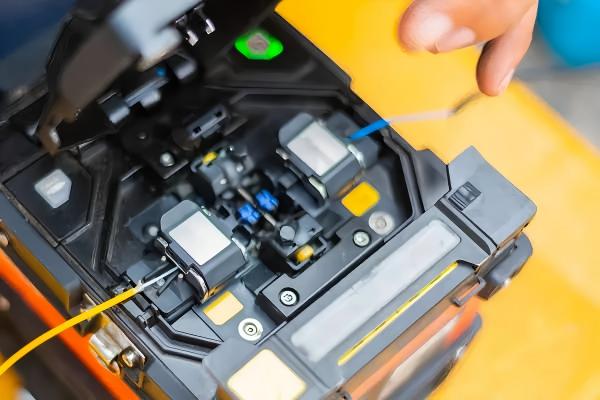
Tip: Fibermart’s ST-3105A-10 VFL has a strong red light penetration, even in bright outdoor environments, it can clearly observe the light leakage point. Its rechargeable design avoids the trouble of frequent battery replacement, and the IP54 dustproof and waterproof performance ensures stable operation in harsh environments such as construction sites and outdoor rush repairs. It is small in size and can be carried in a pocket, which is very convenient for on-site quick troubleshooting.
How to Choose Between OTDR, Optical Power Meter and VFL
Many practitioners will be confused about how to choose these three tools. In fact, the choice is mainly based on the testing purpose, fiber length, and application scenario. The following is a clear selection guide to help you avoid detours and save costs:
|
Comparison Item
|
OTDR (Optical Time Domain Reflectometer)
|
Optical Power Meter
|
VFL (Visual Fault Locator, Red Light Pen)
|
|---|---|---|---|
|
Core Positioning
|
Full-link performance testing and precise fault location for long-distance fiber optic cables, widely known as the "sharp eye" for fiber optic testing
|
Quantitative detection of optical power in fiber links, and compliance verification of link signal performance
|
Rapid, naked-eye visual fault location for short-distance fiber optic links
|
|
Optimal Fiber Distance
|
Long-distance fiber optic links over 5km
|
Short and medium-distance fiber optic links within 5km
|
Short-distance fiber optic links within 5km
|
|
Selection Parameters
|
Dynamic Range, Event Dead Zone, Wavelength Compatibility
|
Measurement Range, Measurement Accuracy, Wavelength Compatibility
|
Output Optical Power
|
|
Applications
|
Project construction acceptance, long-distance fiber O&M, and emergency repair for metro trunk lines, backbone networks, and cross-regional fiber links
|
Daily O&M, system commissioning, and project acceptance for intra-data center links, residential broadband access lines, and in-enterprise fiber networks
|
Broken fiber troubleshooting in equipment rooms, fiber core identification during construction, and rapid inspection of fiber bending, poor splicing, or end face contamination
|
|
Recommended Model
|
Fibermart FHO5000 Handheld OTDR
|
Fibermart ST-3208 Digital Optical Power Meter
|
Fibermart ST-3105 Visual Fault Locator
|
|
Key Advantages
|
1. Max dynamic range up to 45dB for long-distance test coverage; ultra-short 0.8m event dead zone for high-precision short-distance fault location
2. Integrates 7 functions including OTDR, red light pen, and optical power meter, with a body weight of only 1.5kg
3. 20-hour ultra-long battery life, ideal for outdoor emergency repair and field operations 4. Supports SOR file export and batch report printing to boost work efficiency |
1. Measurement range covers -70~+10dBm with a measurement accuracy of ±0.2dB
2. Supports automatic wavelength identification, beginner-friendly with no complex training required 3. Equipped with universal FC/SC/ST interfaces, compatible with most fiber optic connectors on the market 4. Stores up to 1000 sets of test results, and supports USB connection to a PC for data analysis and report generation |
1. Output optical power ≥10mW, with a maximum test distance up to 5km
2. Supports steady-on and strobe dual modes to fit different positioning scenarios 3. IP54 dust and water resistance, suitable for harsh on-site operating environments 4. Rechargeable battery with over 8 hours of continuous operation, compact and portable body |
|
Test Capabilities
|
Measures fiber length, transmission loss, and splicing loss; precisely locates fault points including breaks, bends, and poor splicing; generates test trace curves
|
Accurately measures the optical power intensity of fiber signals, verifies if link optical power meets industry standards, detects signal attenuation, and judges the link continuity status
|
Emits 650nm visible red light, directly locates fault points (breaks, bends, poor splicing, etc.) with the naked eye via red light leakage, and enables fiber core identification during construction
|
Summary
Fiber optic cable testing is the key to ensuring the stable operation of the communication system. OTDR, Power Meter, and VFL, as the important tools for fiber testing, each have their own advantages and application scenarios: OTDR is suitable for long-distance fault location and comprehensive performance testing, Power Meter is suitable for daily optical power verification, and VFL is suitable for short-distance quick fault location. Mastering the correct use methods of these three tools can help you solve fiber testing problems efficiently, reduce maintenance costs, and avoid communication interruptions caused by fiber faults.
When choosing testing tools, it is not necessary to pursue high-end products blindly. It is more important to choose products that are suitable for your own application scenarios and cost-effective. Fibermart, as a professional fiber optic product supplier, has rich experience in fiber testing tools, providing high-quality OTDR, Power Meter, VFL, and other products, which are not only reliable in performance but also affordable, and provide perfect after-sales service (including technical guidance and product maintenance). Whether you are an engineering construction team, a communication operator, or a maintenance personnel, you can find suitable testing tools on Fibermart.
If you want to know more about the parameters, usage methods, and preferential prices of fiber testing tools, welcome to visit Fibermart’s official website www.fiber-mart.com. We will provide you with professional technical support and one-stop purchasing solutions, helping you improve work efficiency and reduce costs. Let’s work together to build a more stable and efficient fiber communication network!
Frequently Asked Questions FAQs
What is the functional differences between an OTDR, an optical power meter, and a visual fault locator (red light pen)?
An OTDR is designed primarily for measuring the length and transmission loss of long-distance fiber optic cables, as well as the precise location of fault points. An optical power meter is used for quantitative testing of optical power in fiber links to verify whether the link signal meets specifications. A visual fault locator (red light pen) enables rapid, naked-eye visual fault location for short-distance fiber links up to 5 km.
How do I correctly select the wavelength when testing fiber with an OTDR?
For single-mode fiber, use 1310nm for short-distance (≤5km) testing with high resolution, and 1550nm for long-distance (>5km) testing with low attenuation. For multi-mode fiber, select 850nm or 1300nm.
What is the normal range of received optical power for residential broadband, and at what level is it considered abnormal?
The standard normal range is -6dBm to -27dBm. A measured value below -27dBm indicates an excessively weak signal, which requires troubleshooting for potential link faults.
What is the most likely cause of inaccurate readings from an optical power meter?
Inaccurate readings are most often caused by incorrect wavelength selection. You must select the setting that matches the operating wavelength of the fiber link, which is the core prerequisite for ensuring test accuracy.
What is the most efficient way to use OTDR, OPM, VFL in combination for fiber link project acceptance?
First, use an OTDR to measure the overall length, loss, and fault zones of the fiber cable. Next, use an optical power meter to verify that the link's optical power meets specifications. Finally, use a red light pen to precisely locate the identified local fault points.
How do I use OTDR, OPM,VFL together to locate faults as quickly as possible during emergency repairs on long-distance fiber links?
First, use an OTDR to pinpoint the general fault zone, then go to the site and use a red light pen to confirm the exact fault location, which can significantly cut down repair time.





No comments have been posted yet.