


.webp)


High-quality fiber optic cables play a critical role in today's advanced communications networks. MPO-12 breakout cables are a versatile and efficient solution for connecting multiple fiber channels in data centers, telecommunications networks, and enterprise IT environments. This cable type offers the advantage of high-density connections, which reduces installation time and ensures efficient data transmission. Fibermart is a global leader in fiber optics, optical networking, and integrated network solutions, dedicated to providing high-performance and innovative solutions to individuals, companies, carriers, ISPs, content providers, and network R&D. In this article, Fibermart provides a comprehensive, step-by-step approach to installing MPO-12 breakout cables, ensuring a seamless and reliable setup.
Installing MPO-12 Breakout Cables Step-by-Step, From Start to Finish
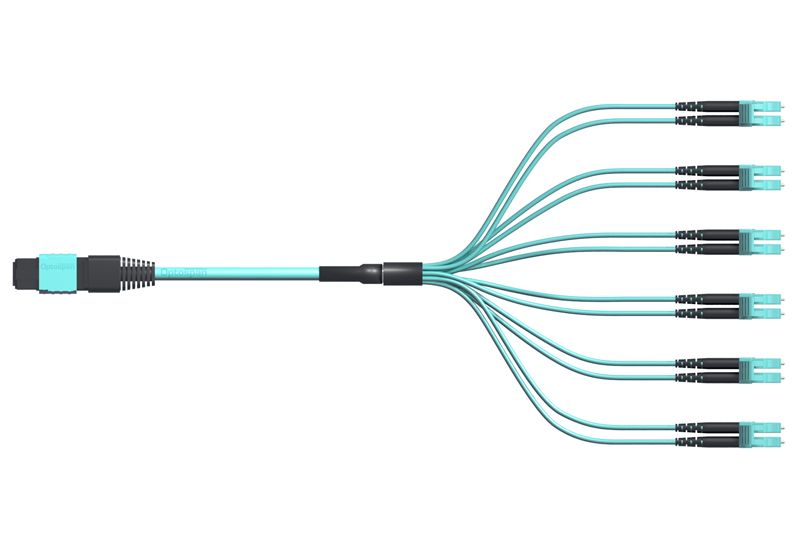
Preparation
Before beginning the installation process, it is crucial to gather all necessary tools and materials. Here’s what you’ll need:
- MPO-12 breakout cables
- Fiber optic connectors (LC/SC/FC/ST)
- Fiber optic cleaver and stripper
- Cleaning tools (isopropyl alcohol, lint-free wipes)
- Fiber optic tester
- Safety gear (gloves, safety glasses)
Make sure to follow all safety protocols and standards to prevent any damage to the cables or harm to yourself. Preparing adequately ensures a smoother installation process and minimizes the risk of errors.
Installation Steps
1. Inspect the Cables and Connectors
- Verify that the MPO-12 breakout cable and connectors are in good condition. Inspect them for any visible damage that could impact performance. Ensure that all components meet the specified standards and requirements for your project.
- Ensure the cable length and type meet your installation requirements. Using premade fiber optic cables can save time and ensure quality, as these cables are manufactured to high standards and tested for reliability.
2. Prepare the Cable
- Carefully strip the outer jacket of the cable to expose the internal fibers. Use a fiber optic stripper to gently remove the outer coating without damaging the delicate fibers inside. This step is crucial for maintaining the integrity of the fibers.
- Handle the fibers gently to avoid any breakage or damage. It's essential to maintain the integrity of the fibers for optimal performance. Any damage to the fibers can lead to significant signal loss or failure.
3. Terminate the Connectors
- Attach the connectors to the fiber ends according to the manufacturer’s instructions. This step is critical as improper termination can lead to significant signal loss. Follow the instructions meticulously to ensure a secure and efficient connection.
- Use appropriate tools to secure the connectors, ensuring a stable and reliable connection. Ensure that each fiber is correctly aligned within the connector to avoid misalignment issues. Proper alignment is key to maintaining the performance of the connection.

4. Clean the Fiber Ends
- Clean the fiber ends and connectors using isopropyl alcohol and lint-free wipes. This step is vital to remove any dust, oil, or residue that can affect signal quality. Cleaning should be thorough yet gentle to maintain the fiber ends in pristine condition.
- Ensure there are no dust or oil residues that could affect signal quality. Regular cleaning of connectors and fiber ends is essential for maintaining high performance and reducing the risk of connection issues.
5. Splice the Fibers
- Follow precise splicing procedures to connect the fibers. Use a fusion splicer to join the fiber ends with minimal loss. Fusion splicing ensures a strong, reliable connection with minimal signal degradation.
- Verify the splices are done correctly to maintain optimal signal transmission. Proper splicing ensures that the light signals pass through the fibers with minimal interruption. Regular testing and verification of splices are crucial for maintaining network integrity.
6. Test the Connections
- Use a fiber optic tester to check each connection. Testing ensures that each connection meets the required performance standards and helps identify any issues early. Regular testing helps maintain the overall health of the network.
- Record the results and ensure that each connection meets the required standards. Documentation of test results is important for future reference and troubleshooting.

7. Finalize the Installation
- Organize and secure the cables within the designated area. Proper cable management helps maintain the order and makes future maintenance easier. Use cable ties and labeling to keep everything neat and accessible.
- Label each connection for easy identification and maintenance. Labeling helps quickly identify each connection point, which is crucial for troubleshooting and upgrades.
Important Tips and Tricks
1. Handle with Care:
Gentle Handling: Always handle the fibers with extreme care. The glass fibers inside the cables are very delicate and can easily break if mishandled. Avoid bending the cables sharply or applying excessive force.
Proper Storage: When not in use, store the cables in a secure location where they won’t be stepped on or crushed. Use spoolers or protective cases to prevent accidental damage.
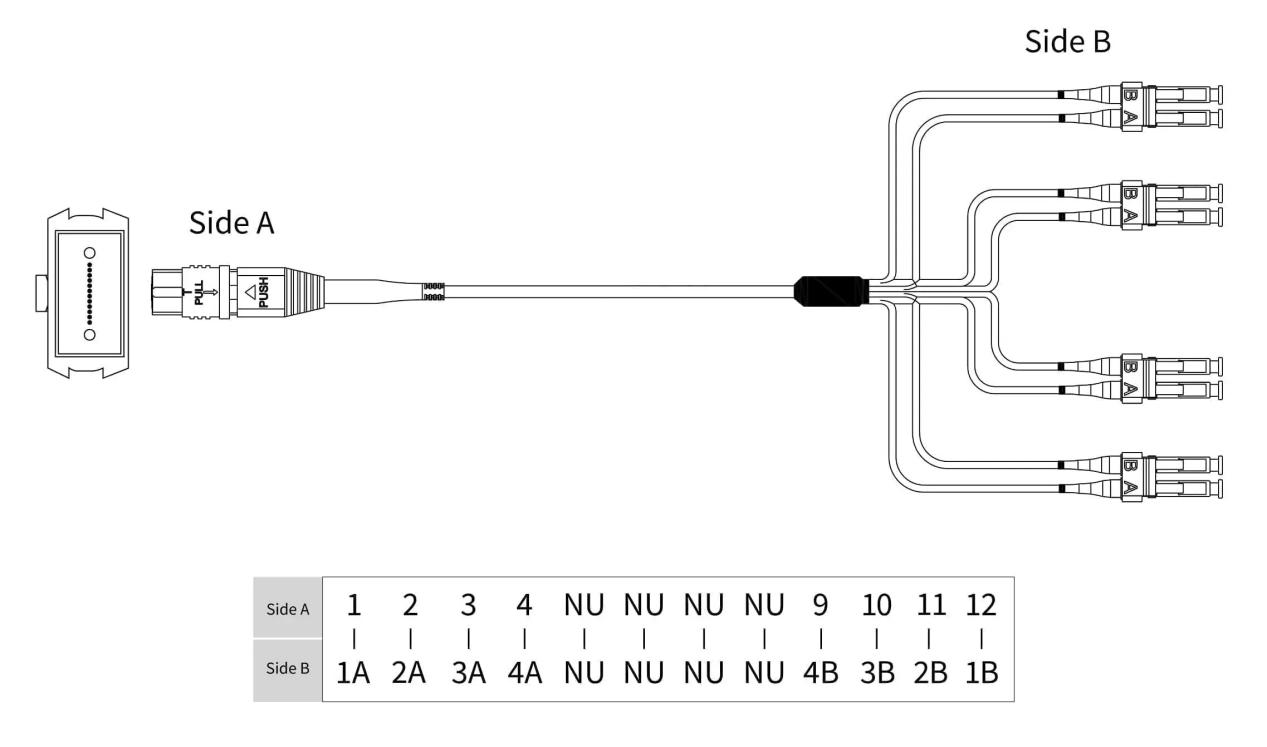
2. Check Polarity and Alignment:
Correct Polarity: Ensure that the polarity of the connectors matches the requirements of your network setup. Incorrect polarity can result in signal transmission errors. Use polarity testers to verify the correct configuration.
Accurate Alignment: When attaching connectors, make sure the fiber cores are precisely aligned. Misalignment can cause significant signal loss and affect the overall performance of the network. Utilize alignment tools if available.
3. Regular Cleaning:
Cleaning Frequency: Regularly clean the connectors and fiber ends before and after installation. Even small particles of dust or oil can cause substantial signal degradation.
Cleaning Method: Use isopropyl alcohol and lint-free wipes to clean the connectors. Apply the alcohol to the wipe (not directly to the fiber) and gently clean the end face of the connector. Ensure the connectors are completely dry before use.
Inspection: After cleaning, inspect the fiber ends with a fiber microscope to ensure they are free of contaminants. Repeat the cleaning process if necessary.
4. Use High-Quality Tools:
Tool Selection: Invest in high-quality tools specifically designed for fiber optic cable installation. This includes fiber cleavers, strippers, fusion splicers, and alignment devices. High-quality tools provide precise cuts and connections, reducing the risk of damage.
Manufacturer’s Guidelines: Follow the manufacturer’s guidelines for each tool. Each tool has specific instructions for optimal use, which are crucial for ensuring reliable and effective connections.
Maintenance: Regularly maintain and calibrate your tools. Clean them after use and store them properly to prolong their lifespan and ensure they function correctly during each installation.
Common Issues and Solutions
1.Dirty Connectors:
One of the most common issues in fiber optic installations is dirty connectors. Regular cleaning can prevent signal loss. Use isopropyl alcohol and lint-free wipes to clean the connectors before and after installation.
2.Mismatched Connectors:
Ensure compatibility between the cable and connectors. Using the wrong type of connector can lead to poor performance and signal loss.
3.Signal Loss:
Use a tester to identify and rectify weak connections. If you notice significant signal loss, check the splices and connectors for any issues.
Fiber Breakage: Handle the fibers gently and use proper tools to avoid damage. Broken fibers can severely impact network performance and require re-splicing.
Conclusion
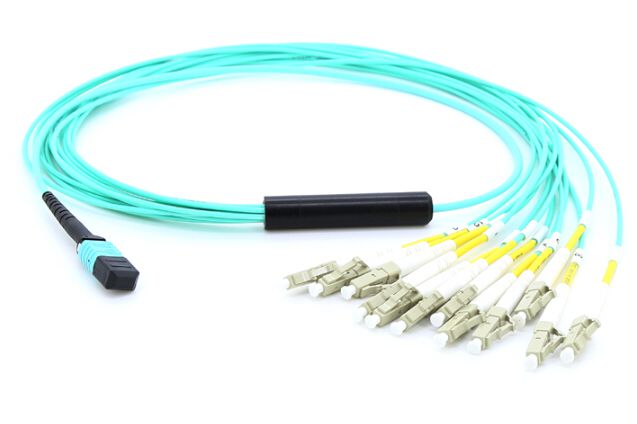
In summary, installing MPO-12 breakout cables requires careful preparation, precise execution, and regular maintenance. These steps ensure a reliable and efficient network setup. At Fibermart, we offer a range of high-quality fiber optic products, including the highly recommended 12 Fibers Singlemode 12 Strands Flat MPO Breakout Cable LC/SC/FC/ST Flat Fiber Cable LSZH/Riser. As a global leader in fiber optic, optical networking, cables, FTTx, fiber cabling, fiber testing, polishing, and comprehensive networking solutions, Fibermart (Fiber-MART.COM) is dedicated to providing high-performance and innovative solutions.
Whether you are setting up a new network or upgrading an existing one, Fibermart's products and expertise can help ensure your project is a success. Our commitment to quality and innovation makes us a trusted partner for all your fiber optic needs. Visit our website to learn more about our products and how Fibermart can support your fiber optic network needs. From high-quality MPO-12 breakout cables to other advanced fiber optic solutions, Fibermart has everything you need to build a reliable and high-performance network.
Optical fiber manufacturers play a critical role in providing the components necessary for modern communication systems. At Fiber-mart, we pride ourselves on being at the forefront of this industry, offering products that meet the highest standards of performance and reliability. Our premade fiber optic cables are designed to simplify the installation process while ensuring top-notch quality.
Thank you for choosing Fibermart. We look forward to helping you achieve your networking goals with our extensive range of fiber optic solutions.





No comments have been posted yet.