


.webp)


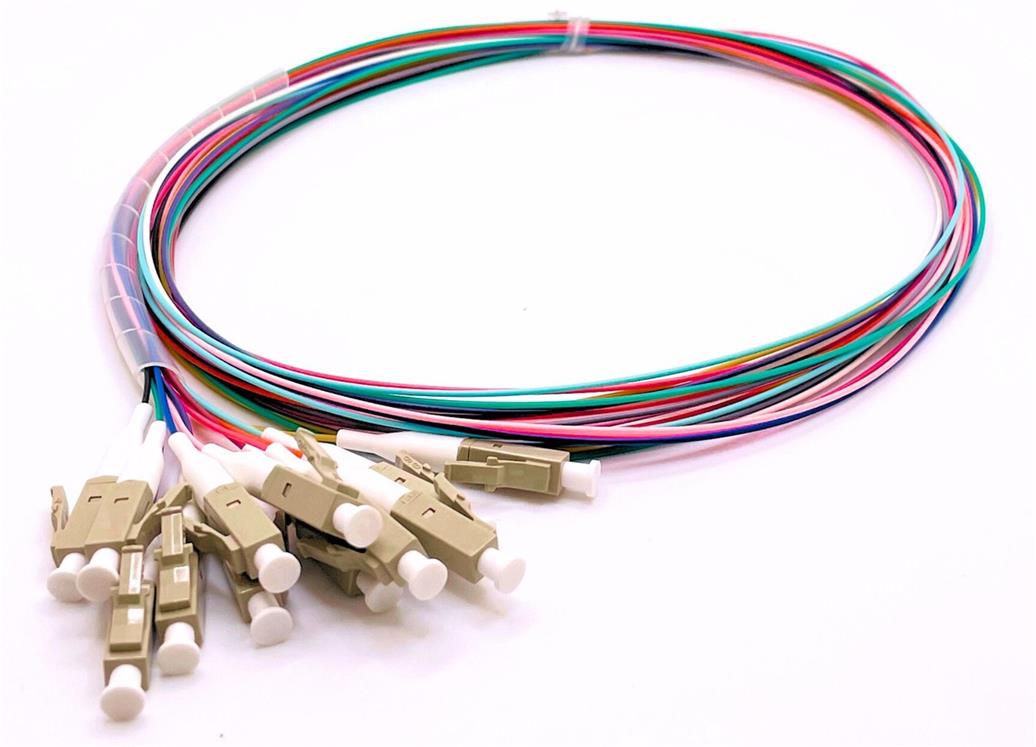
In the realm of fiber optic networking, the 12 fiber pigtail serves as a critical component for establishing stable and efficient connections in data centers, telecommunications systems, and enterprise networks. Proper installation of this component is paramount to ensuring optimal performance, minimizing signal loss, and extending the lifespan of the entire fiber optic infrastructure.
Pre-Installation Preparation: Tools, Materials, and Safety Checks
Before initiating the installation process, thorough preparation is essential to avoid errors and ensure a smooth workflow. First, gather all necessary tools and materials to prevent interruptions during installation. The required items include: a fiber optic cleaver (to make precise cuts on the fiber), a fusion splicer (for joining the pigtail to the main fiber cable), a fiber optic inspector (to check for dirt, scratches, or defects on connectors), alcohol wipes (for cleaning fiber surfaces), lint-free cloths, and a cable stripper (to remove the outer jacket of the fiber cable without damaging the internal fibers). Additionally, ensure you have the 12 fiber pigtail itself—selected based on your specific needs, such as connector type (LC, SC, FC, or ST), fiber mode (OS2 singlemode or OM1/OM2/OM3/OM4/OM5 multimode), and cable length (e.g., 1m, 2m, 5m as available from Fibermart).

Next, conduct a safety and environment check. Fiber optic fibers are extremely thin and can cause eye damage if mishandled, so always wear safety glasses throughout the installation. Choose a clean, dust-free workspace to prevent debris from entering the fiber connectors—debris can lead to increased insertion loss and signal degradation. Also, verify that the 12 fiber pigtail meets relevant standards, such as RoHS compliance, and that its specifications (e.g., attenuation at 1310nm ≤0.36dB/km, insertion loss ≤0.3dB) align with your network requirements.
Step-by-Step Installation Process
Step 1: Strip the Fiber Cable Jacket
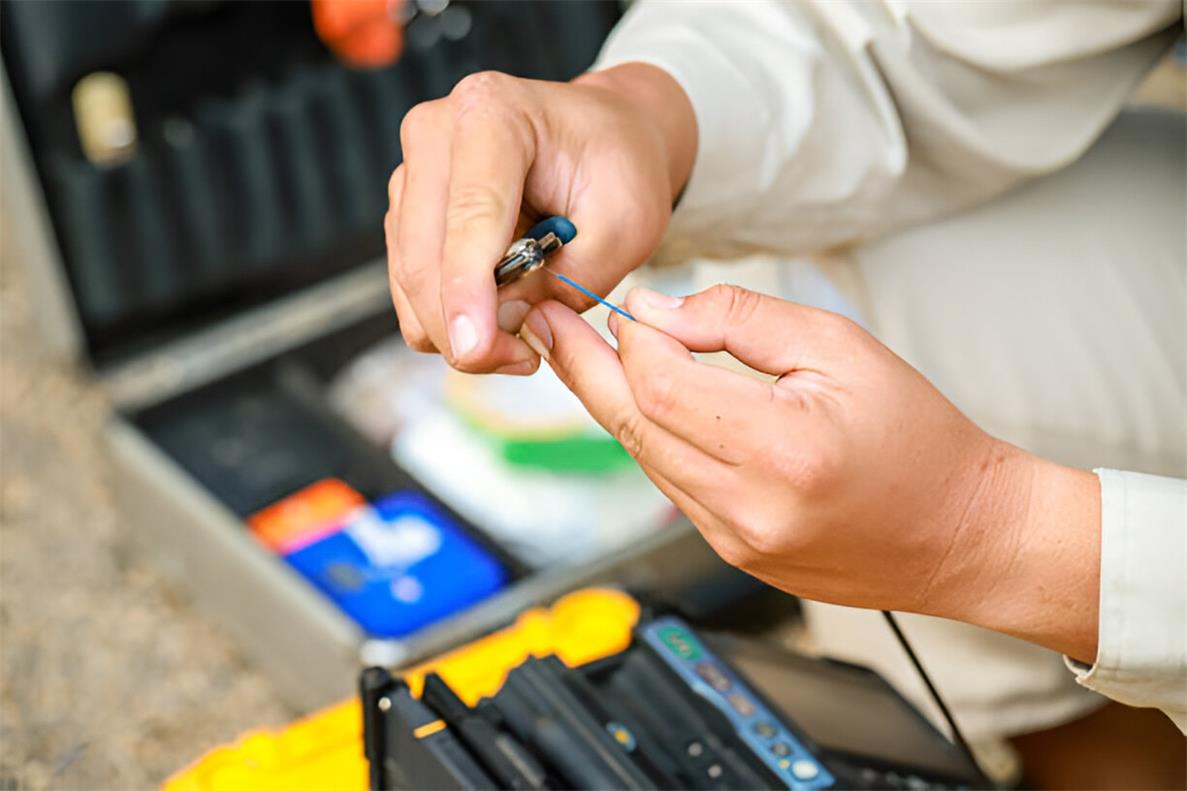
Start by preparing the main fiber cable that will be connected to the 12 fiber pigtail. Use a cable stripper to carefully remove the outer jacket (e.g., LSZH or PVC jacket) of the main cable. The stripping depth should be controlled to avoid cutting into the buffer tube that surrounds the individual fibers. For most 12 fiber cables, strip approximately 30-40mm of the outer jacket to expose the buffer tube. Once the jacket is removed, gently clean the exposed buffer tube with an alcohol wipe to eliminate any oil or dirt.
Step 2: Prepare the 12 Fiber Pigtail
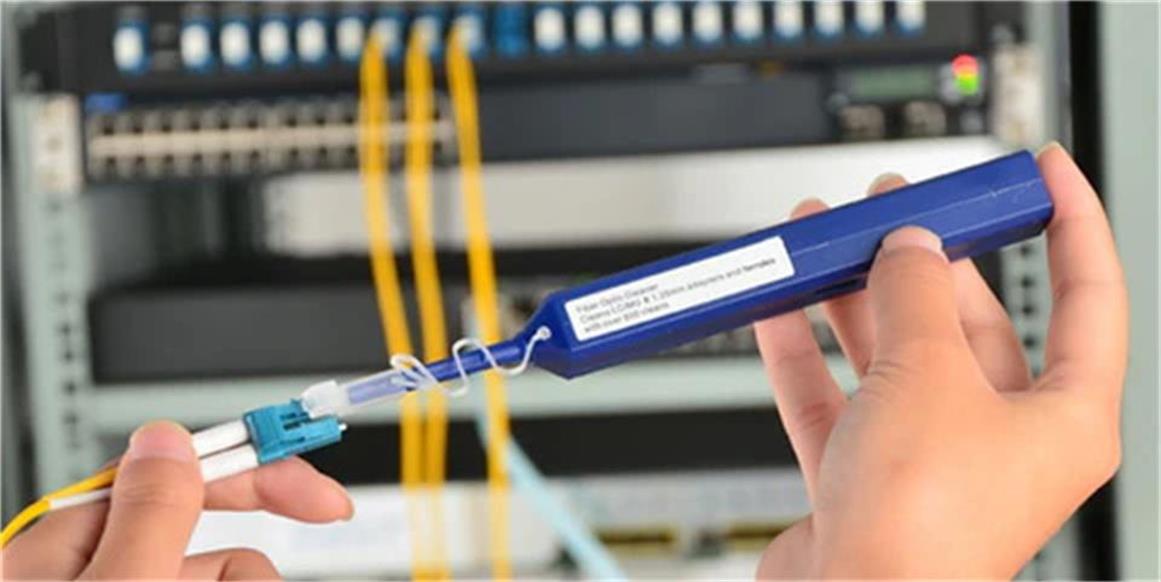
Take the 12 fiber pigtail and inspect its connector (Connector A, e.g., LC or SC) using a fiber optic inspector. Ensure the connector ferrule is free of scratches, cracks, or contamination. If dirt is present, clean the ferrule with a lint-free cloth dampened with isopropyl alcohol—avoid using dry cloths, as they can scratch the ferrule surface. Next, strip the unterminated end (Connector B) of the pigtail to expose the individual fibers. The stripping process for the pigtail’s buffer tube should be done with the same care as the main cable, ensuring the 12 color-coded fibers (as specified in Fibermart’s pigtail designs) are not damaged.
Step 3: Clean and Align the Fibers
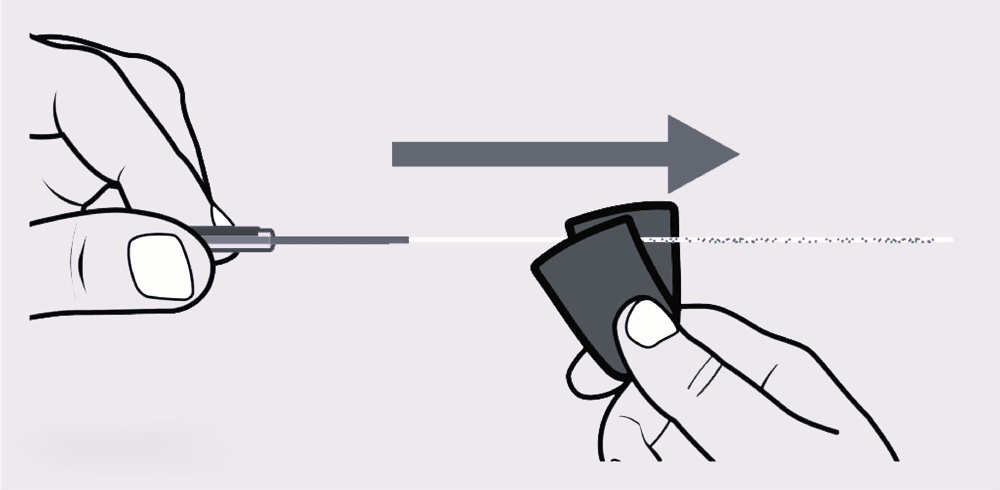
After stripping both the main cable and the pigtail, separate the individual fibers from the buffer tubes. Each of the 12 fibers in the pigtail is color-coded, which helps in matching them to the corresponding fibers in the main cable—this step is crucial for avoiding cross-connections that can disrupt signal transmission. Use alcohol wipes to clean each fiber individually, ensuring no residue remains on the fiber surface. Once cleaned, align the fibers from the main cable with the color-matched fibers from the pigtail. For example, match the blue fiber from the main cable to the blue fiber from the pigtail, the orange fiber to the orange fiber, and so on.
Step 4: Fusion Splicing
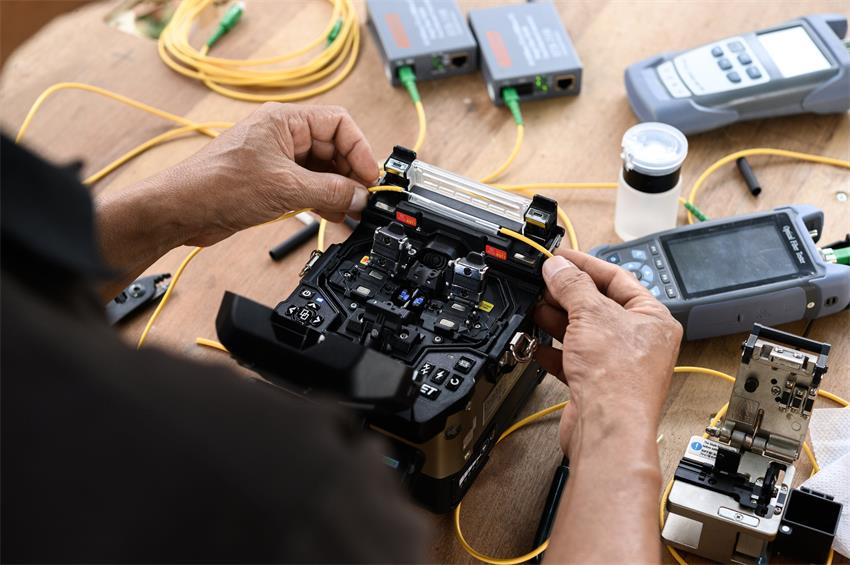
Place the aligned fiber pairs into a fusion splicer. Follow the splicer’s manufacturer instructions to set the appropriate parameters based on the fiber type (singlemode or multimode). The fusion splicer will melt the ends of the fibers together to create a permanent, low-loss connection. After splicing, the splicer will automatically test the splice loss—ensure the loss is within acceptable limits (typically ≤0.1dB for singlemode fibers). If the splice loss exceeds the threshold, re-clean the fibers and repeat the splicing process. Once all 12 fiber pairs are successfully spliced, protect each splice with a heat-shrink sleeve. Slide the sleeve over the splice, then use a heat gun to shrink the sleeve, creating a waterproof and mechanical protective layer.
Step 5: Organize and Secure the Pigtail
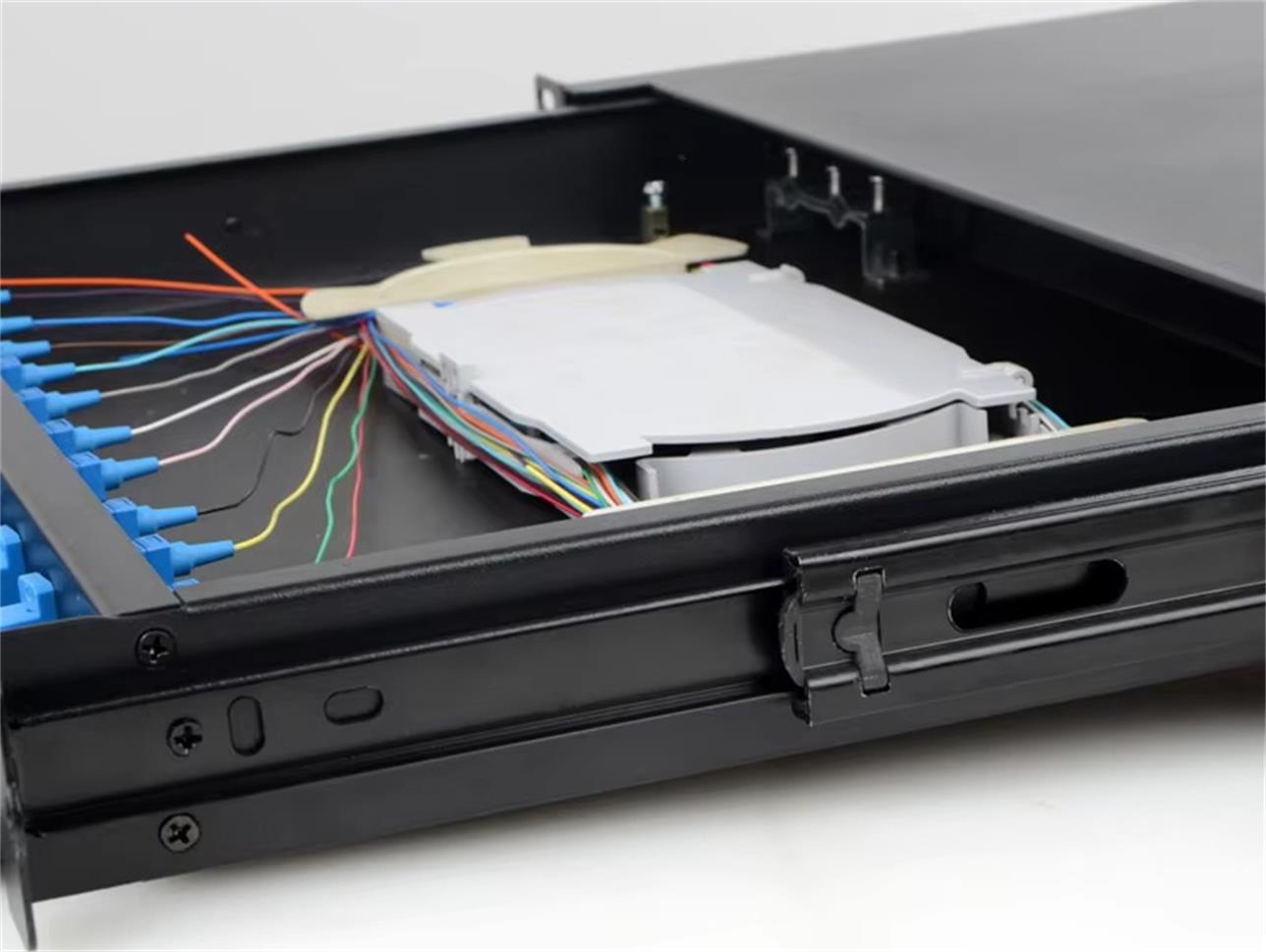
After completing the splicing, organize the 12 fiber pigtail and the spliced fibers to prevent tangling and ensure proper cable management. Use cable ties or a fiber optic patch panel to secure the pigtail, maintaining the minimum bend radius requirements. As specified by Fibermart’s 12 fiber pigtail specifications, the minimum bend radius for the optical fiber is 10mm, and for the fiber cable, it is 10D (dynamic) and 5D (static), where D is the cable’s outside diameter (e.g., 0.9mm or 2.0mm). Avoid bending the pigtail beyond these limits, as excessive bending can cause signal loss or fiber breakage.
Step 6: Test the Connection
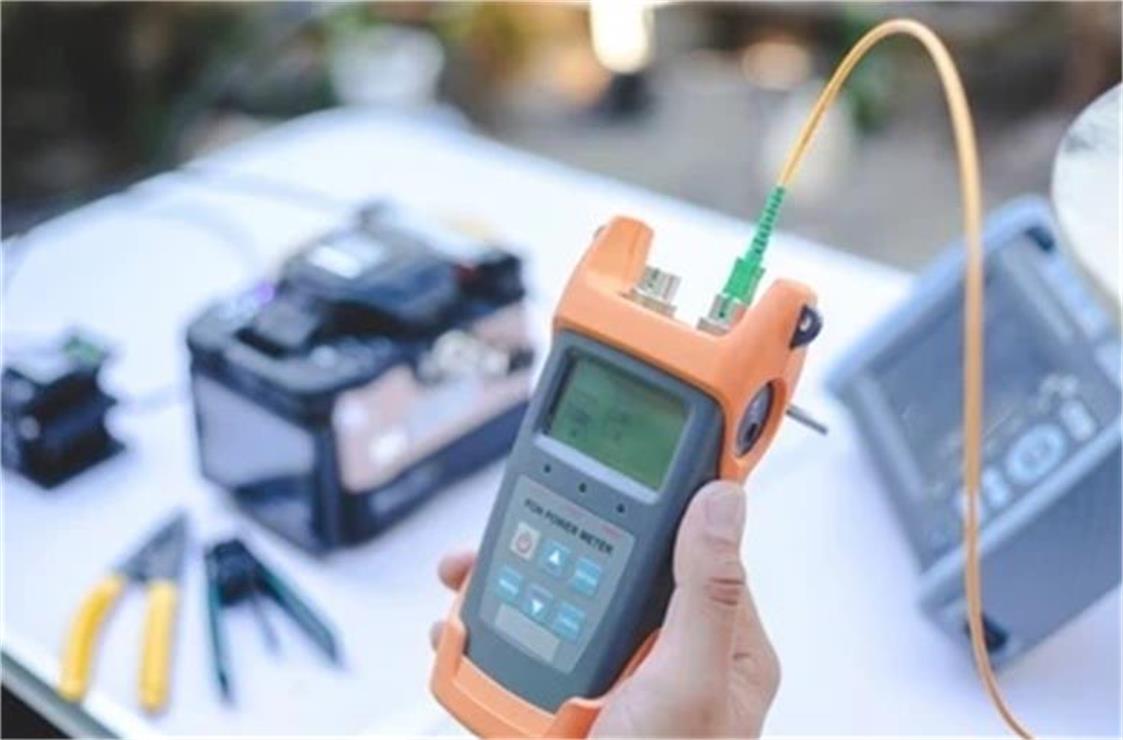
The final step is to test the installed 12 fiber pigtail to confirm its performance. Use a fiber optic power meter and light source to measure insertion loss and return loss. For insertion loss, ensure the value is ≤0.3dB (as per industry standards and Fibermart’s product specifications). For return loss, the value should be ≥50dB to indicate minimal signal reflection. Additionally, test the interchangeability and vibration resistance of the connection—interchangeability loss should be ≤0.2dB, and vibration loss should also be ≤0.2dB. If any test results fail to meet the standards, recheck the splices, connectors, and fiber alignment, and make necessary adjustments.
Post-Installation Safety and Maintenance Tips
After successful installation and testing, adhere to post-installation safety and maintenance practices to preserve the 12 fiber pigtail’s performance. First, label the pigtail clearly with information such as the installation date, fiber type, and connector type—this helps in future maintenance and troubleshooting. Avoid touching the connector ferrules with bare hands, as oils from the skin can contaminate the surface. If cleaning is required, use only alcohol wipes and lint-free cloths.
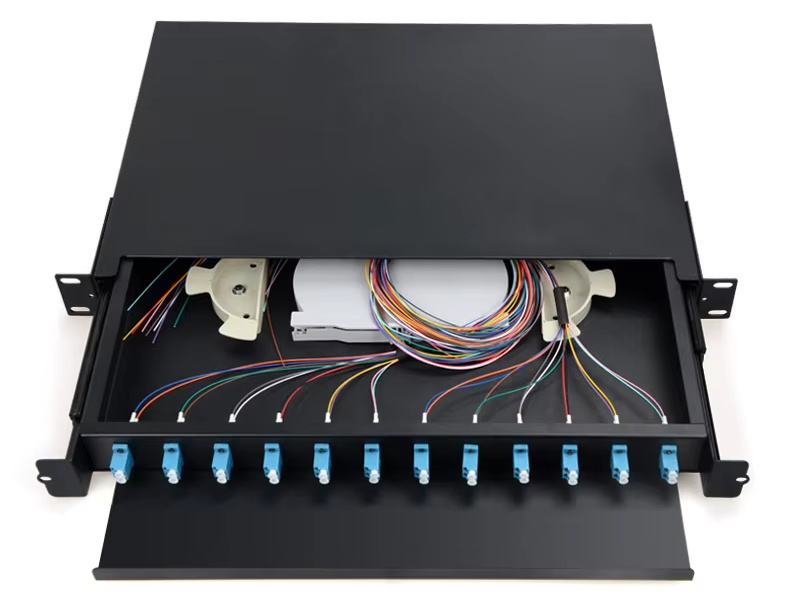
Regular maintenance checks are also essential. Inspect the pigtail and connectors every 3-6 months for signs of damage, such as cracked jackets, loose connectors, or contamination. Test the signal transmission periodically to detect any increase in insertion loss, which may indicate a problem with the splice or connector. Additionally, ensure the installation environment remains clean and free of extreme temperatures—fiber optic components perform best in temperatures between -40°C and 70°C.
In conclusion, the proper installation of a 12 fiber pigtail requires careful preparation, adherence to step-by-step procedures, and ongoing maintenance. By following this guide, network administrators can establish reliable, high-performance fiber optic connections that meet the demands of modern data centers, telecommunications systems, and enterprise networks.





No comments have been posted yet.