


.webp)


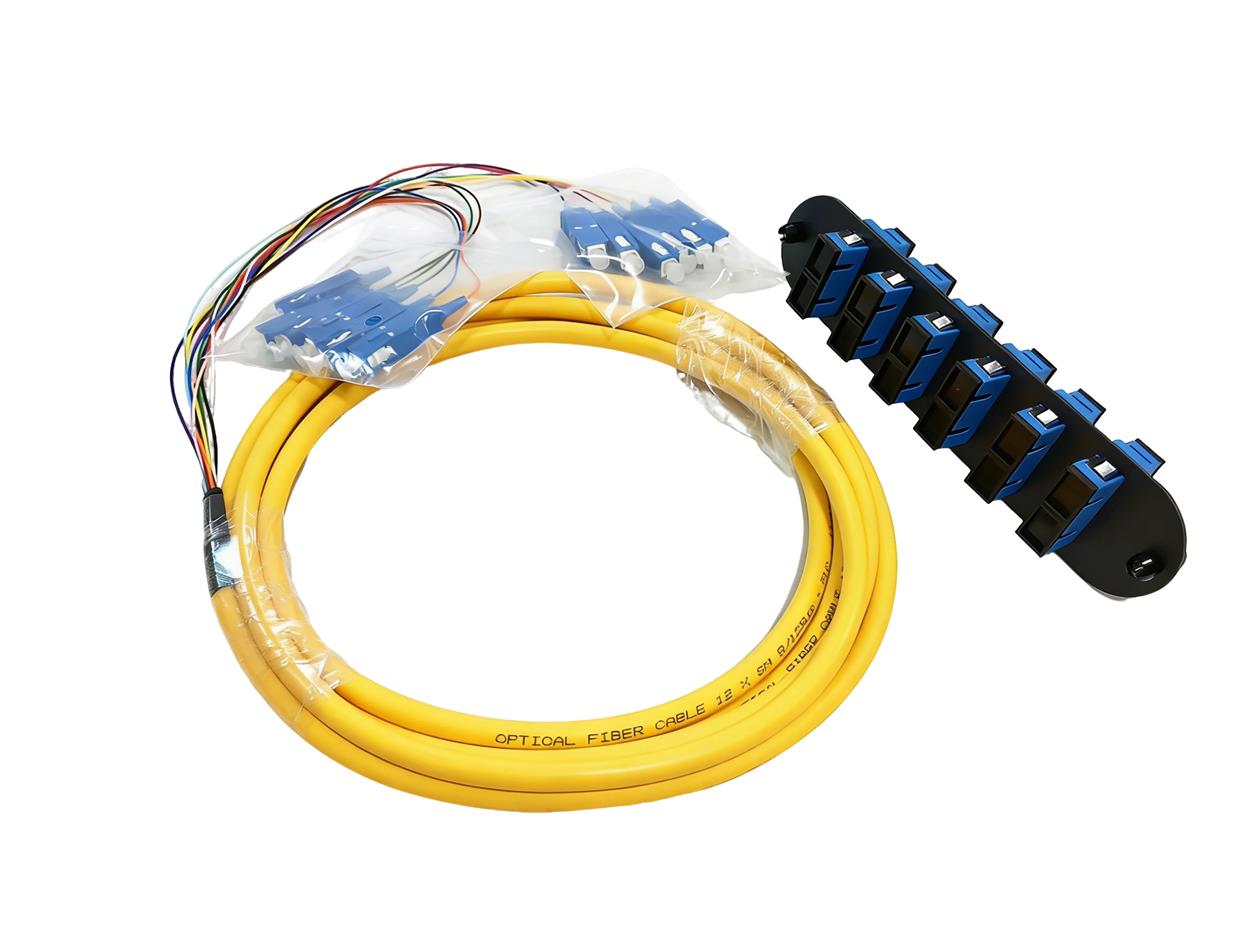
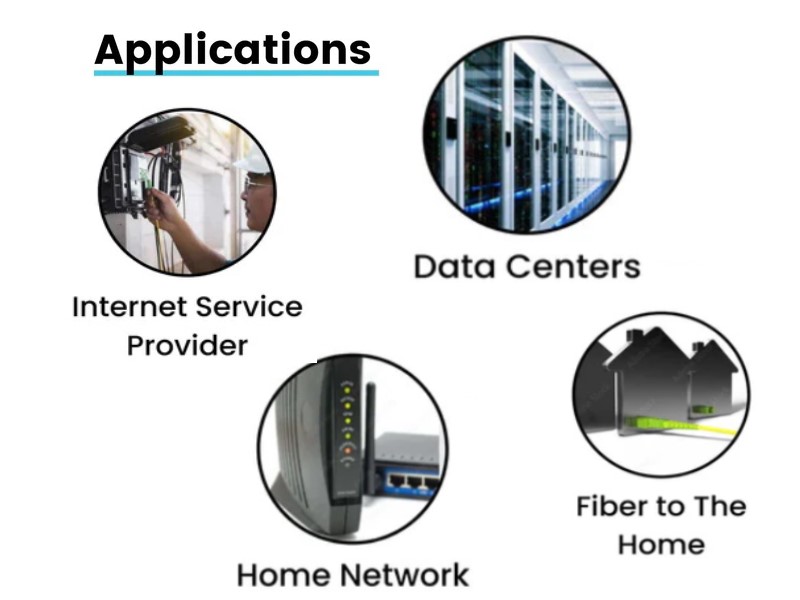
Fiber optic networks have become the backbone of modern data transmission, enabling high-speed, low-loss connectivity across various applications—from data centers to enterprise networks and FTTH (Fiber to the Home) deployments. The 12-fiber pigtail, as a critical termination component, plays a pivotal role in establishing reliable connections between trunk cables and network equipment within patch panels. Proper installation is paramount to ensuring optimal optical performance, minimizing signal attenuation, and maximizing network stability.

Pre-Installation Preparation
● Before initiating the installation process, thorough preparation is essential to avoid errors, ensure safety, and guarantee compliance with technical specifications.
Gather Required Tools and Materials
To complete the installation successfully, assemble the following tools and materials, all of which should meet industry standards for fiber optic work:
● 12-fiber pigtail (compatible with the network’s fiber mode—OS2 for singlemode, OM1/OM2/OM3/OM4/OM5 for multimode; connector type matching equipment requirements, e.g., LC, SC, FC, ST, E2000; jacket material suitable for the environment, such as LSZH or PVC)
● Fiber optic patch panel (rated for 12-fiber capacity, with compatible adapter ports for the pigtail’s connectors)
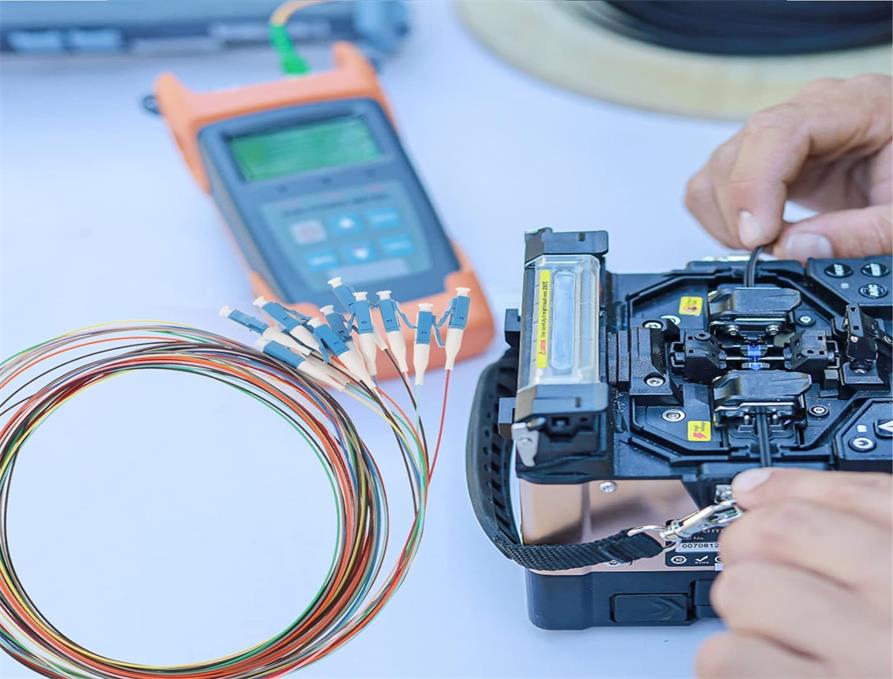
● Fusion splicer (calibrated for low-loss splicing, compliant with IEC 60793)
● Fiber cleaver (precision cleaving tool with a cleave angle ≤0.5°)
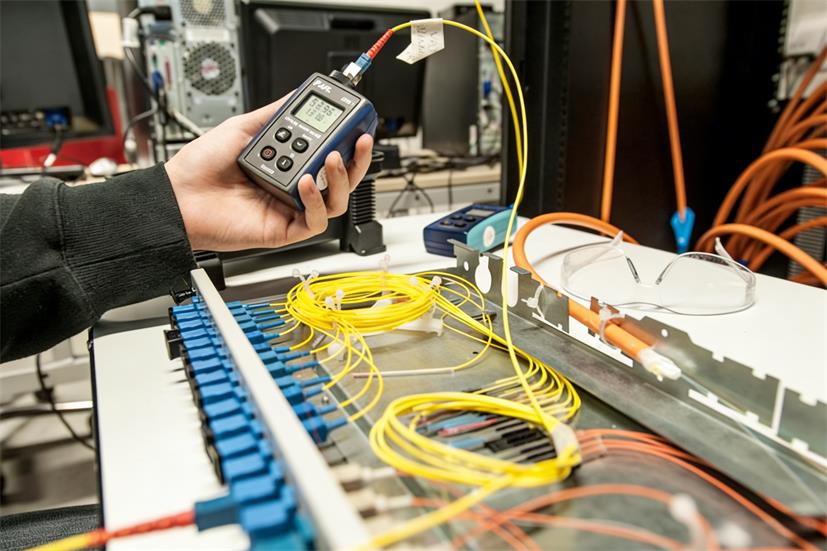
● Optical power meter and light source (for testing insertion loss and return loss)
● Cable management accessories (tie wraps, cable organizers, protective sleeves)
● Cleaning supplies (lint-free wipes, fiber cleaning fluid, compressed air canister)
● Personal protective equipment (safety glasses, anti-static gloves)

Verify Compatibility and Inspect Components
● Compatibility Check: Confirm that the 12-fiber pigtail’s fiber mode (OS2/OM1-OM5), connector type, and jacket material align with the patch panel and network requirements. For example, multimode OM3/OM4 pigtails are ideal for high-speed data center interconnects, while singlemode OS2 pigtails suit long-haul transmissions.
● Component Inspection: Examine the 12-fiber pigtail for physical damage—such as cracks in the jacket, bent connectors, or contamination on the ceramic ferrule. Ensure the patch panel’s adapter ports are clean, free of debris, and undamaged. Verify that all components carry relevant certifications (CE, RoHS, ISO9001) for quality assurance.
Prepare the Installation Environment
● Maintain a clean, dust-free workspace to prevent contamination of fiber ends and connectors.
● Ensure the environment is temperature-controlled (18-25°C) and humidity-regulated (40-60%) to avoid performance issues during splicing and testing.
● Eliminate static electricity by using anti-static mats and gloves, as static can damage sensitive fiber optic components.
Cable Routing and Preparation
● Proper cable routing protects the 12-fiber pigtail from mechanical stress and ensures efficient cable management within the patch panel.
Route the 12-Fiber Pigtail to the Patch Panel
● Plan the routing path to minimize bends and tension. The minimum bend radius for the fiber cable is 10mm (dynamic) and 5D (static, where D is the cable outer diameter). Avoid sharp bends, kinks, or crushing the cable.
● Use cable management accessories to secure the pigtail along the routing path, keeping it separate from power cables to prevent electromagnetic interference.
● Leave sufficient slack (typically 30-50cm) at the patch panel end to facilitate splicing and future maintenance without straining the fiber.

Strip the Pigtail Jacket and Prepare Fiber Ends
● Using a cable stripper, carefully remove the outer jacket of the 12-fiber pigtail, exposing the individual fiber strands. Strip only the necessary length (20-30cm) to avoid damaging the fiber cores.
● For tight-buffered 12-fiber pigtails (common in indoor applications), strip the buffer coating from each individual fiber using a precision stripper, exposing the bare fiber (typically 125μm cladding).
● Clean each bare fiber with a lint-free wipe soaked in fiber cleaning fluid to remove residual coating and contaminants. Ensure no lint or debris remains, as this can cause splicing errors or signal loss.
Organize Fiber Strands by Color Code
● 12-fiber pigtails follow a standard color code for easy identification: blue, orange, green, brown, slate, white, red, black, yellow, violet, rose, aqua. Organize the stripped fiber strands according to this color code to simplify splicing and future troubleshooting. Secure the organized strands with a tie wrap to maintain order during the installation process.
Fusion Splicing the 12-Fiber Pigtail
● Fusion splicing creates a permanent, low-loss junction between the 12-fiber pigtail and the trunk cable. This step requires precision and adherence to splicing best practices.
Set Up the Fusion Splicer
● Power on the fusion splicer and allow it to warm up to the operating temperature.
● Calibrate the splicer according to the fiber type (singlemode/multimode) and manufacturer’s instructions. Select the appropriate splicing program for the fiber diameter (9/125μm for singlemode, 50/125μm or 62.5/125μm for multimode).
● Clean the splicer’s v-grooves and electrodes with a lint-free wipe and compressed air to remove dust and debris.

Cleave and Load Fibers
● For each fiber strand (following the color code), use the fiber cleaver to make a clean, flat cleave. Hold the fiber taut and position it in the cleaver’s guide, ensuring the cleave length matches the splicer’s requirements (typically 8-16mm).
● Carefully place the cleaved pigtail fiber and the corresponding trunk cable fiber into the splicer’s v-grooves. Align the fibers precisely to minimize core misalignment, which can increase insertion loss.
Perform the Fusion Splice
● Initiate the splicing process. The fusion splicer will automatically align the fibers, pre-heat them, and fuse them together using an electric arc. The entire process takes 10-20 seconds per fiber.
● After splicing, the splicer will display the splice loss. Acceptable splice loss is ≤0.1dB for singlemode fibers and ≤0.2dB for multimode fibers. If the loss exceeds this threshold, re-cleave and re-splice the fibers.
● Repeat the process for all 12 fiber strands, maintaining the color code alignment throughout.
Protect the Splice Points
● Slide a heat-shrinkable sleeve over each splice point. Position the sleeve so that it covers the entire splice and extends 1-2cm onto each fiber’s buffer coating.
● Place the sleeve in the splicer’s heat oven to shrink it, creating a protective seal around the splice. Allow the sleeve to cool completely before handling.
● Organize the spliced fibers in a splice tray within the patch panel, securing them with tie wraps to prevent movement and protect the splice points from mechanical stress.
Connector Installation and Testing
● After splicing, install the pigtail’s connectors into the patch panel and conduct rigorous testing to ensure optimal performance.
Clean and Insert Connectors
● Clean the pigtail’s connectors using a lint-free wipe and fiber cleaning fluid. For ceramic ferrules, use a cleaning stick to remove any contamination from the ferrule endface.
● Align each connector (following the color code) with the corresponding adapter port on the patch panel. Insert the connector firmly until it clicks into place, ensuring a secure connection. Avoid over-tightening, as this can damage the connector or adapter.
Conduct Optical Performance Testing
● Insertion Loss Test: Connect the light source to one end of the trunk cable and the optical power meter to the pigtail’s connector. Measure the insertion loss for each fiber strand. The maximum acceptable insertion loss is <0.25dB per connector, in line with industry standards.
● Return Loss Test: Use an optical time-domain reflectometer (OTDR) or a return loss meter to measure the return loss. For singlemode fibers, return loss should be ≥50dB; for multimode fibers, it should meet the network’s specific requirements.
● Continuity Test: Verify that each fiber strand has a continuous optical path by transmitting a test signal through the fiber and confirming reception at the other end.
Document Test Results
● Record the test results for each of the 12 fibers, including insertion loss, return loss, and splice loss. Label each connector on the patch panel with the corresponding fiber color and test results for future reference. Store the documentation in a secure location for network maintenance and troubleshooting.
Final Cable Management and Quality Assurance
● Proper cable management ensures long-term reliability and ease of maintenance, while a final quality check confirms the installation meets industry standards.
Secure and Organize Cables in the Patch Panel
● Use cable organizers and tie wraps to arrange the 12-fiber pigtail and trunk cable within the patch panel. Ensure cables are routed neatly, with no excessive tension or bends beyond the minimum bend radius.
● Avoid overcrowding the patch panel, as this can lead to cable damage and difficulty accessing components for maintenance.
● Install protective sleeves over exposed fiber segments to prevent physical damage and contamination.
Conduct a Final Visual Inspection
● Inspect the entire installation for any signs of damage, misalignment, or contamination. Check that all connectors are securely inserted, splice points are protected, and cables are properly routed.
● Verify that the patch panel’s cover fits securely and that all cable management accessories are in place.
Ensure Compliance with Industry Standards
● Confirm that the installation adheres to Telcordia, EIA/TIA, and IEC specifications, as well as any internal network policies.
● Ensure all components (pigtail, patch panel, splicer) meet relevant certifications (CE, RoHS, ISO9001) to guarantee quality and performance.
Summary
Installing a 12-fiber pigtail in a patch panel requires meticulous planning, precision execution, and adherence to industry best practices. By following the step-by-step process outlined in this guide—from pre-installation preparation and cable routing to fusion splicing, testing, and final quality assurance—you can establish a low-loss, reliable connection that supports the demands of modern fiber optic networks. Proper installation not only ensures optimal optical performance but also minimizes downtime, reduces maintenance costs, and extends the lifespan of the network infrastructure.





No comments have been posted yet.