


.webp)


In the realm of modern optical networks, Fiber Optic Switches stand as indispensable components, facilitating dynamic signal routing, network reconfiguration, and reliable protection mechanisms. These devices, available in technologies like Mechanical, MEMS, and Polarization-Maintaining (PM), operate across broad wavelength ranges and support diverse configurations to meet the demands of telecom systems, data centers, and laboratory setups. However, like any precision electro-optic equipment, Fiber Optic Switches may encounter operational issues that affect network performance. This guide explores the most common troubleshooting scenarios and provides actionable solutions to resolve them effectively.
Excessive Insertion Loss
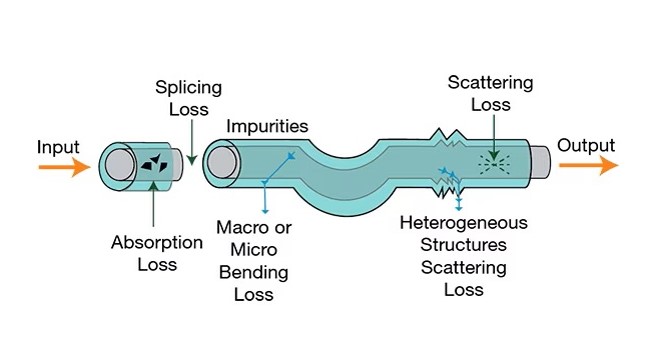
Insertion loss, the reduction in signal power as light travels through a Fiber Optic Switch, is a critical performance metric. Excessive insertion loss can lead to signal degradation, reduced transmission distances, and network instability.
Potential Causes
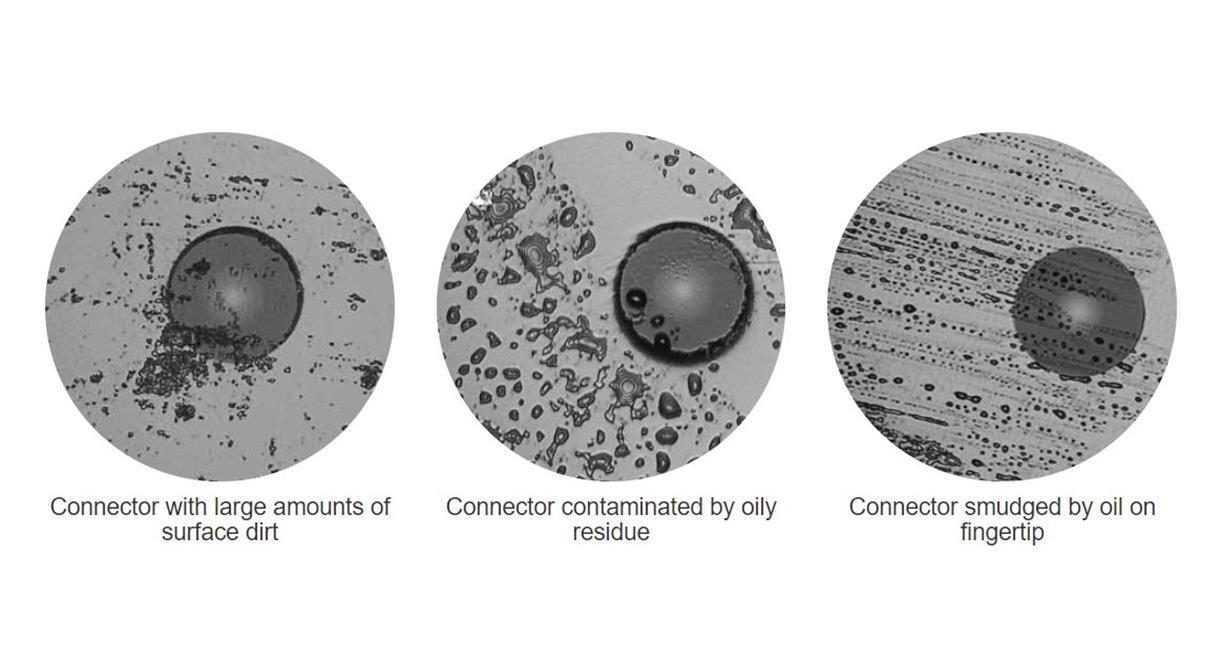
● Contaminated or damaged fiber connectors: Dust, oil, or scratches on the ferrule end-face disrupt light propagation, increasing loss.
● Misalignment of fiber ports: Mechanical wear or improper installation can shift fiber positions, causing light to leak at connection points.
● Degraded internal components: Over time, MEMS mirrors or mechanical actuators may suffer from fatigue, affecting light path precision.
● Operating outside specified wavelengths: Using the switch beyond its designed wavelength range (e.g., 460nm to 1550nm for standard models) increases loss.
Troubleshooting Steps
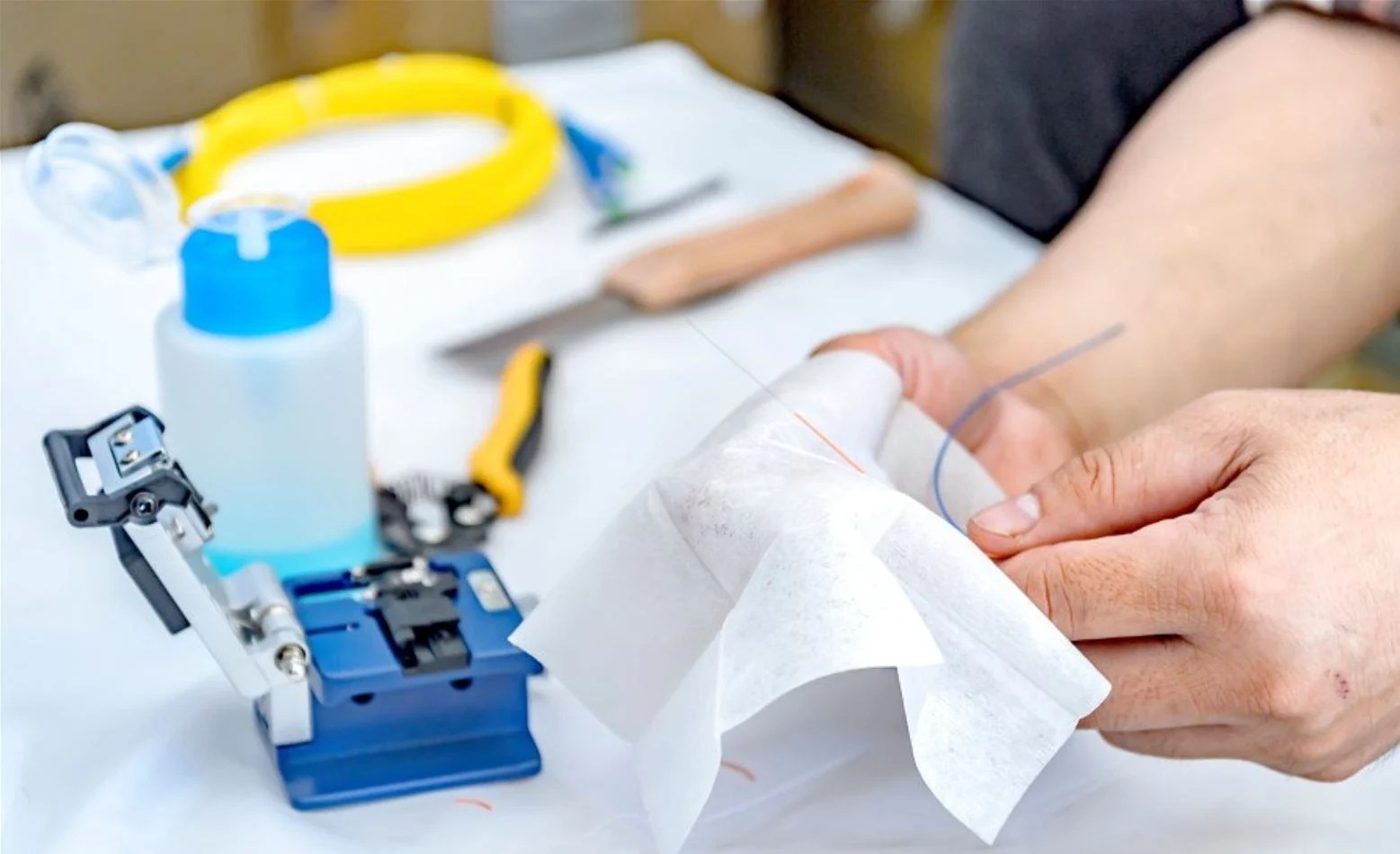
● Clean connectors thoroughly using lint-free wipes and fiber optic cleaning fluid. Inspect the end-face with a fiber microscope to ensure no residual contamination.
● Verify proper port alignment by re-seating fibers and checking for secure latching. For rackmount switches, ensure the unit is level and firmly mounted to prevent vibration-induced misalignment.
● Consult the switch’s test report (all Fiber Optic Switches from reputable manufacturers undergo 100% testing) to confirm insertion loss specifications. If values exceed limits, contact technical support for component replacement.
● Ensure the operating wavelength matches the switch’s rated range. Adjust the signal source to align with the switch’s optimal wavelength band (e.g., 850~1310nm for multimode applications).
Poor Cross-Talk Performance
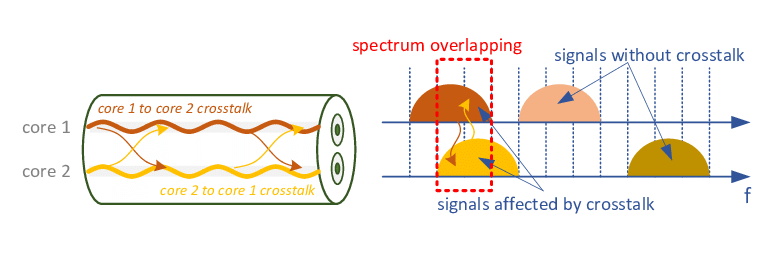
Cross-talk refers to unwanted signal leakage between adjacent channels, compromising data integrity. For Fiber Optic Switches, standard cross-talk specifications are ≥55dB for single-mode (SM) and ≥35dB for multimode (MM) fibers; deviations from these values indicate a problem.
Potential Causes
● Damaged fiber cladding: Scratches or cracks in the fiber cladding allow light to escape into neighboring channels.
● Faulty switch matrix design: Low-quality mechanical or MEMS structures may not fully isolate channels during switching.
● Overloading the switch with excessive input power: High power levels can cause signal bleeding across channels.
Troubleshooting Steps
● Inspect fibers for physical damage. Replace any fibers with compromised cladding to restore isolation.
● Check the switch’s certification (CE, RoHS, FCC, ISO9001) to ensure compliance with cross-talk standards. Non-certified switches may have subpar design flaws.
● Reduce input power to within the switch’s recommended range. Use an optical power meter to monitor levels and avoid overloading.
● For MEMS-based Fiber Optic Switches, reset the device to its factory calibration settings to re-align internal mirrors and improve channel isolation.
Slow Switching Response
Switching time, the duration to redirect a signal from one port to another, is critical for real-time applications like network protection. Most Fiber Optic Switches have a switching time of <10ms; delays beyond this can cause service disruptions.
Potential Causes
● Power supply issues: Insufficient voltage (e.g., below 5V for mini switches) or unstable power sources hamper actuator performance.
● Control interface errors: Faulty RS232, USB, or TTL connections prevent timely communication between the switch and control system.
● Mechanical jamming: Debris or wear in mechanical switches can obstruct actuator movement, slowing response times.
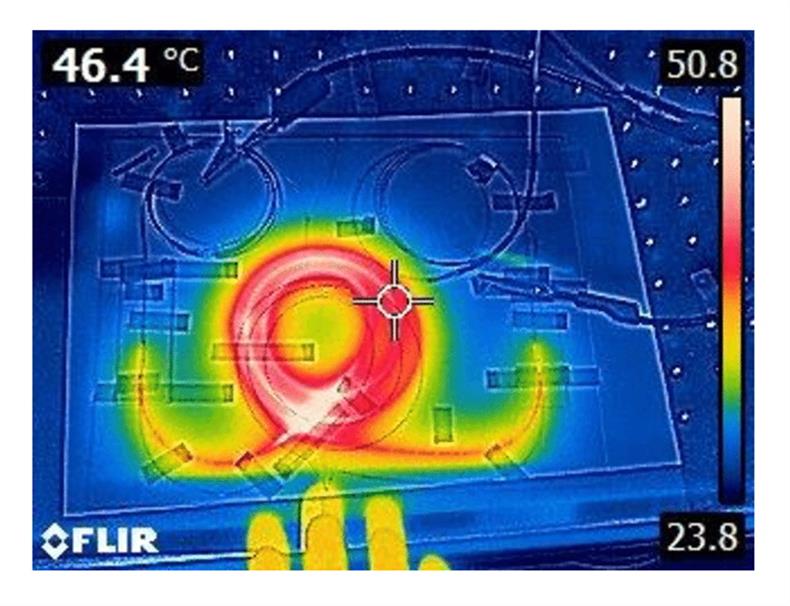
● Overheating: Extended operation at temperatures beyond the rated range (-40 to 85°C) degrades component performance.
Troubleshooting Steps
● Verify the power supply meets the switch’s requirements (e.g., 5V for non-latching models). Use a regulated power source to ensure stable voltage.
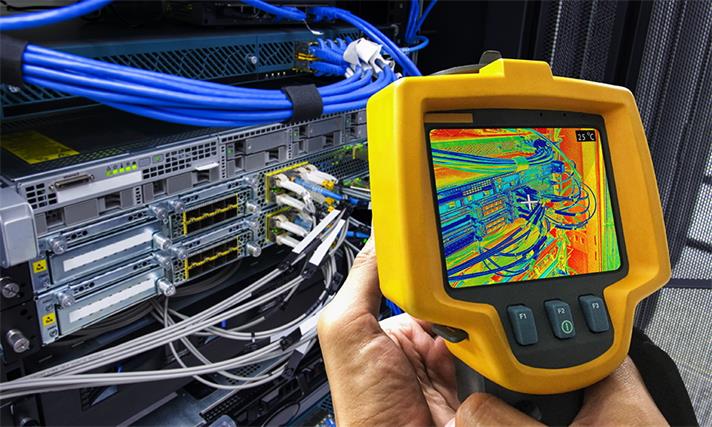
● Inspect control cables for damage or loose connections. Reinstall drivers for USB/RS232 interfaces and test communication with diagnostic software.
● For mechanical switches, gently clean internal components (if accessible) to remove debris. Avoid disassembly if under warranty; contact support for professional servicing.
● Ensure the switch is operated within the specified temperature range. Improve ventilation for rackmount units or relocate benchtop switches away from heat sources.
Failure to Maintain Polarization (PM Fiber Optic Switches)
Polarization-Maintaining (PM) Fiber Optic Switches are designed to preserve signal polarization, critical for sensitive applications like sensor networks. Loss of polarization control indicates a specific set of issues.
Potential Causes
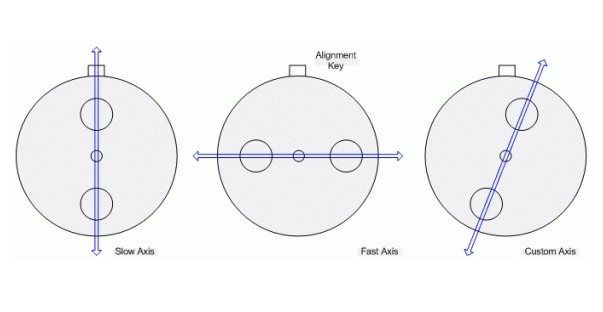
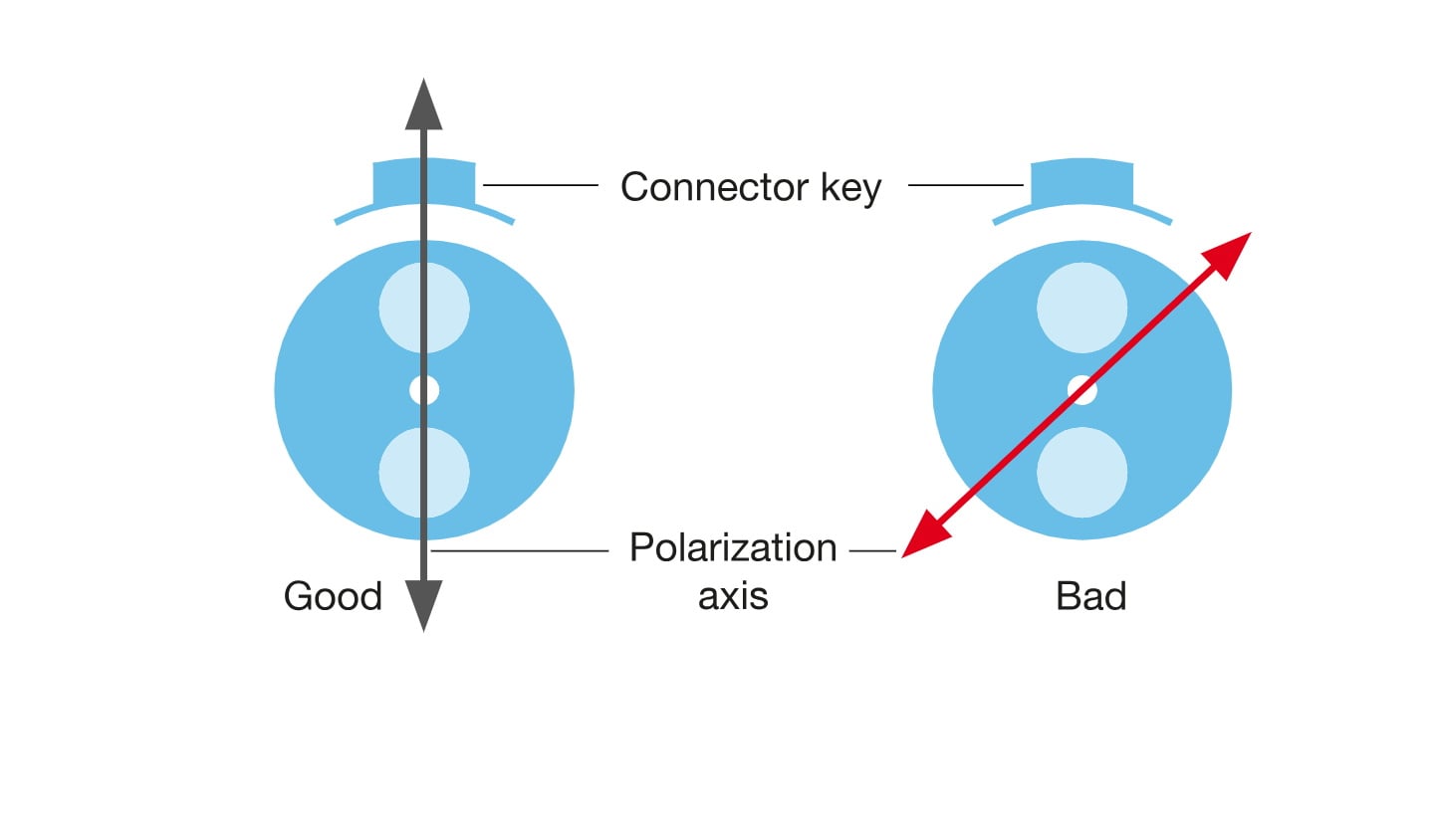
● Misalignment of PM fiber axes: PM fibers require precise alignment of their slow/fast axes; even minor shifts disrupt polarization.
● Degraded internal polarization components: Wear or damage to PM-specific optics (e.g., birefringent elements) reduces polarization retention.
● Incompatible fiber types: Using non-PM fibers with a PM switch or vice versa negates polarization-maintaining capabilities.
Troubleshooting Steps
● Use a polarization controller to align PM fiber axes. Ensure the fiber’s polarization direction matches the switch’s input/output requirements.
● Check the switch’s PDL (Polarization Dependent Loss) specification (≤0.2dB for high-performance models). If PDL exceeds limits, replace the switch or internal PM components.
● Confirm compatibility between the fiber and switch. PM Fiber Optic Switches must be paired with PM fibers (e.g., PM1550nm) to maintain polarization control.
Unresponsive Control Interface
Fiber Optic Switches rely on standard control interfaces (RS232, USB, TTL) for integration into automated systems. An unresponsive interface prevents remote operation and configuration.
Potential Causes
● Outdated or incompatible drivers: Old software drivers may not communicate with modern operating systems.
● Physical port damage: Bent pins in RS232 ports or faulty USB connectors disrupt signal transmission.
● Incorrect configuration settings: Mismatched baud rates, parity bits, or protocol settings (e.g., TTL voltage levels) prevent communication.
Troubleshooting Steps
● Download and install the latest drivers from the manufacturer’s website. Ensure compatibility with your operating system (Windows, Linux, etc.).
● Inspect control ports for physical damage. Replace damaged cables or use alternative ports (e.g., switch from RS232 to USB) if available.
● Verify configuration settings using the switch’s user manual. Match baud rates (e.g., 9600 bps) and protocol parameters between the switch and control system.
● Test the interface with diagnostic tools. For USB connections, use device manager to confirm recognition; for RS232, use a serial terminal to send test commands.
Conclusion
Fiber Optic Switches are critical for the reliability and flexibility of modern optical networks, but proper maintenance and troubleshooting are essential to maximize their performance. By addressing common issues like excessive insertion loss, poor cross-talk, slow switching, polarization loss, and unresponsive interfaces, network operators can ensure uninterrupted signal routing and system stability. Regular inspection, adherence to operating specifications, and use of certified, high-quality devices are key to minimizing downtime. When troubleshooting, always refer to the manufacturer’s documentation and leverage technical support for complex issues—ensuring your Fiber Optic Switches continue to deliver optimal performance for years to come.





No comments have been posted yet.