


.webp)


Enterprises relying on fast data access require robust network infrastructure to maintain efficient operations. High latency and low speed can severely affect business performance. Fiber optic cabling, with its advantages of low attenuation, high bandwidth, and strong anti-interference capability, has become an ideal solution for improving network integration and efficiency. However, once a fiber optic network fails, it is likely to cause costly operational interruptions. Accurately identifying the root causes of failures, mastering scientific troubleshooting methods, and implementing preventive measures are crucial to ensuring the continuous and stable operation of the network. This document will elaborate on the common causes of fiber optic network failures, supplement troubleshooting methods combined with actual operation and maintenance scenarios, and organize the content through standardized level 2 and level 3 headings to provide practical guidance for operation and maintenance work.
8 Things For Fiber Optic Network Failures Troubleshooting
1. Poor Material Quality
Cause of Failure
To reduce initial investment, some enterprises choose low-end fiber optic cables, connectors and other components. Such inferior materials have inherent defects: insufficient core purity and uneven refractive index, which cannot adapt to high data transmission rates and easily lead to excessive signal attenuation; low precision of connector ferrules and easy peeling of coatings, which increase signal reflection loss; fragile sheath material with poor aging and corrosion resistance, which is prone to cracking, aging and deterioration after long-term use, causing frequent disconnections, speed fluctuations and other problems. The service life of inferior components is usually only 1/3 to 1/2 of that of high-quality products, and the later maintenance and replacement costs are much higher than the initial savings, resulting in more losses than gains.
Troubleshooting Methods
When the network experiences continuous signal attenuation and the transmission rate fails to meet the design standard, priority should be given to checking material quality issues. Use an optical power meter to test the link attenuation value. If the attenuation of single-mode fiber at 1310nm wavelength is >0.35dB/km, at 1550nm wavelength is >0.2dB/km, and the attenuation of multi-mode fiber at 850nm wavelength is >3.5dB/km, and other fault factors are excluded, it can be determined that the cable quality is not up to standard. Test the connector with an insertion return loss tester. If the insertion loss is >0.5dB and the return loss is <40dB, it indicates that the connector has quality defects. During troubleshooting, immediately replace with high-quality components that meet the ISO/IEC 11801 standard. After replacement, re-test with an optical power meter and an insertion return loss tester to ensure that the link parameters are up to standard.
2. Excessive Fiber Bending
Cause of Failure
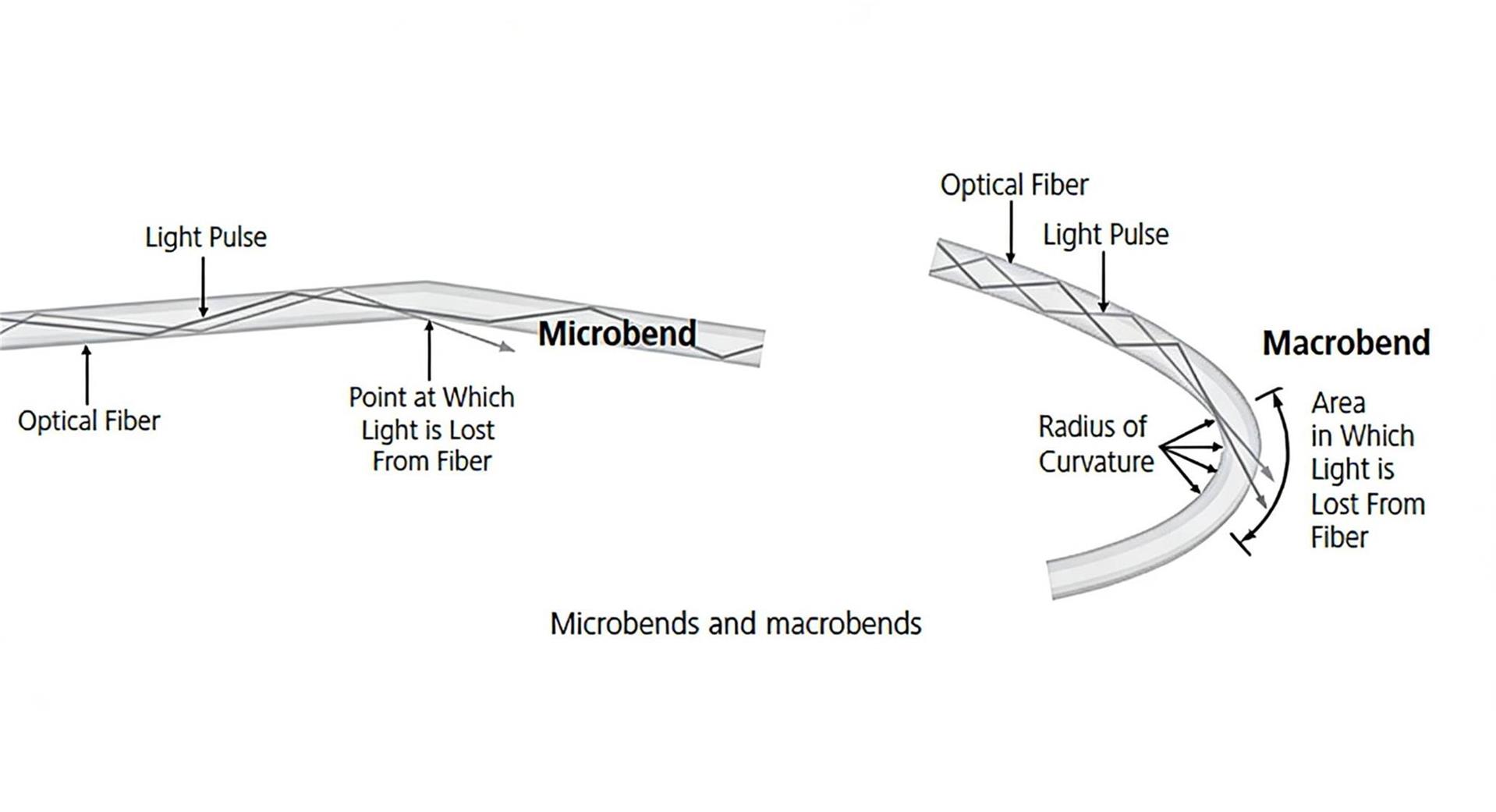
Fiber optic cable failures can be caused by excessive bending and damage during installation. A large bending radius can cause light signals to leak from the fiber core, resulting in high insertion loss. Bending can even lead to glass breakage or fracture, completely blocking signal transmission. Please note that during installation (i.e., under tension), the minimum bending radius is 20 times the cable diameter. After installation (i.e., not under tension), the minimum bending radius is 10 times the cable diameter.
Troubleshooting Methods
A Visual Fault Locator (VFL) is a simple method for locating faults in fiber optic cables. VFLs come in many varieties, ranging from simple, compact pen-style VFLs for inspecting single fibers to more advanced solutions that can inspect all fibers in an MPO/MTP array cable simultaneously. A VFL works by emitting a bright red visible laser beam along the fiber link. When there is a break or severe bend in the fiber, the light leaks out, making the fault visible in the fiber. Minor bends can be repaired by physically straightening the fiber, but severe bends, cracks, or breaks require fiber splicing to repair the fiber, or simply replacing the entire fiber link.
For very long links, environments where the fiber optic cable is not visible (e.g., behind walls, underground), or situations where the cable sheath blocks the VFL laser from penetrating (e.g., armored cables), VFL is not always the ideal fault location tool. For faults that VFL cannot precisely locate, an Optical Time Domain Reflectometer (OTDR) can be used for testing. OTDR is the best tool for troubleshooting fiber optic network faults because it provides comprehensive link tracing information, accurately displaying the location of loss and reflection events along the entire link, such as connectors, splices, bends, and cracks, as shown in the figure below.
|
Feature
|
Visual Fault Locator (VFL)
|
Optical Time Domain Reflectometer (OTDR)
|
|---|---|---|
|
Core Definition
|
A simple tool for locating faults in fiber optic cables
|
The optimal tool for troubleshooting fiber optic network faults
|
|
Varieties
|
Ranges from compact pen-style (for single fibers) to advanced types (for MPO/MTP array cables)
|
Not mentioned in the text (focuses on function rather than varieties)
|
|
Working Principle
|
Emits a bright red visible laser beam along the fiber link; light leaks at fault points to make them visible
|
Provides comprehensive link tracing information; accurately displays the location of loss and reflection events along the entire link
|
|
Applicable Scenarios
|
Inspecting single fibers or MPO/MTP array cables; locating visible faults (breaks, severe bends)
|
Locating faults in very long links; scenarios where fibers are invisible (behind walls, underground); cases where cable sheaths block VFL lasers (e.g., armored cables); faults that VFL cannot precisely locate
|
|
Limitations
|
Ineffective for long links, invisible fibers, or cables with laser-blocking sheaths (e.g., armored cables)
|
No limitations mentioned in the text
|
|
Fault Handling Suggestion
|
Minor bends: straighten the fiber physically; severe bends/cracks/breaks: splice or replace the fiber link
|
Determine fault types (connectors, splices, bends, cracks) based on detection results, then perform targeted repairs (e.g., splicing, replacement)
|
3. Loose, Uncleaned or Damaged Fiber Connectors
Cause of Failure
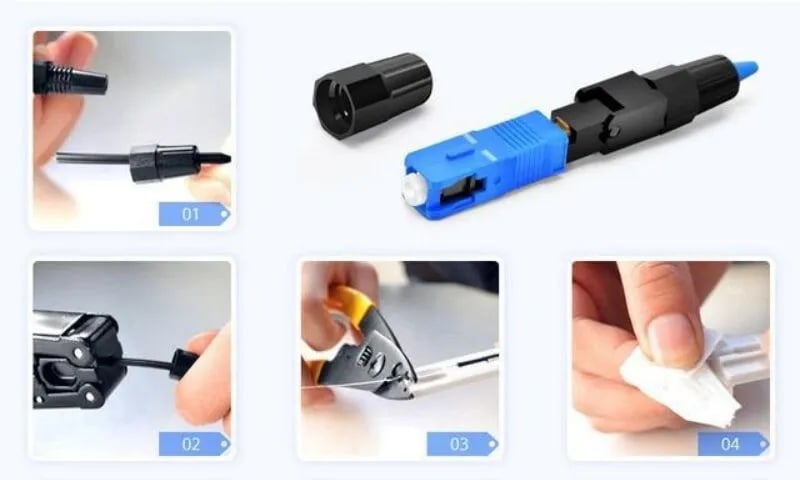
Connectors are the core interface of fiber optic links, responsible for connecting cables to equipment and cables to cables. Faults are mostly caused by improper operation or long-term wear: frequent plugging and unplugging lead to wear and loosening of latches, which cannot fit tightly, causing signal reflection and leakage; failure to clean the core end face before plugging and unplugging, resulting in signal attenuation due to dust and oil contamination; scratches and dents on ferrules caused by collision and friction, and even core breakage, leading to signal interruption. In addition, incompatibility between connectors and equipment interfaces, and misalignment of positioning keys during installation can also cause poor contact, manifesting as signal flickering and intermittent disconnection.
Troubleshooting Methods
When the network has intermittent disconnection and signal flickering, prioritize checking the connectors. Step 1: Observe the appearance, check whether the latch is intact and properly inserted, and gently plug and unplug the connector to confirm the tightness. Step 2: Wipe the core end face with anhydrous ethanol to remove dust and oil, then reinsert and test. Step 3: Test the performance with an insertion return loss tester. If the insertion loss and return loss exceed the standard, or if ferrule damage is visible on the appearance, replace with a connector of the same model and specification. After replacement, conduct a link continuity test to ensure stable signal transmission.
4. Improper Fiber Optic Polarity
Cause of Failure
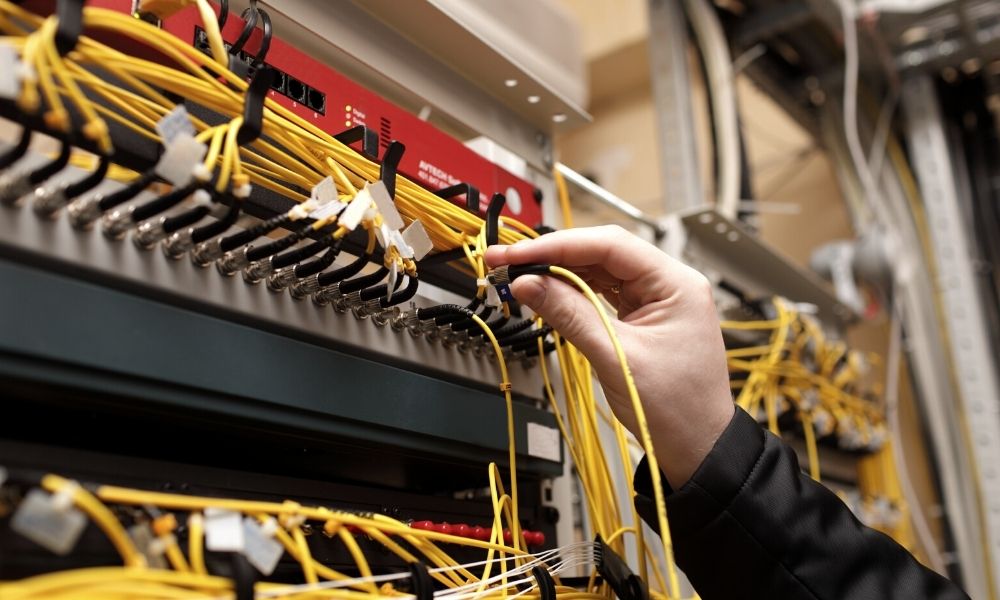
In all fiber optic applications, polarity ensures that the transmit signal at one end of the link corresponds to the receive signal at the other end. If there is a polarity error, the link will fail to work. Polarity issues may occur when incorrect types of patch cords are used during link moves, adds, or changes (MACs). Such issues are particularly tricky in multi-fiber MPO/MTP applications, as multiple fibers at the transmit end of the link need to correctly correspond to the signals at the receive end. Unlike polarization issues, polarity errors are essentially about signal direction matching rather than polarization state, making them easy to be overlooked in complex multi-fiber systems.
Troubleshooting Methods
Since a Visual Fault Locator (VFL) detects connectivity, it can also be used for preliminary polarity checks by verifying whether the light signal is transmitted from the transmit end to the correct receive end. For more accurate verification, especially in MPO/MTP links, advanced fiber optic test equipment (such as OTDRs with multi-fiber testing capabilities or dedicated polarity testers) can quickly validate the polarity of installed MPO/MTP links, identify reversed or misconnected fibers, and locate the specific position of the polarity error in the link.
|
Comparison Dimension
|
Type A (Straight-through)
|
Type B (Cross-over)
|
Type C (Duplex Crossover/Flipped Type)
|
|---|---|---|---|
|
Core Definition
|
The fiber core correspondence of connectors at both ends of the fiber link is consistent, with the Transmitter (TX) directly corresponding to the Receiver (RX) without crossover or flipping.
|
Achieve core swapping at both ends of the link through cross-connection, enabling TX at one end to correspond to RX at the other end to meet polarity matching for bidirectional communication.
|
Only 180° flip a single fiber in a duplex link, or adjust polarity via special patch cords, balancing compatibility for both simplex and duplex scenarios.
|
|
Connection Method
|
Use straight-through patch cords (same key orientation of connectors at both ends), with one-to-one core number correspondence at both ends of the link (e.g., Core 1 at End 1 → Core 1 at End 2).
|
Use cross-over patch cords (one end with key up, the other with key down) or cross jumper via patch panel to achieve Core 1→Core 2 and Core 2→Core 1 correspondence.
|
Adopt patch cords with flipped structure (e.g., MPO patch cords with built-in single-fiber flip); only adjust the polarity of one fiber in duplex scenarios, while the other remains straight-through.
|
|
Polarity Adjustment Method
|
Replace with cross-over patch cords, or adjust the core correspondence at the patch panel.
|
Replace with straight-through patch cords, or cancel the cross-connection points in the link.
|
Adjust the connection direction of the flipped end of the patch cord, or replace with patch cords without flipped structure to adapt to different polarity requirements.
|
|
Typical Patch Cord Types
|
LC-LC straight-through patch cord, SC-SC straight-through patch cord (same key orientation at both ends).
|
LC-LC cross-over patch cord, SC-SC cross-over patch cord (reverse key orientation at both ends).
|
MPO flipped patch cord, duplex LC patch cord with flipped structure.
|
5. Inadequate Network Design
Cause of Failure
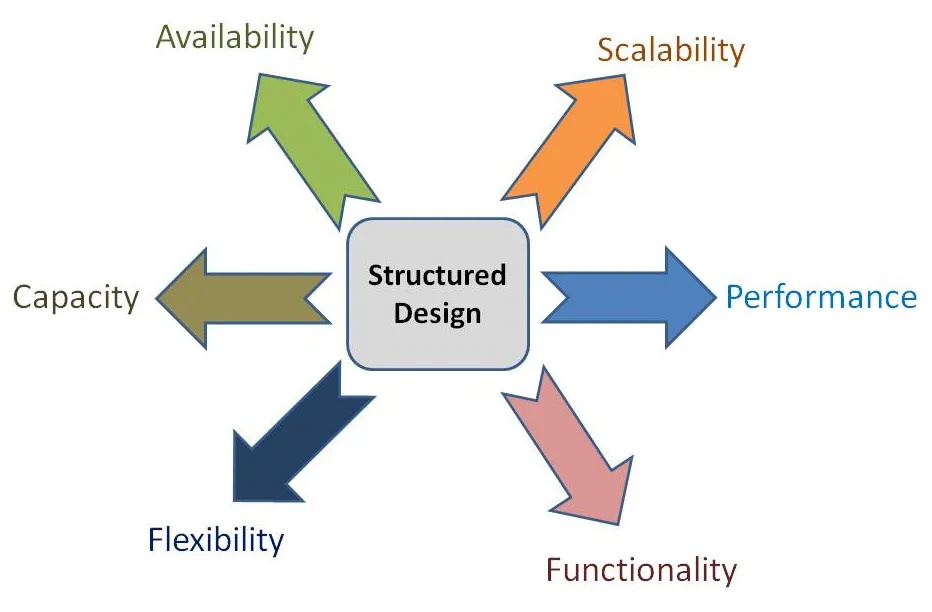
Faults caused by inadequate network design are concealed and persistent. The core issues include: unreasonable bandwidth planning that fails to take into account business growth and peak demand, leading to bandwidth congestion and decreased speed; excessive link length without installing repeaters and amplifiers, resulting in severe signal attenuation; topological structure defects such as single points of failure and insufficient link redundancy, making it impossible to switch automatically after a link failure; insufficient port and interface configuration that cannot adapt to multi-device and multi-service access. Such faults gradually appear with the growth of business volume, affecting the long-term stable operation of the network.
Troubleshooting Methods
Use a network traffic analyzer to test the link bandwidth utilization during peak hours. If the utilization rate exceeds 80% with decreased speed, expand the bandwidth or optimize traffic allocation through QoS configuration. Test the attenuation of long-distance links with an OTDR. If it exceeds the standard, install repeaters or optical amplifiers to compensate for the signal. Test the topological structure by simulating link faults, verify the switching function of redundant links, and install backup links for single-point failure nodes. Check the port usage. If the ports are fully loaded, expand the number of ports or upgrade the equipment interface capacity.
6. Software Configuration Errors
Cause of Failure
The normal operation of fiber optic networks relies on the accuracy of equipment software (firmware) and configurations. Common scenarios of configuration errors include: IP address, subnet mask, and gateway conflicts or errors, resulting in inability of equipment to communicate; incompatible firmware versions and update failures, causing abnormal equipment functions and link adaptation issues; incorrect configuration of network protocols such as routing protocols and VLAN, leading to confused signal forwarding paths; improper security policies that mistakenly block normal communication ports or IPs. Such faults are random, manifesting as equipment offline, link disconnection, and abnormal speed.
Troubleshooting Methods
During troubleshooting, first restore the device to default settings or roll back to the latest correct configuration (back up in advance), and test whether the link is restored. If restored, it is confirmed as a configuration error. For IP configuration issues, check for address conflicts and reassign reasonable IPs. For firmware issues, uninstall the abnormal firmware, install a compatible and stable version, and restart the device for testing. For protocol configuration errors, check the routing table, VLAN division, port mapping one by one, and correct the parameters. For security policy issues, lift the block on normal communication to ensure that ports and IPs are available. Save the correct configuration after troubleshooting to avoid repeated faults.
7. Electromagnetic Interference (EMI) Problem
Cause of Failure
Fiber optics themselves are not susceptible to Electromagnetic Interference (EMI), but the connected equipment such as switches, servers, and optical modules are. Sources of strong electromagnetic fields include power equipment such as high-voltage power lines, transformers, and frequency converters, radio frequency equipment such as wireless base stations and microwave ovens, and industrial large machinery and welding equipment. EMI can cause equipment circuit disorders, unstable transmission power of optical modules, and decreased receiving sensitivity, leading to signal attenuation, increased bit error rate, and equipment crash. Faults are mostly intermittent and difficult to locate.
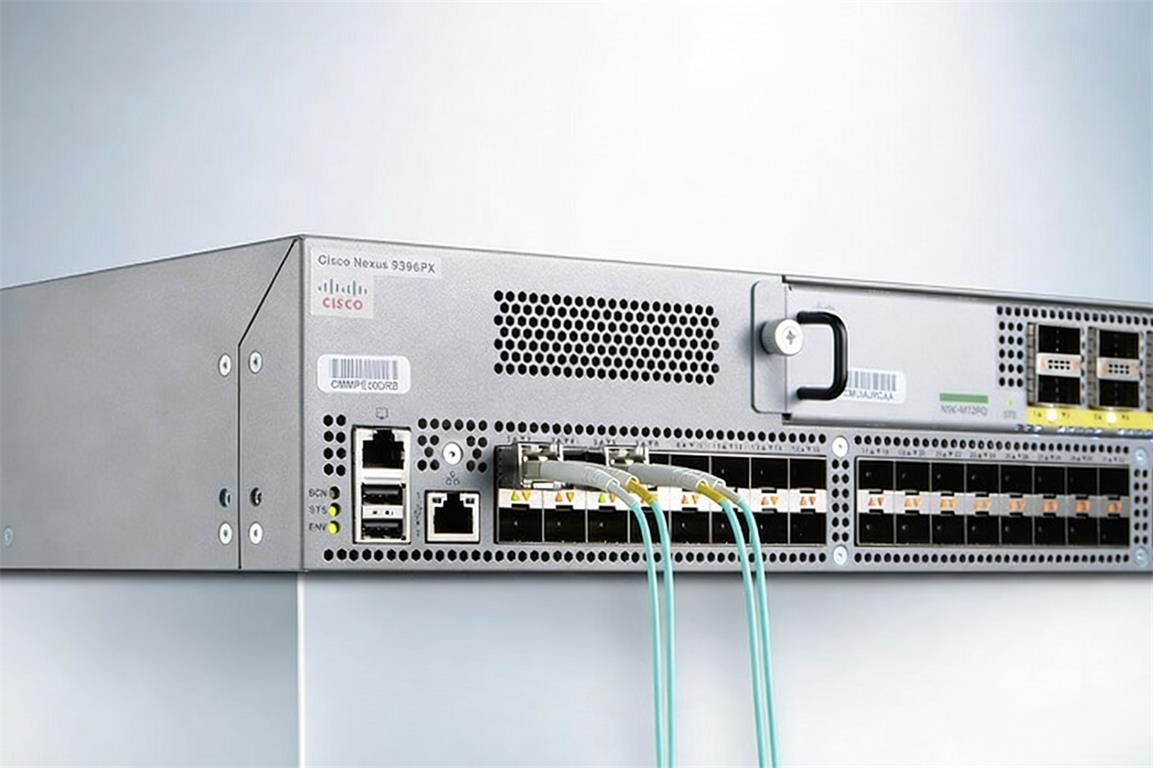
Troubleshooting Methods
If the fault occurs synchronously with the startup of high-voltage equipment and mechanical operation, it can be determined as electromagnetic interference. Use an electromagnetic interference detector to test the field strength in the fault area and locate the interference source. Keep the affected equipment at a safe distance from the interference source (not less than 10 meters from high-voltage power lines) and adjust the placement position. Install electromagnetic shielding covers for equipment and use shielded sheaths for cables to reduce interference. Check the equipment grounding condition, improve the grounding system (grounding resistance ≤4Ω), release static electricity and electromagnetic induction current, and re-test the link performance.
8. Environmental Factors
Cause of Failure
Environmental factors such as temperature, humidity, and chemical corrosion are likely to cause fiber optic network faults: temperature exceeding 40℃ will cause softening and deformation of the fiber sheath, accelerated aging of the core, and affect equipment heat dissipation, reducing the performance of optical modules; relative humidity exceeding 85% will cause internal moisture and short circuits of equipment, condensation of water vapor on the connector end face, leading to signal attenuation; corrosive substances such as acids, alkalis, and organic solvents will corrode the fiber sheath and equipment shell, damage the link integrity, and even cause equipment failure.
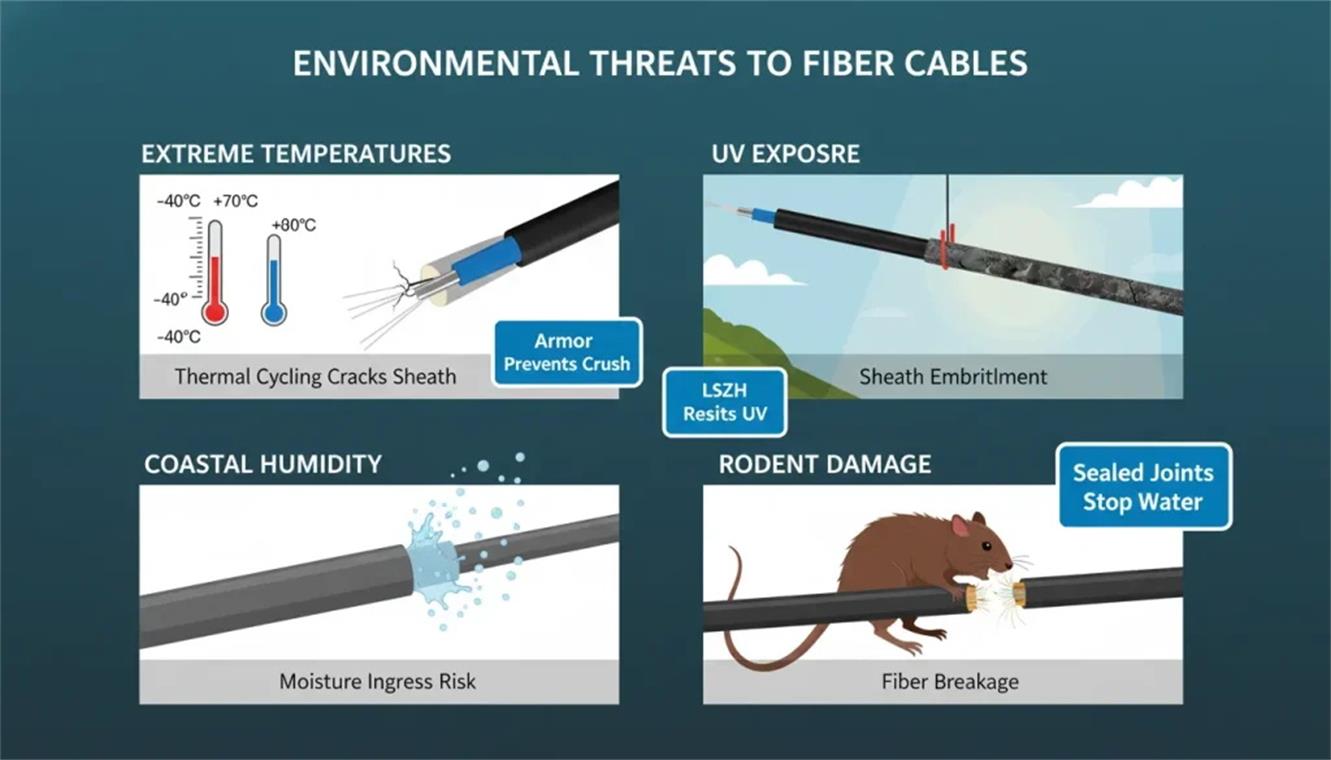
Troubleshooting Methods
During troubleshooting, first test the computer room environment parameters. If the temperature exceeds 18-25℃ and the humidity exceeds 40%-60% of the standard range, start air conditioners and dehumidifiers for adjustment, and re-test the link performance after the environment is stable. If fiber sheath corrosion and equipment shell damage are found, check and remove surrounding chemical corrosion sources, replace damaged cables and equipment components; dry damp connectors and equipment, clean the connector end face and re-test.
|
Environmental Factor
|
Cause of Failure
|
Troubleshooting Methods
|
Prevention Strategies
|
|---|---|---|---|
|
Temperature
|
Temperatures exceeding 40℃ cause softening and deformation of the fiber sheath, accelerated aging of the fiber core, impaired equipment heat dissipation, and reduced optical module performance.
|
Test computer room environmental parameters first. If the temperature is outside the standard range of 18-25℃, start air conditioners for adjustment. Re-test link performance after the environment stabilizes.
|
Install precision air conditioners in the computer room to realize automatic temperature control. Regularly calibrate monitoring instruments. Select high-temperature resistant cables and equipment.
|
|
Humidity
|
Relative humidity exceeding 85% leads to internal moisture and short circuits of equipment, water vapor condensation on connector end faces, resulting in signal attenuation.
|
If humidity exceeds the standard range of 40%-60%, start dehumidifiers for adjustment. Dry damp connectors and equipment, clean the connector end face, and re-test after environment stabilization.
|
Equip the computer room with dehumidifiers and humidifiers for automatic humidity control. Select waterproof cables and equipment. Use sealed equipment in appropriate areas.
|
|
Chemical Corrosion
|
Corrosive substances (acids, alkalis, organic solvents, etc.) corrode the fiber sheath and equipment shell, damage link integrity, and even cause equipment failure.
|
Check and remove surrounding chemical corrosion sources. Replace damaged cables and equipment components. Clean the connector end face and re-test the link performance.
|
Select anti-corrosion cables and equipment. Use special protective sheaths and sealed equipment in industrial/chemical areas. Install protective barriers if corrosion sources are unavoidable; regularly clean and inspect for corrosion hazards.
|
Note: Establish a daily inspection system for environmental parameters to handle abnormalities in a timely manner, which is applicable to all three environmental factors.
Conclusion
The causes of fiber optic network failures involve multiple dimensions such as materials, construction, operation and maintenance, and the environment. The consequences of failures directly affect the operation of core business of enterprises. To ensure the stable operation of fiber optic networks, we must adhere to the principle of "prevention first, troubleshooting supplemented": reduce hidden dangers from the source through strictly controlling material quality, optimizing network design, and standardizing construction processes in the early stage; rely on professional tools such as OTDR and optical power meters to accurately locate the root causes of failures and efficiently implement troubleshooting operations in the later stage; at the same time, establish a normalized inspection and maintenance system, regularly evaluate network performance, and make timely optimizations and adjustments.
Operation and maintenance personnel must proficiently master the causes, troubleshooting methods and prevention strategies of various faults, improve emergency response capabilities, and formulate personalized operation and maintenance plans combined with different application scenarios. Through scientific management methods and technical measures, minimize the failure rate, shorten the fault recovery time, give full play to the performance advantages of fiber optic networks, and provide solid network support for efficient enterprise operations.
FAQs About Fiber Optic Network Errors
Q: What is the difference between using OTDR and VFL for fiber optic fault troubleshooting, and how to choose them?
A: OTDR (Optical Time-Domain Reflectometer) can locate fault points (such as physical damage, excessive bending) and test link attenuation, splice loss, etc., suitable for comprehensive link diagnosis. VFL (Visual Fault Locator) only detects connectivity and rough fault locations (e.g., broken fibers, loose connectors) via visible light. For hidden faults and performance testing, choose OTDR; for quick connectivity checks and obvious fault positioning, use VFL.
Q: How to determine whether the fiber optic link attenuation exceeds the standard, and what are the common solutions?
A: Test with an optical power meter: single-mode fiber attenuation at 1310nm >0.35dB/km, 1550nm >0.2dB/km; multi-mode fiber at 850nm >3.5dB/km is considered excessive. Solutions include: replacing inferior cables/connectors, adjusting fiber bending radius, splicing damaged fibers, adding optical amplifiers or dispersion compensation modules for long-distance links.
Q: What precautions should be taken to avoid software configuration errors affecting fiber optic network operation?
A: First, back up configurations before any changes and roll back to the latest valid version if errors occur. Second, confirm firmware compatibility with devices before updating, and avoid beta versions. Third, regularly audit IP addresses, routing protocols, and VLAN configurations to eliminate conflicts. Finally, train O&M personnel to standardize configuration operations and reduce human errors.
Q: Why is fiber optic cable not affected by EMI, but the connected devices still have EMI-related faults? How to prevent it?
A: Fiber optics transmit light signals, so they are immune to EMI, but connected switches, optical modules, and servers have electronic circuits sensitive to EMI. Prevention measures: select EMC-certified devices, keep equipment at least 10 meters away from high-voltage power lines/transformers, install electromagnetic shielding covers, and optimize grounding systems (grounding resistance ≤4Ω).
Q: How to design a fiber optic network to avoid failures caused by inadequate load capacity and future expansion needs?
A: Reserve more than 30% bandwidth redundancy based on current business volume and 3-5-year growth expectations. For links exceeding the maximum transmission distance, pre-install repeaters and dispersion compensation modules. Adopt dual-link/dual-node redundant topology to avoid single points of failure. Choose scalable devices to facilitate port and interface expansion later.
Q: What are the key points for daily maintenance of fiber optic connectors to reduce loose or damaged faults?
A: Weekly check connector tightness and end-face cleanliness, and monthly test insertion/return loss (insertion loss ≤0.5dB, return loss ≥40dB). Clean end faces with anhydrous ethanol before plugging/unplugging, avoid violent operations to prevent latch/ferrule wear. Install dust caps on unused connectors, and reserve spare connectors for quick replacement.
Q: Can a Visual Fault Locator (VFL) identify polarity errors in MPO/MTP links?
A: VFL can perform preliminary checks by verifying whether light signals transmit to the correct receive end. However, for multi-fiber MPO/MTP links, it cannot distinguish individual fiber polarity mismatches. Advanced polarity testers or multi-fiber OTDRs are required for accurate validation of all fiber polarity correspondences.
Q: What precautions should be taken when switching polarity on-site for MPO/MTP links?
A: First, power off the link to avoid signal interference or equipment damage. Second, use dedicated tools to switch polarity to prevent ferrule scratches. Finally, after switching, test link insertion loss, return loss, and bit error rate to ensure no performance degradation and correct polarity correspondence.





No comments have been posted yet.