


.webp)


Installing fiber optics in your home or workplace is an excellent way to boost network speed and bandwidth, but it can pose challenges for inexperienced installers. Fiber optic cable installation is the cornerstone of constructing high-performance, reliable, and future-proof network infrastructures—its quality directly impacts data transmission efficiency, signal integrity, cable longevity, and overall network uptime. While selecting the right fiber optic cable tailored to the deployment environment is critical, adhering to industry-proven best practices (and simple, handy techniques) ensures smooth, efficient installation and fully realizes the cable’s inherent advantages (high bandwidth, low attenuation, immunity to electromagnetic interference). This guide integrates structured industry best practices with practical installation tips, categorized by application scenarios, and emphasizes key considerations to avoid common pitfalls. For readers new to fiber optic technology, reviewing a foundational guide on fiber optic principles is recommended to better contextualize the guidelines outlined below.
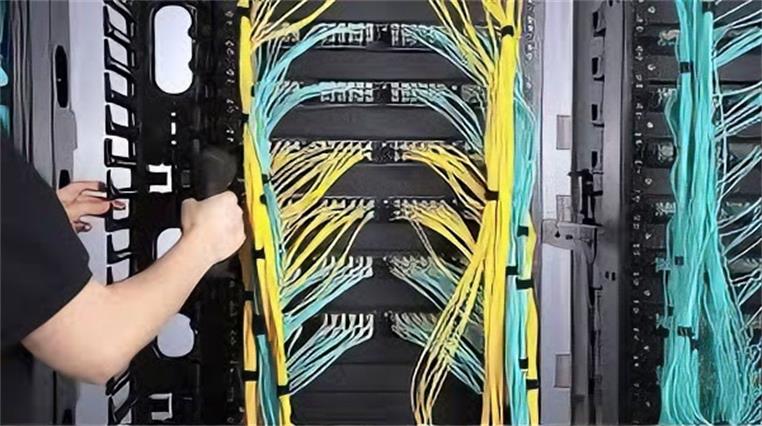
Fiber Optic Cable Pre-Installation Preparation
Before initiating any fiber optic cable installation—whether indoor or outdoor, residential or commercial—thorough pre-installation planning is essential to minimize delays, reduce material waste, prevent costly rework, and avoid mistakes. This phase lays the foundation for a smooth, compliant, and durable installation. Key pre-installation steps and practical tips include:
Cable Type Selection
Match the fiber optic cable to the deployment environment. Indoor cables must meet fire safety standards (e.g., OFNR, OFNP ratings) and be flexible for tight routing, while outdoor cables require armor, moisture barriers, and UV resistance to withstand harsh conditions. Critically, do not mix fiber types: single-mode fiber (SMF, 9μm core) and multi-mode fiber (MMF, 50μm or 62.5μm core) are incompatible, and even within MMF, 50μm and 62.5μm cables should not be mixed—this reduces effectiveness, causes malfunctions, and leads to confusion. Bundle identical fibers with cable ties or use labels for easy identification. SMF is ideal for long-distance outdoor installations, while MMF suits short-range indoor applications.
● Waterproof Fiber Optic Cable: For outdoor use (conduit, direct buried, aerial) and occasional damp indoor areas, with moisture barriers/waterproof jackets; outdoor types have armor; keep the waterproof layer intact and use weatherproof splice enclosures.
● Multi-Fiber Optic Cable: For indoor/outdoor high-density transmission, with 2–144 cores; indoor flexible, outdoor protected; do not mix core sizes and match outdoor types to installation methods.
● Single-Fiber Optic Cable: For outdoor long-distance and occasional indoor short-range use, with one core (SMF 9μm/MMF 50μm/62.5μm); do not mix SMF and MMF.
● Fire-Resistant Fiber Optic Cable: Indoor-only (offices, data centers), OFNR/OFNP-rated, low smoke/slow flame spread; use in riser/plenum areas, avoid heat sources.
● Armored Fiber Optic Cable: For outdoor direct buried and indoor high-damage areas, with steel/aluminum armor; outdoor types waterproof; use lubricants when pulling, avoid excessive bending.
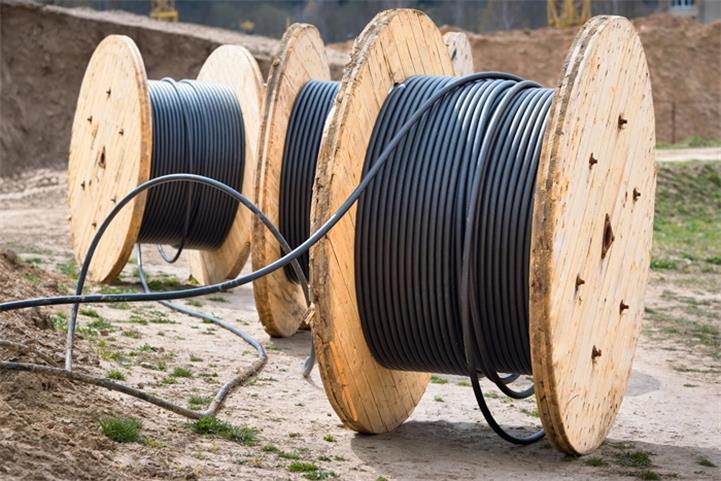
Site Survey & Routing Planning
Conduct a detailed site survey to map the installation route, identify potential hazards (e.g., existing utilities, structural barriers, sharp edges), and determine the optimal path—prioritize the shortest distance possible. A shorter route enables faster signal transmission, minimizes pull length, and reduces the risk of cable breakage. For outdoor routes, confirm underground utility locations (via utility marking services) to avoid accidental damage. For indoor routes, plan paths that minimize cable bends and reduce exposure to power cables. Develop a port map (labeling each port’s name, patch panel location, network cabinets, and other hardware) to guide cable routing and connections; this map also serves as a reference for troubleshooting network issues.
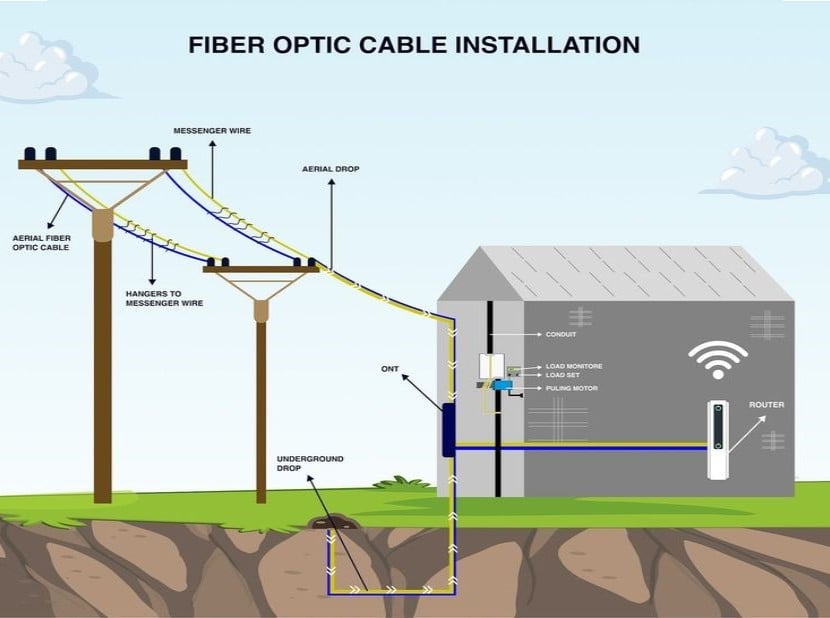
Determine Cable Length & Tool Preparation
Calculate the exact cable length needed for your route to avoid ordering too little (frustration) or too much (waste). Since installation routes are rarely linear, add extra cable length to accommodate unexpected direction changes and prevent straining the fiber. Gather all necessary tools and materials in advance, including fiber pullers, load monitors (to track tension), compatible cable lubricants, cable management accessories (trays, J-hooks, ties), fusion splicers, cleavers, and testing equipment (continuity tracker, visual fault locator/VFL, OTDR, light source, power meter). Ensure all tools are calibrated and in good working condition.
Compliance Check & Pre-Installation Testing
Verify compliance with local building codes, industry standards (e.g., TIA/EIA-568, IEC 60332), and safety regulations (e.g., fire codes, excavation permits). Test fiber optic cables before installation to avoid using faulty or substandard cables—use a continuity tracker to confirm fiber integrity; if all fibers pass, proceed. A visual fault locator (VFL) can also identify breaks in cables prior to installation.
Indoor Fiber Optic Cable Installation Best Practices
Indoor fiber optic Cable installation primarily occurs in commercial buildings, offices, data centers, homes, and workplaces. The core priorities here are safety (fire resistance, low smoke emission), cable protection (minimizing bending, twisting, and stress), organized routing, and compatibility with existing infrastructure. Below are best practices integrated with practical tips for common indoor scenarios:
Ceiling & Raised Floor Installations
Drop ceilings and raised floors are the most common indoor installation locations, as they provide easy access to routing paths while keeping cables out of sight. To ensure reliability and avoid damage:
● Cable Support & Organization: Support fiber cables at regular intervals (every 1.5–2 meters) using cable trays, J-hooks, or cable ladders to prevent sagging (which causes signal loss) and avoid overloading supports (excessive weight crushes fiber cores). Never leave fibers hanging freely—exposure to the ground or walls exposes them to hazards.
● Avoid Bending, Twisting, & Sharp Edges: Fiber optics are fragile (made of glass, as thin as a human hair) and can break if mishandled. Avoid bending or twisting cables; if bending is necessary, never exceed the manufacturer’s minimum bend radius (typically 10–15 times the cable diameter for static bends, 20–30 times for dynamic bends). Use smooth, flexible conduit with a smooth inner wall to protect cables from sharp edges and reduce breakage risk—avoid conduit with rough interiors or sharp edges.
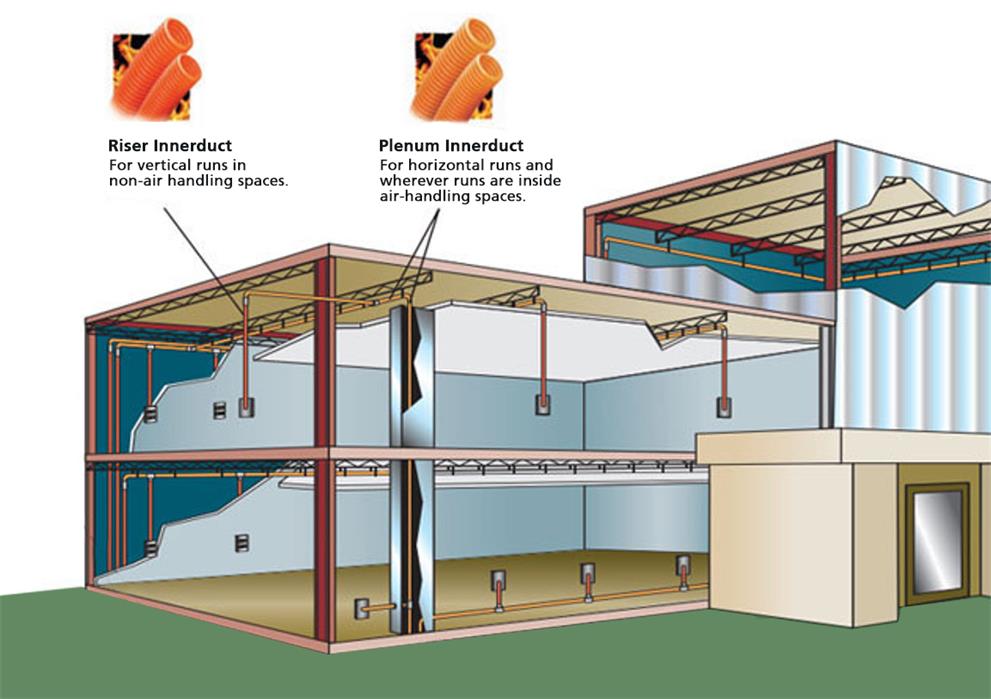
● Safety & Accessibility: Use fire-rated cables (OFNR for riser areas, OFNP for plenum spaces) to comply with building codes. Route cables away from heat sources (e.g., HVAC ducts, lighting fixtures) and leave clear access for future maintenance and testing.
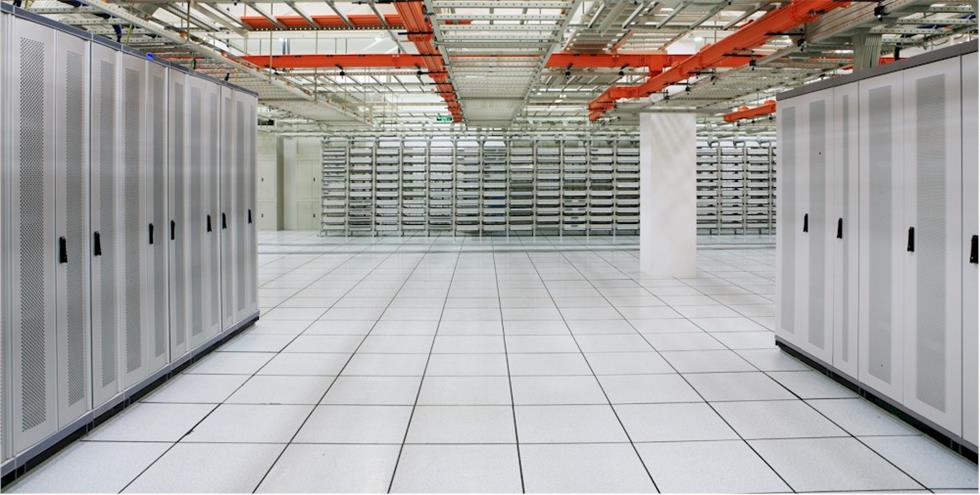
In-Cabinet & Data Center Installations
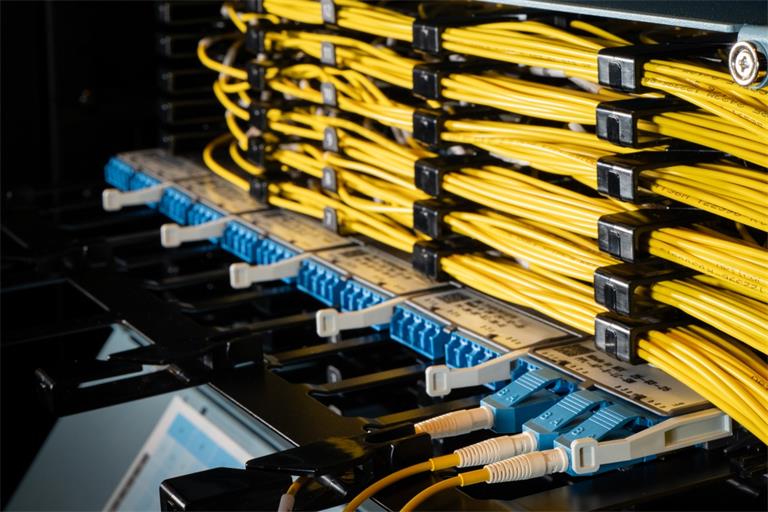
Data centers and equipment cabinets require precise cable management to support high-density connections and ensure easy maintenance. Best practices include:
● Neat Routing & Segregation: Use fiber patch panels and cable management trays to organize cables; separate fiber optic cables from power cables (minimum 30cm separation) to avoid electromagnetic interference (EMI). Label all cables and patch cords clearly—this complements your port map and prevents confusion during maintenance.
● Minimize Stress & Bending: Avoid excessive tension when pulling cables into cabinets. Use cable guides and strain reliefs to protect connectors and splices, and route patch cords without sharp bends. Secure cables with cable ties (avoid over-tightening) to prevent damage.
● Splicing & Termination: Perform fusion splicing in a clean, dust-free environment for low-loss connections. Use high-quality connectors (e.g., SC, LC, FC) and follow proper termination procedures. Test all splices and connections with an OTDR post-installation to verify signal integrity.
Riser & Vertical Installations
Riser installations involve routing cables vertically between building floors, requiring special attention to cable support, tension, and vertical rise limits:
● Cable Rating & Vertical Rise Compliance: Use riser-rated cables (OFNR) for vertical runs to meet fire safety standards. When purchasing cables, check their maximum vertical rise (the vertical distance they can safely span)—exceeding this increases breakage risk. For steep ascents, use additional supports.
● Vertical Support & Pulling Technique: Use cable grips or hangers to support vertical runs at manufacturer-specified intervals (typically every 6–10 meters) to distribute weight evenly. Avoid pulling cables from bottom to top—this applies excessive load. Instead, pull from the top downwards and leave small slack at each floor for future adjustments.
● Manufacturer Guidelines: Follow the cable manufacturer’s specific instructions for vertical installation, as different designs (e.g., distribution cables, breakout cables) may have unique requirements.
Outdoor Fiber Optic Cable Installation Best Practices
Outdoor fiber optic Cable installation involves deploying cables in harsh, unpredictable environments—exposed to moisture, extreme temperatures, UV radiation, physical damage, and environmental hazards. The goal is to ensure durability, signal integrity, and long-term reliability, using practical techniques to avoid common pitfalls. Below are best practices for common outdoor methods:
Conduit Installation (Underground)
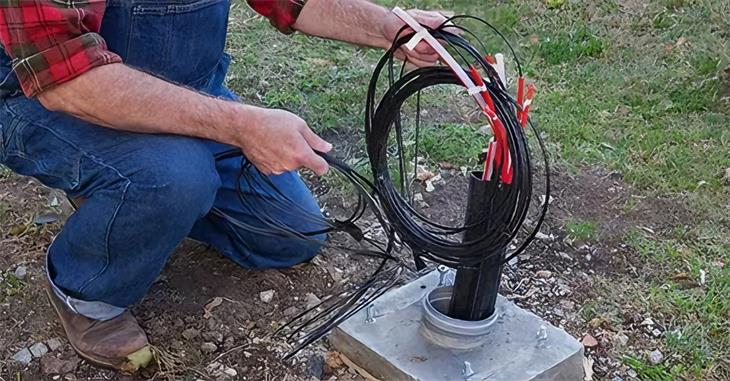
Conduit installation involves pulling fiber cables through protective conduits buried underground, providing high protection against physical damage. Key best practices include:
● Conduit Preparation: Use flexible, corrosion-resistant high-density polyethylene (HDPE) conduit. Install with a 1–2% slope for water drainage and smooth all transition points (bends, junctions) to avoid sharp edges. Use compatible lubricant on the cable jacket to reduce pull loads and breakage risk—critical for long-distance runs.
● Cable Pulling: Use a cable puller with a load monitor to ensure tension does not exceed the manufacturer’s limit (typically 200–400 N for outdoor cables). Use a pull cord or fish tape to guide the cable through the conduit, and avoid excessive pulling (a leading cause of fiber breakage).
● Conduit Bends & Runs: Maintain a minimum bend radius of 10 times the conduit diameter and limit runs to 30 meters (100 feet) between pull boxes, with no more than two 90-degree bends per run to minimize tension.
● Burial Depth: Bury the conduit 1–2 meters deep to reduce excavation damage, and mark the route with warning tapes or markers.
Direct Buried Installation
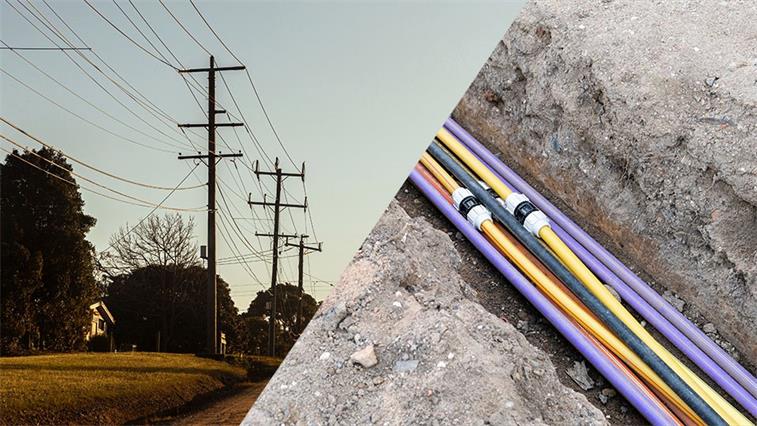
Direct buried installation involves placing fiber cables directly in the ground without a protective conduit, making it cost-effective for long-distance routes. Best practices include:
● Cable Selection: Use armored direct-buried cables with reinforced jackets (e.g., TPU, PE) and moisture barriers to withstand soil pressure, moisture, rodent damage, and chemicals. Industrial armored cables offer enhanced durability for harsh underground conditions.
● Site Preparation: Clear the route of rocks, roots, and sharp objects (which damage fragile fibers). Dig a trench 1.2–1.5 meters deep (below the frost line) to prevent temperature-related damage (freezing, thawing).
● Cable Placement: Place a 10–15 cm sand layer at the trench bottom to cushion the cable, lay it evenly (avoid twists/kinks), and cover with another sand layer before backfilling—this protects against friction and sharp debris.
● Protection & Marking: Install warning markers every 50–100 meters. Use additional protection (e.g., concrete slabs) near high-traffic areas (roads, driveways).
Aerial Installation
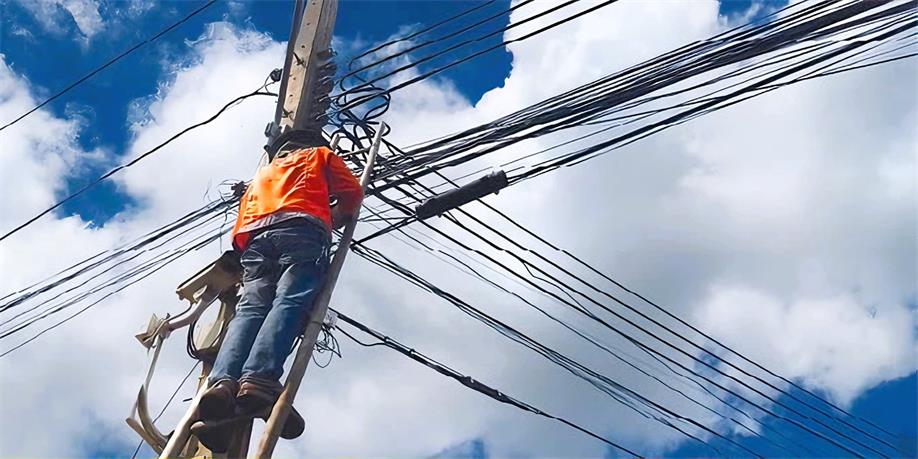
Aerial installation involves mounting fiber cables on utility poles, pylons, or building exteriors, ideal for long-distance routes where underground installation is impractical. Best practices include:
● Cable Selection: Use self-supporting aerial cables (e.g., ADSS, OPPC) with a built-in messenger wire for strength—these withstand wind, ice, UV radiation, and temperature fluctuations. FTTA (Fiber to the Antenna) patch cables are recommended for enhanced weather resistance in telecom applications.
● Pole Mounting: Secure cables to poles with clamps/hangers, ensuring the messenger wire bears the weight (not the fiber core). Maintain a safe distance from power lines to avoid electrical hazards.
● Sag & Tension Control: Maintain optimal sag (0.5–1% of span length) between poles to reduce tension. Use a load monitor to avoid over-tightening, which strains fibers. Avoid excessive pulling—leave slack to prevent breakage.
● Weather Protection: Install weatherproof enclosures for splices/connectors to prevent moisture ingress. Use UV-resistant tape/sealants to protect cable jackets.
Submarine/Underwater Installation
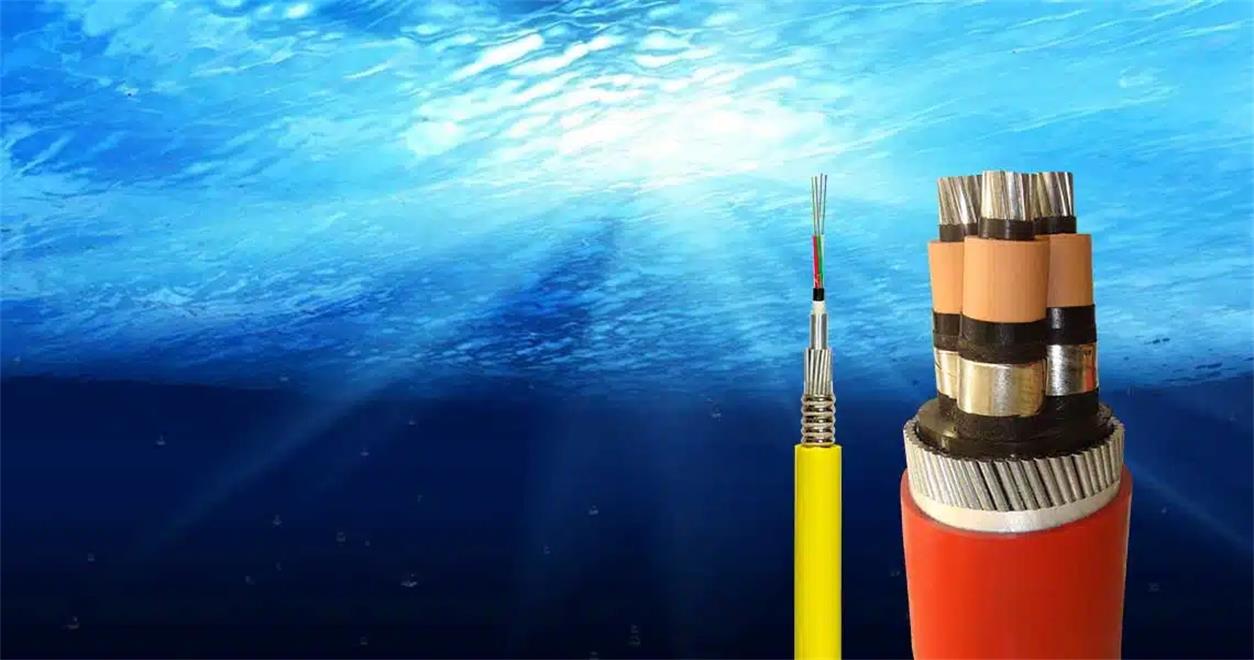
Underwater fiber cables are used for long-distance intercontinental/coastal communication, requiring superior water resistance and durability. Best practices include:
● Cable Design: Use submarine cables with multi-layered protection (gel-filled tubes, moisture-blocking tape, steel armoring) to prevent water ingress and damage from marine life (e.g., sharks) or anchors.
● Route Planning: Avoid high-traffic shipping lanes, coral reefs, and strong currents. Conduct detailed seabed surveys to identify hazards (rocks, shipwrecks).
● Installation Techniques: Use specialized cable-laying vessels with depth sensors and tension controls to lay cables evenly. Bury cables 1–2 meters deep in shallow coastal areas to protect against anchors/waves.
● Testing & Monitoring: Conduct comprehensive post-installation testing (OTDR, optical power testing) and implement real-time monitoring to detect breaks quickly.
Post-Installation Testing & Maintenance
Post-installation testing is critical to verify installation quality and ensure the network meets performance requirements—this complements pre-installation testing to catch issues caused during deployment. Key practices include:
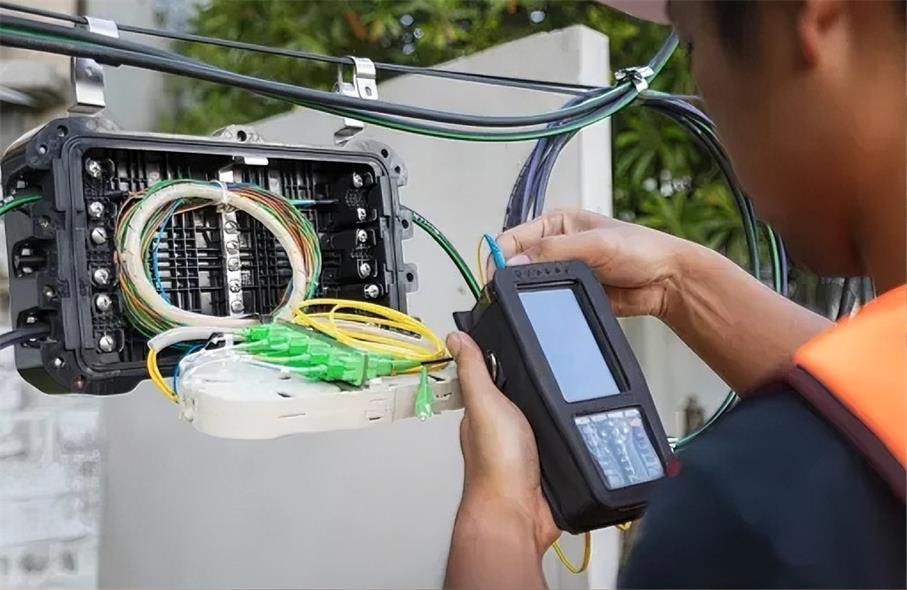
● Signal Integrity & Fault Testing: Use an OTDR to measure signal loss (attenuation) and detect faults (splice losses, breaks). Test all splices, connectors, and runs to meet industry standards (≤0.3 dB per splice, ≤0.5 dB per connector). Use a VFL to identify any breaks that occurred during installation—remedy issues by repairing or replacing damaged fibers.
● Visual Inspection: Inspect all cable runs, splices, and connectors for damage, loose connections, or improper routing. Ensure enclosures are sealed and secure, and cables are free of excessive bending/twisting.
● Documentation: Maintain detailed records, including routing maps, splice locations, cable types, test results, and the port map created during pre-installation. This is essential for troubleshooting, maintenance, and upgrades.
● Regular Maintenance: Implement a scheduled maintenance plan to inspect cables, clean connectors, and test signal integrity periodically. For outdoor installations, check for environmental damage (storm damage, rodent infestations) and repair as needed.
FiberMart Recommended Fiber Optic Cables
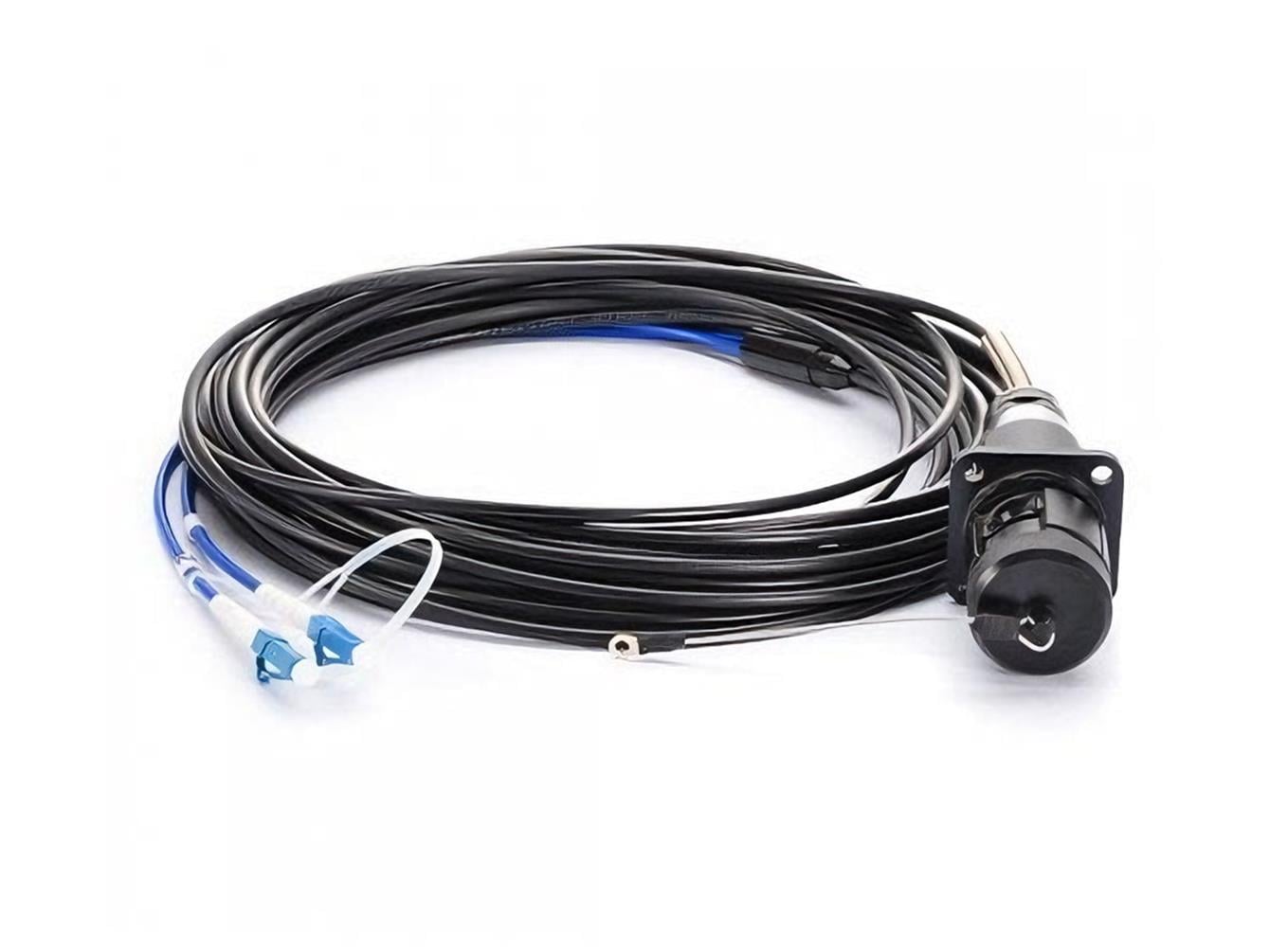
For different application scenarios and project requirements, Fiber-Mart has selected cost-effective and high-quality fiber optical cable products, fully covering the three categories of indoor, outdoor, and armored, which can accurately adapt to various selection needs. Click the links below to view detailed product parameters, technical specifications, and quotation information:
● Indoor Fiber Optic Cable Recommendations:Fibermart Indoor Fiber Patch Cables
● Outdoor Fiber Optical Cable Recommendations:Fibermart Industrial Fiber Optic Cables
● Armored Fiber Optic Cable Recommendations: Fibermart Armored Fiber Cables
Conclusion
Fiber Optical Cable installation success—whether for homes, workplaces, or large-scale networks—relies on a combination of careful planning, proper cable selection, compliance with standards, and attention to practical, damage-prevention techniques. By following the integrated guidelines outlined here—from pre-installation testing and length calculation to avoiding bending/twisting and excessive pulling—installers (experienced or inexperienced) can ensure smooth, efficient installation. This approach guarantees fiber optic cables deliver optimal performance, reliability, and longevity, supporting high-bandwidth applications for years to come. Remember, a network’s success depends not only on component quality but also on installation quality—investing time in planning, best practices, and testing minimizes downtime, reduces maintenance costs, and maximizes return on investment.
FAQ
1. Why is planning important before fiber optic cable installation?
It helps map cable routes, avoid hazards, and reduce installation errors. A clear blueprint ensures efficient deployment.
2. How should fiber cables be tested?
Use a Visual Fault Locator (VFL) or Optical Time Domain Reflectometer (OTDR) to detect breaks and confirm signal quality before and after installation.
3. What happens if you bend fiber cables too tightly?
Over-bending causes micro-cracks and signal loss. Always follow the manufacturer’s minimum bend radius.
4. Can single-mode and multimode fibers be mixed?
No. Mixing them leads to high attenuation and poor performance. Always label and separate fiber types.
5. How can I prevent fiber breakage during installation?
Avoid excessive pulling tension and sharp turns. Use conduits or flexible tubing for vertical or horizontal routing.
6. When should lubricants be used?
Use compatible fiber lubricants when pulling long cable runs through ducts to reduce friction and stress.
7. What’s the best way to support fiber cables?
Always secure cables within conduits, trays, or protective tubing to prevent sagging and accidental damage.
8. How often should fiber networks be inspected after installation?
Conduct regular inspections and cleaning every 6–12 months to maintain signal quality and prevent contamination.
For more fiber optic cable information and prices, pls visit Fibermart Fiber Cable Solutions





No comments have been posted yet.